
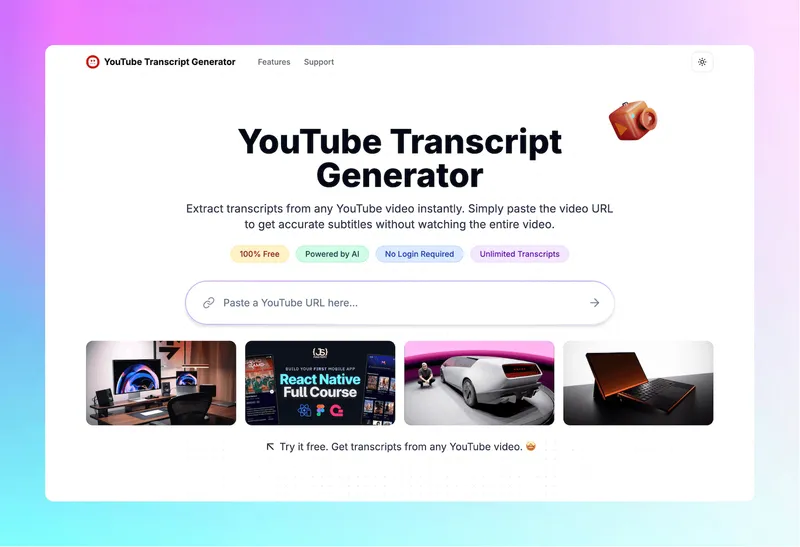
YouTube Transcript Generator is a free web-based tool that extracts complete transcripts from any YouTube video by pasting its URL, with no login required.
What is YouTube Transcript Generator?
YouTube Transcript Generator takes a YouTube video URL as input and outputs the full transcript text. It runs on any device with a web browser and can extract transcripts from videos with existing captions or generate them automatically for videos without captions. The tool is provided by transcriptgenerator.org.
Key Features
- Instant Transcripts — Extract and download complete transcripts from any YouTube video within seconds.
- Video Summaries — Get concise summaries that capture key points from lengthy video content.
- AI Conversations — Ask questions and receive insights directly from video content through AI.
- Translate Captions — Transform video captions into multiple languages for global accessibility.
- Download Formats — Save transcripts in TXT, DOCX, SRT, and VTT with one click.
- Transcribe Without Captions — Generate accurate transcripts for videos that lack existing captions automatically.
- Timestamped Transcripts — Each transcript line includes timestamps for easy reference.
- Auto-scroll — Follow along with the video as the transcript scrolls automatically.
- Searchable Transcripts — Quickly find specific words or phrases within transcript to locate exact moments.
Who is it for?
- Content Creators: Extract quotes and ideas from videos to inspire blogs, social posts, and scripts.
- Students: Create comprehensive notes from lectures without constantly pausing videos.
- Researchers: Quickly access spoken information from video interviews without manual transcription.
- Educators: Transform video lessons into accessible text materials for all students.
- Marketers: Monitor industry trends by turning competitor videos into searchable text documents.
- Language Learners: Use caption translation to understand content in non-native languages.
What can you do with YouTube Transcript Generator?
- Content Creation: Creators extract quotes and ideas to inspire blogs, social posts, and scripts.
- Study Aid: Students create notes from lectures.
- Research Tool: Researchers access spoken information from interviews.
- Teaching Resource: Teachers transform lessons into accessible text.
- Market Analysis: Marketing teams turn competitor videos into searchable text.
- Everyday Use: Users locate specific information without watching entire video.
How does it work?
- Copy the video URL from YouTube.
- Paste it into the input box and click the transcript button.
- Review the transcript, search for specific sections, or download in your preferred format.
Pricing
YouTube Transcript Generator offers a free tier with 10 credits per week. Paid plans: Lite ($6.99/month, 700 credits, up to 30-minute videos), Standard ($9.99/month, 1500 credits, up to 1.5-hour videos), Professional ($24.99/month, unlimited credits, up to 3-hour videos). All paid tiers include priority support.
FAQ
Is the YouTube transcript generator free to use?
Yes, the transcript generator is free for videos that have captions enabled. Advanced features like summaries, AI chat, and bulk downloads require a subscription. The free tier provides 10 credits per week.
Are there any limits on how many transcripts I can generate?
No usage limits on free tier for basic transcript extraction. However, advanced features and credit-based actions (like summaries) are limited; paid plans offer higher or unlimited credits.
Can I use the transcript tool on mobile devices?
Yes, the tool is fully responsive and works on any device with a web browser, including desktops, tablets, and smartphones.
What download formats are available?
Transcripts can be downloaded as TXT, DOCX, SRT, and VTT files.
Do I need to create an account to use the transcript generator?
No account is needed for casual use. Creating an account is recommended for regular users to manage credits and access advanced features.


