
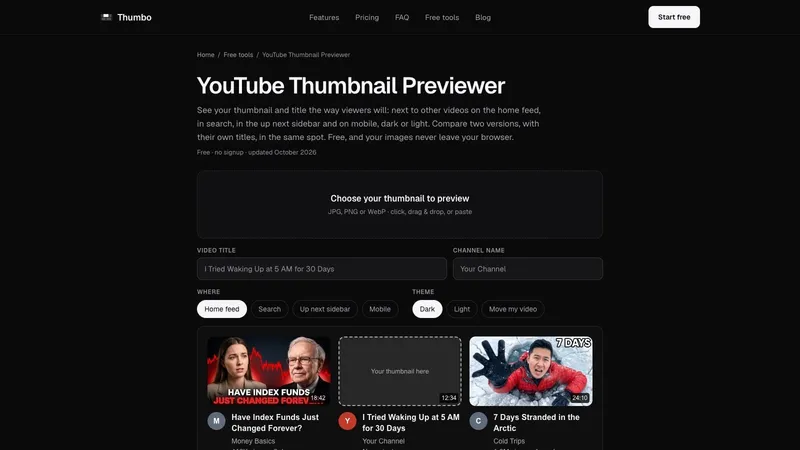
YouTube Thumbnail Previewer shows your thumbnail and title the way viewers will see them: next to other videos on the home feed, in search, in the up next sidebar and on mobile, in dark or light theme. It is free, and your images never leave your browser.
How it works
- Drop in your thumbnail. JPG, PNG or WebP. It loads instantly and stays in your browser: nothing is uploaded.
- Type your real title and channel name. They render under the image and are cut to two lines the way feeds cut long titles.
- Switch layouts and themes. Check home, search, the up next sidebar and mobile, in dark and light, and move your card around the grid.
- Compare two versions. Load a second thumbnail, give it its own title if you like, and flip between version A and version B in the same spot of the same feed.
Why preview before you publish
You design a thumbnail at full size, zoomed in, on a blank canvas. Viewers see it small, for a moment, between other videos that compete for the same click. A previewer puts your design into that crowd before you publish.
The videos around yours are example covers with made-up channels and numbers. The layouts are close approximations of YouTube, not pixel copies, and YouTube changes them often. Made by Thumbo, the AI thumbnail maker. Free, no signup, no watermark.


