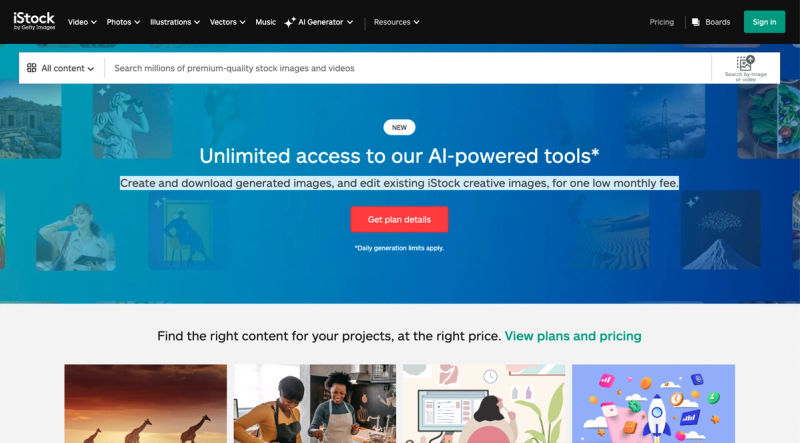
iStock is a royalty-free stock media platform offering millions of photos, illustrations, vectors, and videos, along with AI-powered tools for generating and editing custom content.
What is iStock?
iStock is a web-based stock photography and video service providing high-quality, royalty-free media assets for creative projects. Users can search, browse, and download existing images, illustrations, vectors, and videos, or use AI generation to create custom visuals from text descriptions. The platform also includes editing capabilities to modify iStock creative images. It is operated by iStock and accessible via any modern web browser. The core function is to supply ready-to-use visual content and enable custom creation under a subscription model.
Key Features
- Vast library of royalty-free media — Access millions of photos, vectors, illustrations, and videos covering diverse topics, including specific subjects like peony flowers.
- AI image generation — Create unique images by entering text prompts; generated images are downloadable and royalty-free.
- In-platform editing — Edit existing iStock creative images directly, applying adjustments without leaving the site.
- Subscription pricing — One low monthly fee for unlimited downloads (specific tiers and limits are not disclosed on this page).
- Multi-language support — Interface available in English, Chinese, and other languages, making it accessible globally.
- Advanced search and filters — Find exactly what you need by category, orientation, color, and more.
Who is it for?
- Graphic designers and illustrators — Quickly source high-resolution images and vector graphics for commercial projects, or generate custom visuals with AI.
- Content creators and YouTubers — Download video clips and images for video thumbnails, backgrounds, or social media posts without copyright concerns.
- Marketing professionals — Create branded visuals using iStock's editing tools to add logos or text, maintaining consistent visual identity across campaigns.
What can you do with iStock?
- Search and download stock assets — Find the perfect photo or video for any project and download it in various resolutions.
- Generate images with AI — Describe the image you need (e.g., "a red peony flower on a white background") and get a ready-to-use custom image.
- Edit existing images — Use simple editing features to crop, add filters, or adjust elements directly on the platform.