Newsletter
Join the Community
Subscribe to our newsletter for the latest news and updates
Professional WhatsApp DP converter and full size ratio tool for perfect profile pictures.
Traffic, search & AI signals for whatscrop.org.
Third-party traffic estimate · Updated Sep 9, 2026
Submit your own product to reach creators and founders looking for the next tool to try.
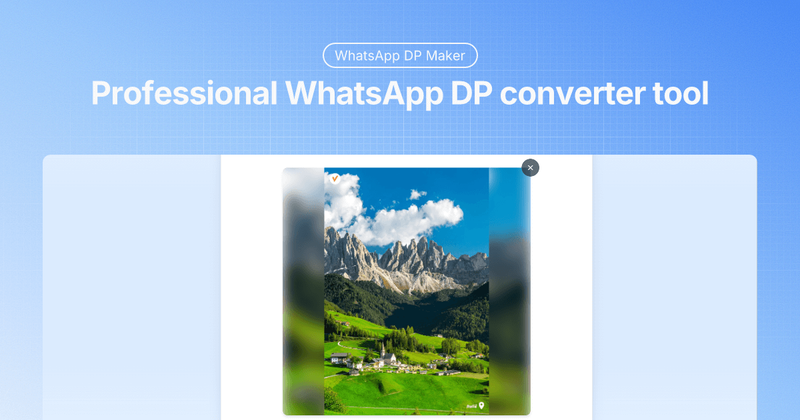
Whats Crop is a free, browser-based tool that converts any image into a perfectly sized WhatsApp display picture (DP) using either cropping or intelligent blurring, all processed locally without uploading.
Whats Crop is a specialized online tool for creating WhatsApp profile pictures. It takes an uploaded image (JPG, PNG, WebP, or GIF, up to 20MB) and outputs a square DP optimized for WhatsApp's ratio. The tool runs entirely in the user's browser, with no server uploads. It is developed by an unnamed creator and available at whatscrop.org.
The process has three steps: (1) Upload an image by clicking the upload area or dragging and dropping a file. (2) Choose between crop or blur mode, then adjust the blur intensity (1–10px) or zoom level. (3) Click "Download Image" to save the resulting DP. All processing uses client-side JavaScript, so no data is transmitted.
Whats Crop is completely free. There are no premium tiers, no watermarks, and no registration required. All features are available to all users.
Select the "Full DP with Blur" mode after uploading your image. This option keeps your entire photo visible by adding a blurred background that matches the edges, creating a professional full DP without cropping.
WhatsApp may compress larger images, but the tool pre-optimizes DPs to minimize quality loss. Using the correct square ratio and format helps maintain clarity after WhatsApp's compression.
The tool supports JPG, PNG, WebP, and GIF files up to 20MB. PNG is recommended for images with transparency; JPG works best for standard photos.
Yes, all processing happens locally in your browser. Your images never leave your device, and no data is stored on any server.