Newsletter
Join the Community
Subscribe to our newsletter for the latest news and updates
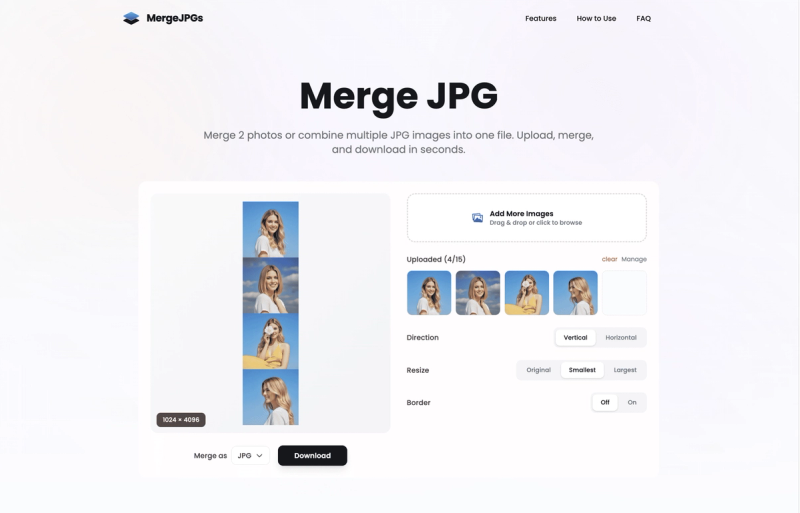
Merge 2 photos or combine multiple JPG images into one file. Upload, merge, and download in seconds.
Traffic, search & AI signals for mergejpgs.com.
Third-party traffic estimate · Updated Sep 9, 2026
Submit your own product to reach creators and founders looking for the next tool to try.
MergeJPGs is a free, browser-based tool that lets you combine multiple images into a single file, supporting up to 20 images at once with processing under 3 seconds.
MergeJPGs is a web-based image merging tool that takes multiple image files (JPG, PNG, WebP, HEIC, BMP, TIFF, GIF, and more) as input and produces a single merged image in your choice of JPG, PNG, or WebP format. It runs entirely in your browser with no software installation or account registration required. The tool is developed and maintained by the MergeJPGs team.
MergeJPGs is completely free to use with no hidden costs, subscriptions, or registration required. There are no premium tiers or limits.
You can merge between 2 and 20 images per session. Each image can be up to 8000x8000 pixels and up to 10 MB in file size, with a total upload limit of 150 MB per session.
The tool supports all common image formats: JPG, PNG, WebP, HEIC, BMP, TIFF, GIF, and more. Unsupported formats are automatically converted.
No. All images are processed temporarily in memory and automatically deleted within minutes of completion. MergeJPGs does not store, analyze, or share your images.
No registration is required. Simply visit the website, upload your images, and start merging immediately.
Yes, you can enable borders between images with customizable colors and thickness. The tool also offers options to scale images to uniform sizes or maintain original proportions.