VybeScript is a macOS dictation app that transcribes speech locally with NVIDIA Parakeet or Whisper and rewrites it into clean text using Apple's on-device Foundation Models.
What is VybeScript?
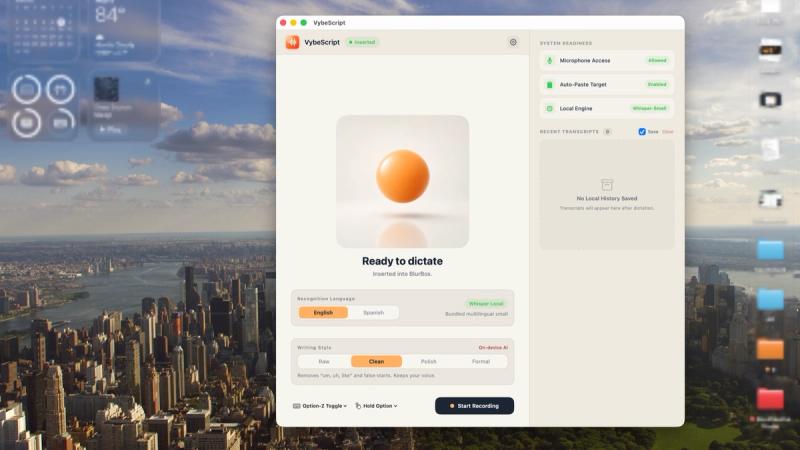
VybeScript is a private dictation app for Mac, made by Box Creative Studio. You press a global hotkey or hold it for push-to-talk, speak in English or Spanish, and the resulting text is pasted at the cursor position in whatever app you were already using. Audio capture, transcription, and AI cleanup all run locally on Apple Silicon — there is no server processing, no account, and no sign-in. It is distributed as a direct download, with a license key emailed after checkout.
What makes VybeScript stand out?
- Global hotkey and push-to-talk — start dictation from any native or web app on macOS with a keyboard shortcut (documented default is Control plus Space), or hold the key for push-to-talk.
- Local speech engines — NVIDIA Parakeet runs on the Mac's Neural Engine by default; Whisper is available as an alternative engine.
- Four writing styles — Raw gives the verbatim transcript with only spacing and punctuation normalized, Clean removes filler words and false starts while keeping your wording, and Polish and Formal apply Apple Intelligence rewriting for grammar, professional tone, bullet points, or numbered lists.
- Bilingual English and Spanish — dictation works in both languages, and the app learns custom terms and corrections so names and jargon come out right.
- Fully offline dictation — the app goes online only to activate a license, check for updates, and download its speech model once on first launch (about 470 MB).
- Style fallback without Apple Intelligence — on Macs without Apple Intelligence, transcription accuracy is unchanged but Clean, Polish, and Formal drop to basic filler removal with no grammar rewriting, bullet points, or numbered lists.
- Pre-purchase compatibility check — VybeScript is free to download and, before a license is entered, reports whether the Mac supports every writing style.
- Written guarantees — a 30-day "faster than typing" refund, a lifetime privacy refund promise, a 48-hour word-fix commitment, and a shutdown promise that a final license-free build ships if development stops.
Who should use VybeScript?
Writers and knowledge workers: dictate emails, docs, and chat replies in four different polish levels instead of typing, then let the Clean or Formal style produce output ready to send. Developers and technical users: speak commit messages, code comments, and issue descriptions into an editor, relying on vocabulary learning to get project-specific identifiers right. Privacy-sensitive professionals: people handling client or confidential material who need audio and transcripts to stay on the machine and want the offline requirement verified before buying. Bilingual English and Spanish speakers: teams and individuals who switch between both languages during the day.
What can you do with VybeScript?
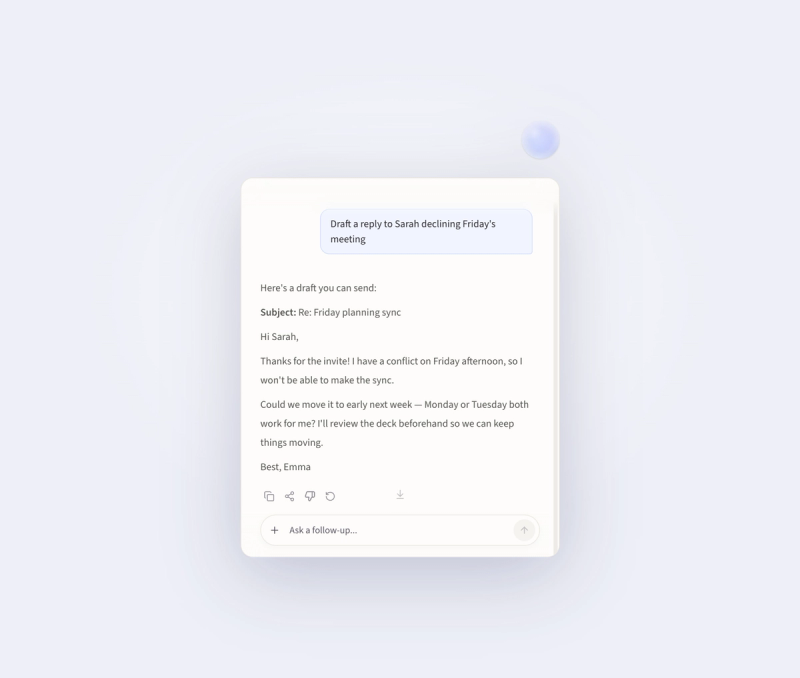
Email and documents: dictate a rough spoken draft and select Polish or Formal to get corrected grammar, a professional tone, and structured bullet or numbered lists pasted straight into the document. Chat and messaging: fire off quick replies in Slack-style apps or macOS Messages without leaving the keyboard, using Raw style when you want your own phrasing. Code and tickets: speak into code editors and issue trackers, with vocabulary learning trained on your own names and jargon. Offline work: dictate on a plane or off the grid, since the app needs no internet connection for transcription.
How does VybeScript work?
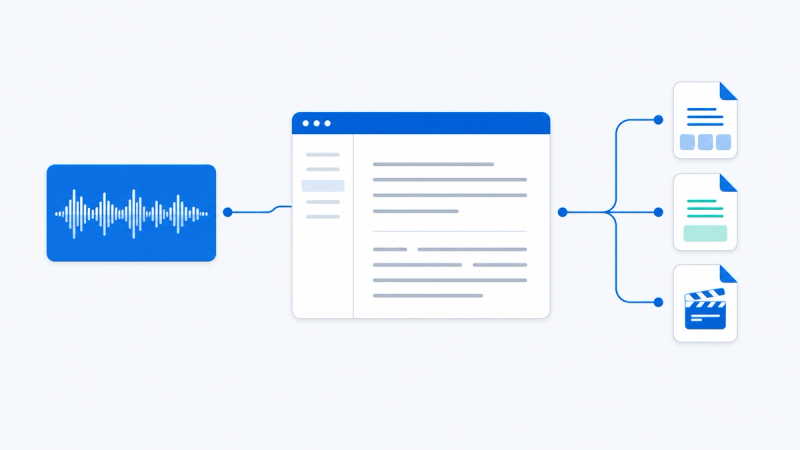
- Press a global hotkey, or hold it for push-to-talk. 2. Speak naturally — pauses and filler words are acceptable. 3. A local speech engine transcribes the audio, and Apple's on-device models clean it up in your chosen style. 4. The finished text is pasted where your cursor already was. Requirements differ by style: a Mac with Apple Silicon (M1 or later) for everything, macOS 14 or later for recording, transcription, and Raw style, and macOS 26 or later with Apple Intelligence turned on for Clean, Polish, and Formal.
Pricing
VybeScript is a paid app with a one-time option and a subscription: Lifetime costs $99 once and covers up to 3 Macs with all future updates; Yearly Pass costs $39 per year with updates while the subscription is active, also up to 3 Macs; Team Pack costs $349 once for 5 people and covers up to 15 Macs, adding a custom vocabulary pack and a 30-minute onboarding call. Every plan unlocks the entire app. There is no free trial — instead the app runs for 30 days under a refund guarantee. Lifetime and Team buyers also get a free 15-minute setup call with the founder, limited to 10 calls a week.
Alternatives
VybeScript's own comparison table lists Wispr Flow (which processes voice in the cloud), Superwhisper (on-device models plus cloud AI modes), and Apple Dictation (free, with no filler cleanup or rewriting).
FAQ
Does anything leave my Mac?
No. Audio, transcription, and AI cleanup all run locally, with no servers or accounts involved in voice processing, and the site backs this with a lifetime refund promise if audio or transcripts are ever sent off the Mac. The website itself uses Google Analytics for traffic measurement.
Which languages does VybeScript support?
English and Spanish. The app also learns custom terms and corrections over time so personal names, client names, and jargon are transcribed correctly. Apple Intelligence must be available in your language and region for the Clean, Polish, and Formal writing styles.
What Mac do I need?
A Mac with Apple Silicon (M1 or later) for all features, macOS 14 or later for recording, transcription, and Raw style, and macOS 26 or later with Apple Intelligence enabled for Clean, Polish, and Formal, which otherwise fall back to basic filler removal.
Is there a free trial?
No — there is a 30-day guarantee instead. You get the full app, and if it is not faster than your keyboard you can email the word "refund" for a full refund. The app is free to download and checks Mac compatibility before purchase.
Does VybeScript work offline?
Yes, dictation works fully offline. The app only connects to activate a license, check for updates, and download its speech model once on first launch, which is roughly 470 MB.