Unbound AI is an uncensored, unrestricted, and unfiltered AI image and video generator platform that allows users to create high-quality visuals from text prompts or reference images.
What is Unbound AI?
Unbound AI is a web-based platform specializing in generating uncensored AI images and videos. It takes text prompts and/or reference images as input and produces images, videos, and audio (music, voice, SFX) as output. The platform is developed by Unbound AI and emphasizes creative freedom without content restrictions, although illegal content remains prohibited.
Key Features
- Unrestricted AI Image Generator: Create high-detail images from text prompts with fast iteration, supporting various styles.
- Unrestricted AI Video Generator: Turn prompts or images into high-definition AI videos with stronger motion control, including new models like Seedance 2.0 (face consistency) and Wan 2.7 (smoother motion).
- AI Audio Tools: Add music, voice, and sound effects to video projects directly within the platform.
- AI Effects Templates: Pre-built motion effects for quicker creation without detailed prompt engineering.
- Credit System: 3 free credits on first login, plus 1 daily login credit; one-time credit packs available that never expire.
- Multimodel Support: Access to multiple AI models including Seedance 2.0, Wan 2.7, and GPT Image 2 for varied outputs.
- Community Gallery: Browse and share creations from the Unbound AI community, showcasing both images and videos.
Who is it for?
- Content creators: Generate unique visuals for social media posts, thumbnails, or short clips.
- Artists and designers: Explore unrestricted creative workflows for concept art or experimental projects.
- Video producers: Quickly produce AI video clips with added audio for rapid prototyping or final assets.
- Indie filmmakers: Use uncensored video generation for storyboarding or visual effects without filtering.
What can you do with Unbound AI?
- Generate uncensored images: Input a text prompt to get detailed, style-varied images in seconds.
- Create uncensored videos: Convert text or reference images into short, high-definition clips with motion control.
- Enhance videos with audio: Add background music, voiceovers, or sound effects using AI Audio Tools.
- Apply effects quickly: Use AI Effects Templates to apply ready-made motion effects without prompting from scratch.
How does Unbound AI work?
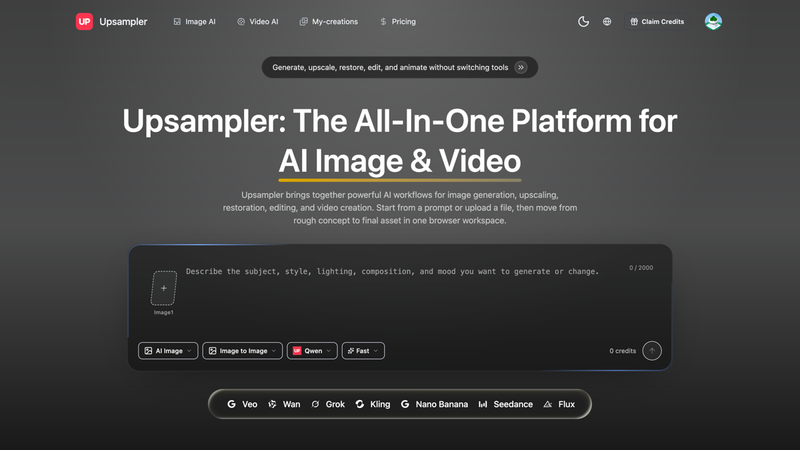
Start by choosing a workflow: Image, Video, or Templates. For images and videos, you provide a text prompt or upload a reference image. The platform then generates the output using one of its AI models. Credits are consumed per generation. You can manage your balance and purchase additional credit packs. The entire process is web-based with no installation required.
Pros and cons
Pros:
- Uncensored mode avoids content filters for legitimate creative freedom.
- Multiple specialized models for different tasks (image, video, audio).
- Free daily credits make it accessible for testing.
- One-time credit packs do not expire. Cons:
- Third-party models may still apply safety filters (as noted in FAQ).
- Illegal content is strictly prohibited despite "uncensored" label.
- Generation speed varies by workload and queue.
Pricing
Unbound AI operates on a freemium model. New users receive 3 free credits upon first login, and 1 additional credit daily. For higher volume or resolution, one-time credit packs are available for purchase. These packs never expire.
Alternatives
- Runway: Offers a broader suite of AI video tools but may have content restrictions.
- Pika: Focused on video generation with a different model approach.
- Luma AI: Specializes in 3D capture and video from images.
- Kling: Another AI video generator, often compared with Unbound AI.
- Vidu: Text-to-video generator with varying levels of restriction.
- HeyGen: Known for AI avatars and talking videos, more business-oriented.
- Synthesia: AI video creation with avatars, targeted at enterprise.
- Kaiber: Not widely known as a direct competitor, but listed on the site.
- Descript: Primarily a video/audio editing platform with AI features.
FAQ
Is Unbound AI free to use?
Yes, Unbound AI offers free credits for core image and video generation. You get 3 credits on first login and 1 credit daily. Paid credit packs are available for extended usage.
Can I use generated content commercially?
Commercial use depends on your purchased credits, input rights, and terms. You must have permission for uploaded materials and follow platform policies.
How does Unbound AI protect my data?
Uploads are encrypted in transit. Data handling follows the privacy policy, and you control what you publish or share.
How fast is generation?
Typical ranges: videos in minutes, images in seconds, audio under a minute. Timing varies by workload, model, and current queue.
Which models support "uncensored" mode?
Unbound AI first-party generators support uncensored workflows. Third-party models follow their own policies and may apply extra safety filtering. The platform still prohibits illegal content.