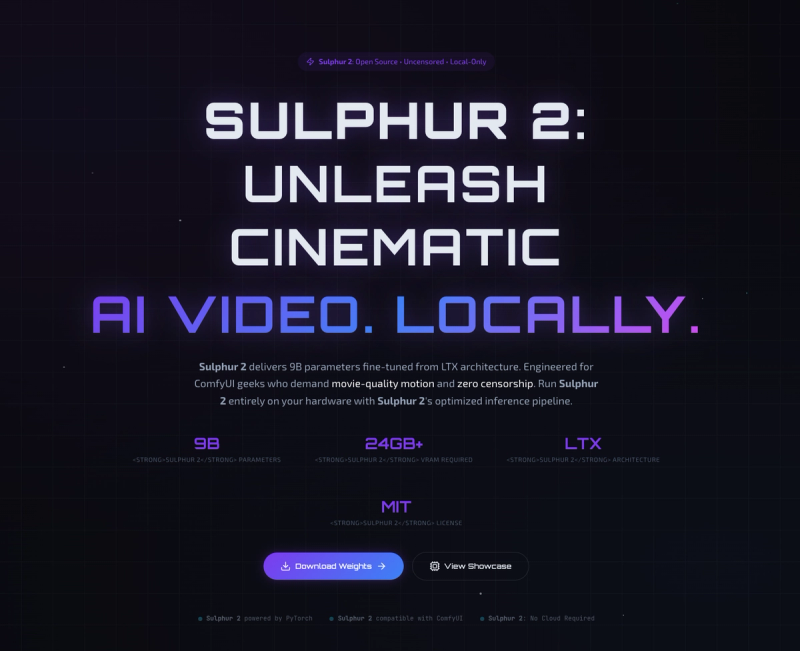
Sulphur 2 is an open-source, uncensored 9B-parameter video generation model fine-tuned from LTX architecture, designed for local execution via ComfyUI to produce cinematic-quality videos from text and image prompts without cloud dependency or content moderation.
What is Sulphur 2?
Sulphur 2 is a 9-billion parameter text-to-video and image-to-video model built on the LTX architecture and optimized for local inference. It takes written descriptions or static images as input and generates video clips with natural motion, smooth camera movements, and temporal coherence. The model runs entirely on NVIDIA GPUs (24GB+ VRAM recommended) within the ComfyUI environment and is released under the MIT open-source license by SulphurAI. Download weights or view showcases.
Key Features
- Uncensored Generation — Sulphur 2 imposes no content filters, granting full creative control to users.
- Local-Only Execution — All processing happens on your own hardware; no cloud servers, no API costs, no data leaving your machine.
- Text-to-Video & Image-to-Video — Supports both input modes natively within a single model, enabling flexible workflow chaining.
- ComfyUI Integration — Seamlessly works with ComfyUI’s node-based interface; a pre-built workflow is provided for one-click setup.
- Cinematic Motion Quality — Engineered for fluid camera movements, realistic human animations, and high temporal coherence comparable to professional production.
- Flexible Hardware Scalability — Runs on 12–16 GB VRAM with quantized weights (reduced resolution) up to 48 GB+ multi-GPU setups for batch generation and high-resolution output.
- MIT License — Fully open source, free to use, modify, and redistribute without restrictions.
Who is it for?
- Indie filmmakers and video producers who want to generate high-quality cinematic shots locally without recurring subscriptions or censorship.
- Animation studios looking to replace cloud-based video pipelines with a local, cost-effective model that runs on RTX 4090s.
- Content creators and artists who require unrestricted generation for provocative, experimental, or adult-themed content that commercial platforms reject.
- Game studios and production houses that need to integrate AI video generation into existing ComfyUI workflows for previsualization or asset creation.
What can you do with Sulphur 2?
- Create short cinematic clips from text prompts — e.g., "Dog Olympics" with slow-motion capture, "Pirate Ship Battle" with stormy seas and cannon fire.
- Animate static images — bring illustrations like a MacPaint interface or doodle-style cityscapes to life with natural motion.
- Build local AI video pipelines — chain Sulphur 2 with upscalers (Upscayl) and frame interpolation (RIFE) entirely on your hardware for distribution-ready output.
How does Sulphur 2 work?
- Deploy ComfyUI — Clone the ComfyUI repository and install dependencies.
- Download Weights — Use
huggingface-cli download SulphurAI/Sulphur-2-baseto get the 9B parameter checkpoint (placed in./models/checkpoints). - Load and Generate — Drag the provided
workflow.jsoninto ComfyUI, connect your input (text or image), and click Queue Prompt. Sulphur 2 runs entirely on your NVIDIA GPU with no external service calls.
Pros and Cons
Pros
- Fully open source (MIT) and free to use.
- No censorship or content restrictions.
- 100% local, ensuring privacy and offline operation.
- High cinematic quality with smooth motion.
Cons
- Requires a powerful NVIDIA GPU (24 GB VRAM recommended); not supported on AMD, Intel, or Apple Silicon.
- Minimum 12 GB VRAM needed even for quantized versions, limiting accessibility.
- No cloud-hosted option; users must manage local hardware and software setup.
FAQ
Is Sulphur 2 free?
Yes, Sulphur 2 is completely free and open source under the MIT license. You only pay for your own hardware and electricity.
What hardware do I need?
A computer with an NVIDIA GPU supporting CUDA. Minimum 12–16 GB VRAM for quantized weights (reduced quality); 24 GB or more recommended for full 9B parameter native resolution. Integrated graphics and Apple Silicon are not supported.
Does Sulphur 2 work on a Mac?
No, currently Sulphur 2 does not support Apple Silicon (M1/M2/M3) or any non-NVIDIA GPU. Intel/AMD graphics cards are also not supported.
How do I install Sulphur 2?
Install ComfyUI, download the model weights from Hugging Face, and load the official workflow file. Detailed steps are provided on the Sulphur 2 website.
Does Sulphur 2 include image-to-video functionality?
Yes, Sulphur 2 natively supports both text-to-video and image-to-video generation within the same model.