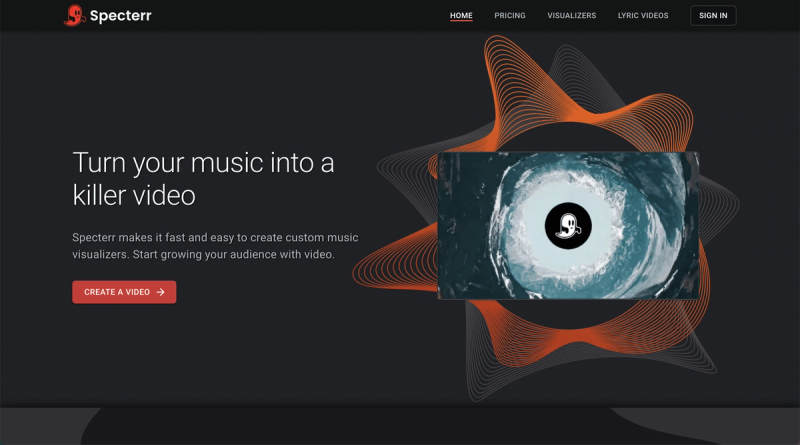
Specterr is an online music video maker that turns your audio tracks into custom visualizer videos, complete with real-time editing and cloud rendering.
What is Specterr?
Specterr is a web-based music visualizer creation tool developed by Tunebat LLC. It takes an audio file (such as a song) as input and produces a video file as output, with animated visuals that react to the music. The entire workflow runs in a web browser, requiring no software download. Users can quickly generate professional-looking videos to post on social media platforms like YouTube, TikTok, and Instagram.
Key Features
- Online Editor with Real-Time Preview — No download required; the web-based editor shows a live video preview that updates instantly as you adjust settings. You can use simple step-based controls or advanced customization options. Try it now.
- Visualizer Presets — Choose from pre-built presets such as Techscape, Forest of Lights, and Mood Ring to get started quickly. Each preset can be heavily customized to fit your brand. See all presets.
- Fast Cloud Rendering — Video rendering is handled by hardware-accelerated cloud machines, cutting export times from hours to minutes and ensuring consistent output quality. Your computer does none of the heavy lifting.
- Unlimited Video Storage — Export as many videos as you want; every render is stored in the cloud and can be downloaded any time, with no limits on the number of downloads. You can access your videos from anywhere.
- Lyric Video Support — Specterr also includes tools for creating lyric videos, expanding its utility beyond pure audio visualizers. (See Lyric Video Maker.)
Who is it for?
- Musicians and bands looking to create engaging visual content for their songs to share on social media and grow their audience.
- Content creators who need quick, customizable video backgrounds or visualizers for podcasts, YouTube videos, or live streams.
- Independent artists wanting to produce professional-looking videos without hiring a designer or learning complex video editing software.
What can you do with it?
- Promote a new single — Upload your track, pick a preset, customize colors and effects, then export a video for YouTube or Instagram in minutes.
- Build a consistent brand — Adjust preset colors and layouts to match your album art or logo, then create a series of visualizers that look cohesive across all your releases.
- Boost social media engagement — Replace static SoundCloud links with animated video posts that stop viewers from scrolling and increase likes and shares.
How does it work?
- Go to Specterr's editor and start with a blank project or choose a preset.
- Upload an audio file (MP3, WAV, etc.) and adjust the visualizer settings (style, colors, waveform type).
- Preview the result in real time, then hit "Export" to render the video in the cloud.
- Once rendered, download your finished video or share it directly to social media.
Pricing
Specterr operates on a freemium model. You can create and export videos for free with basic features; paid plans unlock higher resolution exports, additional presets, and faster rendering. See the Pricing page for details.
FAQ
Is Specterr free to use?
Yes, Specterr offers a free tier that lets you create and export videos. Paid plans provide access to premium presets, higher export quality, and priority rendering.
Do I need to download any software?
No. Specterr is entirely web-based. Open your browser, go to the editor, and start creating immediately.
Can I use my own music?
Absolutely. Specterr accepts standard audio files (e.g., MP3, WAV) as input. Simply upload your track to the editor.
What video formats can I export?
The exported video is typically MP4, suitable for most social media platforms. Higher resolution options are available with paid plans.
Does Specterr add a watermark to free videos?
Watermarking is common in freemium tools, but Specterr does not explicitly state this on the page. For exact details, refer to the pricing page or terms of service.