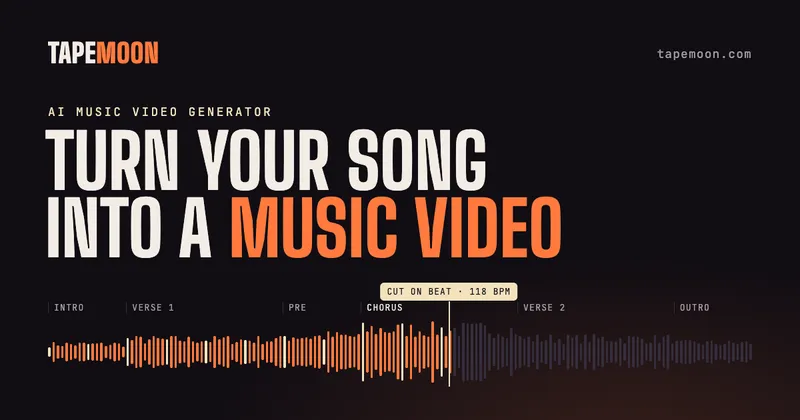
Tapemoon is an AI music video generator that turns a finished song you own into an MP4 video whose cuts, scenes and on-screen lyrics follow the track's tempo, sections and vocal.
What is Tapemoon?
Tapemoon takes an audio file you own — an MP3, WAV, M4A or MP4 up to 95 MB and 8 minutes long — or a pasted Suno share link, and returns an MP4 music video in either 16:9 or 9:16. It runs entirely in the browser with nothing to install, keeps your original audio, and renders at 720p up to 2K depending on the video model you pick (Seedance 2.0 Mini, Seedance 2.5 or MiniMax H3).
What makes Tapemoon stand out?
- Audio-mapped editing — the tool detects tempo, beats, sections, energy and lyric timing, then places cuts and camera moves on the beat; faster tracks get shorter shots.
- Storyboard review before spending credits — you see every scene and its start time, and can change the style, an individual scene or a lyric line before any render.
- Six visual styles — Cinematic (real people, film lighting), Anime (hand-drawn 2D, cel shading), 3D Animation, Watercolor, Comic and Retro Film.
- Partial rendering — render the full song, the chorus, or any run of scenes such as 3:15–4:15; you pay only for those seconds, and already-paid scenes are kept if you finish the song later.
- Timed lyric captions — lyrics are transcribed, aligned to the vocal and editable line by line before rendering.
- Three selectable models — Seedance 2.0 Mini as the cheapest, MiniMax H3 for lifelike output up to 2K, Seedance 2.5 as the most cinematic; you choose per render.
- No people on camera — scenes use generated characters and places, with no face swaps, lip sync or voice cloning.
- Async render with email — the storyboard arrives in about 3 minutes and the video in about 12, and you can close the page.
Who should use Tapemoon?
Suno and Udio creators who need a full video or a vertical chorus clip for a track they have already generated. Independent artists who want something on YouTube in 16:9 or on Shorts, Reels and TikTok in 9:16 on release day. Rap, folk and ballad writers whose lyrics should appear in time with the vocal while scenes follow the words. Producers and beatmakers working without lyrics, where the beat grid drives cuts on the kick and the drop.
What can you do with Tapemoon?
- Releasing a single: render the full song in 16:9 with original audio for a YouTube upload without shooting footage.
- Cutting a Shorts teaser: pick a run of chorus scenes and export at 9:16 for Reels, Shorts or TikTok.
- Testing a direction: draft the storyboard in several styles — anime, watercolor, retro film — before committing credits to a full render.
- Captioning a lyric-led track: align lyrics to the vocal and correct any line before render.
How does Tapemoon work?
- Upload a track or paste a Suno share link.
- Tapemoon maps tempo, beats, sections, energy and lyric timing.
- Review the storyboard, changing style, scenes or lyrics.
- Render and export the MP4 in 16:9 or 9:16 with the original audio.
Pricing
A freemium model: the first track is free and includes the storyboard plus a 15-second watermarked chorus preview rendered with Seedance at 480p, one trial per person, and new accounts get 15 free credits. Paid plans start from $19 a month, or credit packs can be bought without a subscription. Rendering 30 seconds costs 30 credits on Seedance or 90 on MiniMax H3; failed renders caused by a fault on Tapemoon's side are refunded to your balance. Paid plans export full length without a watermark and include commercial use.
FAQ
Can I put my own face in a Tapemoon video?
No. Tapemoon does not use real people's faces or voices — there are no face swaps, no lip sync to a photo, no voice cloning and no imitations of real artists, so scenes use generated characters and places instead.
Is Tapemoon free to try?
Yes, once per person: the first track gets a storyboard plus a 15-second chorus preview rendered with Seedance at 480p with a watermark. Full-length, watermark-free exports and commercial use require a paid plan or credit pack.
What are the file limits?
Tapemoon accepts an MP3, WAV, M4A or MP4 you own, up to 95 MB and 8 minutes long, or a Suno share link instead of a file upload. You also pick 16:9 or 9:16 and pay for that one format.
Does Tapemoon put lyrics on screen?
Yes. Lyrics are transcribed and timed to the vocal for captions, and you can correct any line before rendering. If you only want words on screen with no generated scenes, the separate Tapemoon lyric video maker renders the full song free at 720p with a small watermark.
Do I need to label the video as AI on YouTube?
YouTube asks creators to disclose realistic synthetic content, so label the video only if scenes could pass for real footage. Clearly animated or stylized styles such as anime, comic or watercolor usually do not need the label.