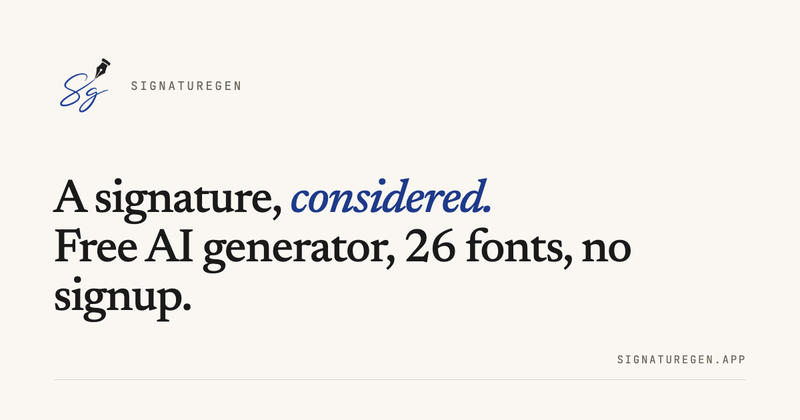
Signaturegen is a free online signature generator that turns a typed name into 26 cursive font styles plus 8 AI-generated variants, with SVG or transparent PNG download, commercial use allowed, and no signup required.
What is Signaturegen?
Signaturegen is a free, browser-based signature generator that produces professional handwritten signatures from a typed name. It accepts a name as input and outputs a signature image in SVG or transparent-background PNG formats. The service runs entirely in the web browser, built with Next.js 16 and React 19 and deployed on Vercel, and is available at signaturegen.app. No account is required for the free tier.
Key Features
Signaturegen puts a full signature-creation toolkit in your browser.
- Three signature modes — Type mode renders your name in 26 hand-picked cursive fonts (OFL/Apache licensed); Draw mode captures your real signature on a pressure-aware HTML5 canvas with vector-quality strokes; AI mode generates 8 server-rendered variants per request from a curated cross-style font ensemble, with reroll for fresh variants.
- SVG and PNG export — Download vector-quality SVG or transparent-background PNG with no watermark on the free tier. SVG is best for resizing without quality loss; PNG drops cleanly into Word, Google Docs, slides, and email.
- Commercial use included — Every download, including the free tier, comes with a commercial license for contracts, invoices, business documents, email, and branding.
- Live preview — See your signature in real time and fine-tune every detail (ink color, style, layout) before downloading.
- 26 signature fonts and styles — From elegant cursive and calligraphy to casual handwriting, all licensed for use.
- Optional paid plans — Standard ($9.90/year) and Premium ($19.90/year) add a private signature library, premium styles, and higher-resolution exports.
- Privacy-friendly — Live previews render on demand and are not saved; saved signatures are stored privately to your account and never shared publicly.
- Web-based and install-free — Works in any modern browser without installation, with a responsive interface for quick generation.
Who is Signaturegen for?
Signaturegen is built for anyone who needs a clean, professional signature without design skills.
- Professionals who sign contracts digitally — Freelancers, consultants, and business owners can generate a professional signature and insert it into Word/PDF contracts without printing and scanning.
- Anyone managing email signatures — Individuals and teams can create a consistent, branded email signature using the transparent PNG export.
- Creative users looking for a personal mark — The handwritten and AI style options offer variety for branding and marketing materials.
- Students and educators — For paperwork, permission forms, or digital submissions, students can create a clean signature without account setup.
What can you do with Signaturegen?
Signaturegen covers the entire signature workflow from name entry to final download.
- Generate a signature in under a minute — Enter your name, pick one of 26 fonts or let AI propose 8 variants, and download.
- Create a custom handwritten signature — Use Draw mode with a mouse, stylus, or touch screen to capture your natural strokes as vector-quality output.
- Use your signature in documents and email — Download the transparent PNG and insert it into Word, Google Docs, a PDF editor, or your email client.
- Brand your digital presence — The professional signature styles (e.g., "The Founder," "The Statesman") suit business cards, proposals, and online profiles.
How does Signaturegen work?
Signaturegen works in three simple steps.
- Enter your full name, initials, or a short version.
- Choose a style: font-based, handwritten, AI, or creative (AI Custom Styles and Creative Monograms are listed as "soon" on the site).
- Preview your signature live, adjust as needed, then generate and download as SVG or PNG.
Pricing
Signaturegen is primarily free, with optional paid tiers for extra features.
Signaturegen offers a free tier with unlimited basic generation and SVG/PNG download. Optional paid plans are Standard at $9.90/year and Premium at $19.90/year, which add a private signature library, premium styles, and higher-resolution exports. No account is required for the free tier.
FAQ
Is Signaturegen free to use?
Yes. The free tier lets you generate a signature and download it as SVG or PNG with no account required, and commercial use is allowed. Paid yearly plans (Standard $9.90/year and Premium $19.90/year) add a private signature library, premium styles, and higher-resolution exports.
What file formats can I download my signature in?
You can export your signature as a scalable vector SVG or a transparent-background PNG. SVG is best for resizing without quality loss; PNG drops cleanly into Word, Google Docs, slides, and email.
Can I use my signature commercially?
Yes. Commercial use is permitted on the free tier and all paid tiers — on contracts, invoices, business documents, email, and branding.
Do I need to create an account?
No. You can generate and download a signature on the free tier without signing up. An account is only needed for a paid plan, which saves signatures to a private library and unlocks premium styles and higher-resolution exports.
Is a typed or AI-generated signature legally valid?
In many jurisdictions — including under the U.S. ESIGN Act and the EU's eIDAS regulation — a typed, drawn, or image-based electronic signature can be legally binding when it reflects clear intent to sign and is applied with consent. Requirements vary by document type and country. Signaturegen creates the signature image; it is not a legal e-signing or notarization service.