
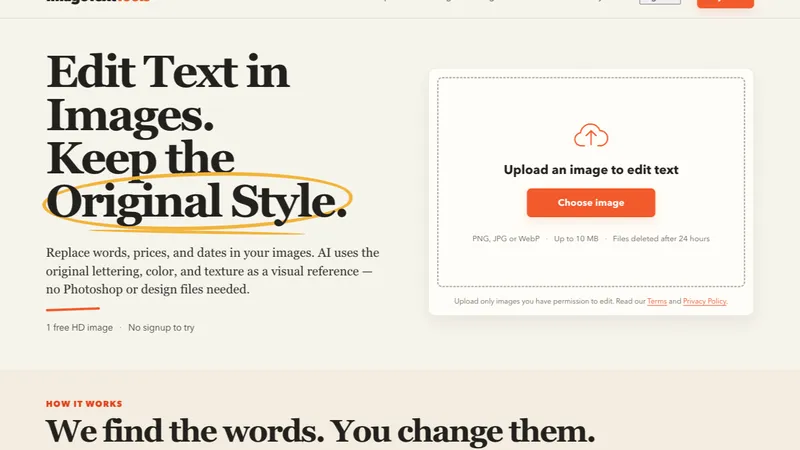
Overview
ImageTextTools is a browser tool for one recurring problem: the words already baked into a photograph. A shop changes a price, a venue changes its opening hours, an event moves to a new date, and the photo carrying that information is now wrong. Re-shooting means a studio, a model and days of coordination; a classic editor means rebuilding the area by hand and matching a font nobody saved.
ImageTextTools starts from the pixels instead of a design file. It finds the text in the uploaded image, presents every detected line as an editable list, and regenerates only the region that changed. The replaced lettering picks up the angle, lighting and colour of the surface around it, so a price on a curved sticker still looks like part of the photograph rather than a flat overlay. Everything runs in the browser: nothing to install, no account needed to try, no source file or font required. It is used by marketplace sellers updating a price, small shops reusing a photo with a new promotion, organisers correcting a date on a poster, and restaurants changing a menu price.
Key Features
Automatic text detection. After an upload the tool locates the text and lists it line by line. The detected lines and the rows in the list stay linked, so clicking either one opens the same edit.
Region-level redraw. Only the area you changed is regenerated. The rest of the photograph is untouched, which is why a replaced price keeps the sheen of the sticker it sits on and a replaced label keeps the folds of the fabric underneath.
Three versions per edit. Type on a curved surface rarely comes out right on the first attempt, so every edit returns three options side by side with a before and after comparison. Inspect the result at full size and keep the one that holds up.
Browser only, predictable pricing. The editor runs in the browser on desktop and mobile with JPEG, PNG and WebP uploads up to 10MB, and uploaded files are deleted after 24 hours. One credit covers one edit and all three of its versions, sold in small packs rather than a subscription, and one free HD download is included after signing in.
How People Use It
Marketplace listings: a supplier raises prices but the catalogue image still shows the old figure; upload the photo, select the price, type the new number and export. Retail and hospitality: menus, chalkboards, window signs and flyers carry prices and hours that change far more often than the photograph behind them. Events: posters get reused across dates and venues, and changing a date keeps the design you already approved without reopening the source file.
Getting Started
- Upload a JPEG, PNG or WebP image up to 10MB.
- Wait for the text to be detected. Each line appears in a numbered list next to the picture.
- Click the line you want to change, in the image or in the list.
- Type the replacement and generate.
- Compare the three returned versions with the before and after slider.
- Download the one that holds up at full size as a PNG.
The first HD download is free after signing in, and previews can be generated as often as you need first.
Pricing & Plans
No subscription is required to start. You can preview results without an account, and the first HD download is free once you sign in. After that, edits are paid with credits: one credit covers a single edit and all three versions it produces. Credits are sold in small packs, and a failed generation returns the credit.
FAQ
No account is needed to upload an image, detect text or preview results; one is only needed to download the free HD image or buy credits. Uploaded files are stored only long enough to perform the edit and are deleted after 24 hours. Supported inputs are JPEG, PNG and WebP up to 10MB, and the final download is a PNG whose longest side is at most 1280 pixels.


