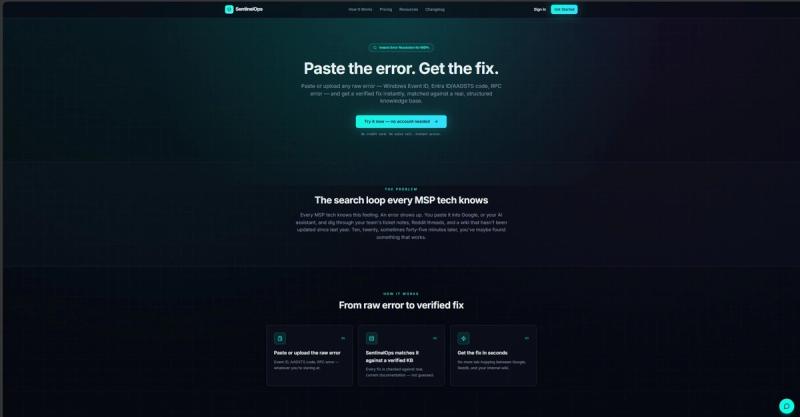
SentinelOps is a web-based error-resolution tool for managed service providers (MSPs) and IT admins that converts a pasted or uploaded raw error — a Windows Event ID, an Entra ID/AADSTS code, or an RPC error — into a verified fix matched against a structured, documented knowledge base.
What is SentinelOps?
SentinelOps is an instant error-resolution tool built for MSP and IT admin workflows. You paste or upload the raw error you are staring at — a Windows Event ID, an Entra ID or AADSTS code, or an RPC error — and it returns a remediation matched against real, current Microsoft documentation rather than a generated guess. It runs in the browser and can be tried without creating an account; the sandbox requires no signup and no credit card. The tool is designed to be multi-tenant, keeping each client's data cleanly separated.
What makes SentinelOps stand out?
- Purpose-built for MSPs — the tool is scoped to MSP and IT admin troubleshooting workflows rather than general-purpose chat assistance.
- Verified remediations — every fix is checked against real, current Microsoft documentation instead of being guessed.
- Broad error input — accepts Windows Event IDs, Entra ID/AADSTS codes, and RPC errors, entered by paste or file upload.
- Multi-tenant by design — each client's data is kept cleanly separated, which matters for MSPs servicing many customers.
- No-signup sandbox — the try-it flow needs no account, no credit card, and no sales call.
- Fast turnaround — the page positions results as arriving in seconds, replacing ten-to-forty-five-minute searches.
- Low deployment overhead — the page states there is no enterprise SIEM price tag and no months-long rollout.
Who should use SentinelOps?
- MSP helpdesk technicians: triage a client's failing error code during a live ticket instead of searching Google, Reddit, and an outdated internal wiki.
- IT admins at multi-client firms: look up Entra ID/AADSTS authentication failures while keeping each tenant's data separated.
- Smaller IT teams without SIEM budgets: get remediation guidance without buying or rolling out an enterprise monitoring stack.
- New or escalation-level support staff: get a documented starting point for unfamiliar Windows and RPC error codes.
What can you do with SentinelOps?
- MSP technicians: paste a Windows Event ID from a client server and get a documented remediation to apply during the ticket.
- Identity administrators: drop in an Entra ID/AADSTS code from a failed sign-in and get the corresponding fix without digging through vendor docs.
- On-call IT staff: upload a raw RPC error to shorten the time between alert and resolution.
- Team leads onboarding staff: let new technicians look up errors against a shared, documented knowledge base instead of scattered ticket notes.
How does SentinelOps work?
The workflow has three steps. First, you paste or upload the raw error — Event ID, AADSTS code, or RPC error. Second, SentinelOps matches it against a verified knowledge base where every fix is checked against real, current documentation. Third, the fix is returned in seconds, so you stop tab-hopping between Google, Reddit, and your internal wiki.
Pricing
SentinelOps has a free entry point: the sandbox and trial require no account and no credit card, and instant access is offered without a sales call. Paid plans are listed on the product's pricing page, which is linked from the site.
FAQ
Is SentinelOps free to try?
Yes. The try-it sandbox requires no account, no credit card, and no sales call, so you can test error lookups before committing. The site links to a separate pricing page for its paid plans.
What kinds of errors can I paste into SentinelOps?
SentinelOps accepts raw errors including Windows Event IDs, Entra ID/AADSTS codes, and RPC errors. Input can be pasted directly or uploaded, and the output is a remediation matched against real Microsoft documentation.
Do I need an account to use it?
No. The sandbox flow on the site is explicitly no-signup, and instant access is advertised without a credit card or a sales call.
Is SentinelOps suitable for multi-tenant MSP work?
Yes. It is described as multi-tenant, keeping every client's data cleanly separated, and it is built specifically for MSP and IT admin troubleshooting workflows rather than general helpdesk chat.
How are the fixes verified?
Each remediation is checked against real, current Microsoft documentation rather than generated as a guess, which is the distinction SentinelOps draws against searching Google, Reddit threads, and stale internal wikis.