
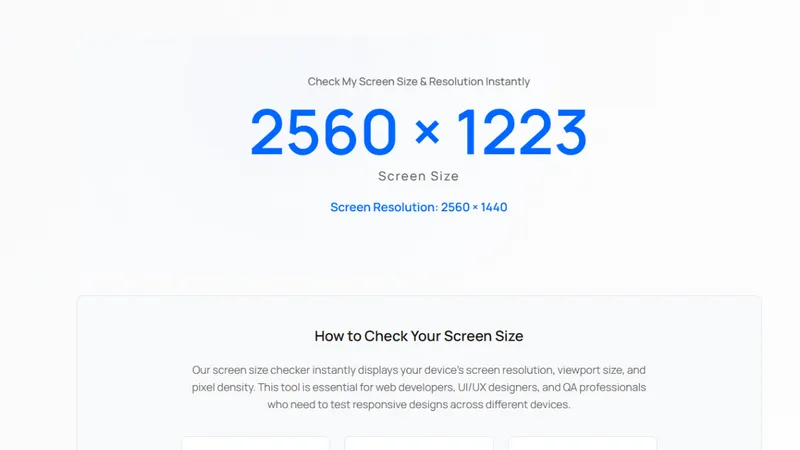
What Screen Size Checker does
Screen Size Checker is a free browser tool that reports exactly what your browser exposes about your display: the physical screen size your operating system reports, the viewport size the page actually gets, the device pixel ratio, and the current window size. It exists because "my screen is 1920x1080" is not enough information when you are building or debugging a responsive layout.
Why the numbers disagree
The most common confusion in front-end work is the difference between CSS pixels and device pixels. A laptop can report a 2560x1600 physical panel while CSS reports 1280x800 because the device pixel ratio is 2. Designers measure in one unit and developers measure in another, and neither is wrong. The tool shows both values side by side, together with the ratio that connects them, so the mismatch is visible instead of surprising.
Viewport size is a third number. Browser chrome, toolbars, and the taskbar reduce the area the page can use, and mobile browsers change the viewport when the address bar collapses on scroll. The tool reports the live viewport, so you can see what a layout actually has to work with rather than what the screen nominally offers.
Who it is for
Developers verifying a breakpoint see immediately whether a layout is being tested at the width they expect. Designers checking a handoff can confirm the viewport a client is really using. Support engineers troubleshooting "the site looks broken" can ask for three numbers instead of guessing. QA engineers documenting a bug can attach exact dimensions.
How to use it
Open the page and read the values; there is no signup, no upload, and no data leaves the browser. Everything is computed from standard browser APIs such as screen, window.innerWidth, and window.devicePixelRatio, refreshed when the window is resized. Resize the window or rotate a phone and the numbers update, which makes it easy to confirm that a media query fires at the width you think it does.
Practical notes
Device pixel ratio is not constant across devices: phones typically report 2 to 3.5, laptops report 1 to 2, and external monitors often report 1. Browsers may round or scale this value when the operating system applies display scaling, so comparing the reported ratio with the OS setting is a quick way to catch double-scaling problems.
The tool also explains how to measure screen size manually, which matters when a user's browser is lying because of zoom or extension overrides. Zoom changes CSS pixels without changing the physical panel, and that is exactly the kind of situation where a tool beats a sticky note.
Scope and limits
Screen Size Checker reads only what the browser allows a page to read. It cannot see other tabs, other applications, or hardware details the browser does not expose. It is a diagnostic aid for layout work, not a fingerprinting or benchmarking service, and it stores nothing.


