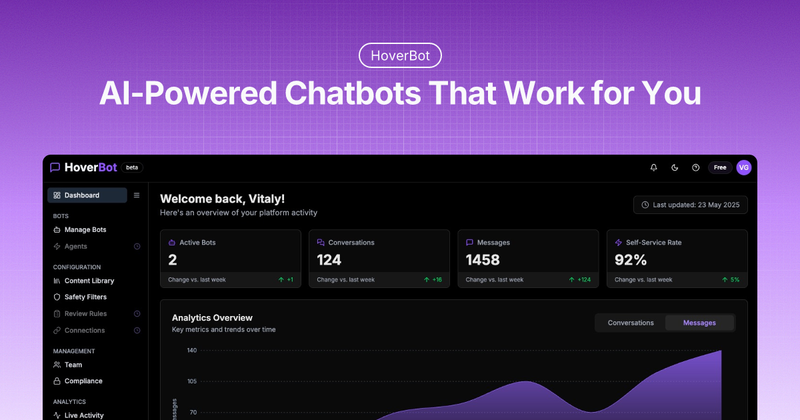
HoverBot is an AI chatbot platform designed specifically for marketplaces and ecommerce teams, enabling product-aware conversations that automate customer support, capture qualified leads, and drive purchases. Built by HoverBot, the platform currently invites early adopters through a design partner program.
What is HoverBot?
HoverBot is a product-aware chatbot platform that takes in your website content, FAQs, and product catalog via API integration and produces automated conversations that answer questions, recommend products, capture structured purchase intent, and hand off to humans with full context. It runs as a cloud-based widget you embed on your site and supports over 50 languages out of the box. The platform is built by HoverBot and is currently in an invite-only design partner phase for marketplaces and ecommerce teams.
Key Features
- Safe by design — PII masking by default, human-in-the-loop escalation for sensitive topics, and full audit logs of all conversations and configuration changes.
- Always improving — Real-time conversation monitoring, automatic flagging of unanswered questions, and knowledge base insights that surface weak spots in your content.
- Built for teams — Role-based access controls, shared workspace for sales, support, and product teams, and analytics tracking usage, resolution rates, and lead quality.
- Chat-to-Buy skill — Guides customers from product questions to purchase with recommendations, bundle suggestions, and seamless checkout handoff.
- Lead Generation skill — Identifies buying intent, collects contact information, and pushes clean context to your CRM automatically.
- Product Support skill — Handles 24/7 customer inquiries with knowledge base integration and escalates complex cases to humans with full conversation context.
- Multilingual support — Serves customers in 50+ languages simultaneously without separate model training, backed by a documented multilingual architecture guide.
- Guardrails and compliance — Topic allowlists, PII redaction before model calls, SOC 2 Type II in progress, GDPR controls, and 99.9% uptime target.
Who is it for?
- Support leads — Automate routine questions to cut first-response time from hours to seconds, freeing the team for complex tickets.
- RevOps — Turn product questions into qualified leads by guiding visitors from "do you ship to X?" to a quote, then push structured context to CRM.
- Operations leads — Handle 10x conversation volume without hiring, with automatic handoff to humans when needed, preserving context.
- Product managers — Ship a smarter bot weekly using dashboards that surface unresolved intents and knowledge gaps, so each release measurably improves.
- Legal & trust teams — Set topic allowlists, mask PII before model calls, and review auditable logs for every conversation.
What can you do with HoverBot?
- Convert product questions into purchases — The Chat-to-Buy skill recommends products and bundles, captures purchase intent (e.g., total value of $2,127 in a demo), and routes to checkout or sales.
- Generate qualified leads automatically — The Lead Generation skill collects customer preferences and contact details during natural conversation, feeding your pipeline without static forms.
- Provide 24/7 customer support — The Product Support skill deflects up to 33% of tickets and reduces backlog by 58% (as verified in an APAC e-commerce account), escalating only when necessary.
- Reduce onboarding friction for SaaS products — The Product Support skill can be integrated via API to provide contextual help and gather product feedback, improving feature adoption.
How does HoverBot work?
- Create & customize — Set up your chatbot, choose its personality, and match it to your brand.
- Train & configure — Connect your docs, FAQs, and APIs. Define guardrails (topic allowlists) and escalation rules (human-in-the-loop thresholds).
- Automate with agent skills — Enable Chat-to-Buy, Lead Generation, and Product Support skills to handle real workloads.
- Embed & monitor — Drop a widget script on your site (example:
<script>window.HOVERBOT_CONFIG = {...}</script>), watch conversations in real time, and improve based on analytics.