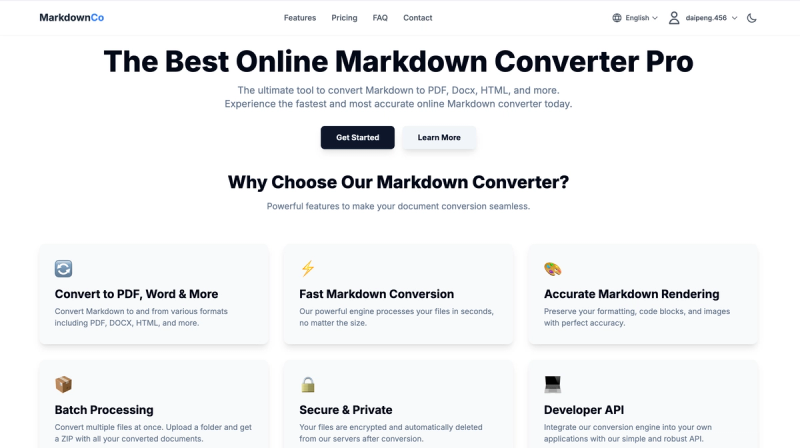
Markdown Converter Pro (https://markdownconverter.pro) is an online SaaS tool for bidirectional conversion between Markdown and PDF, Word (.docx), and HTML files — no software installation required. It handles the full round-trip in seconds with accurate LaTeX, Mermaid, and GitHub Flavored Markdown (GFM) rendering.
What is Markdown Converter Pro?
Markdown Converter Pro is a web-based converter that takes Markdown files as input and produces PDF, Word, or HTML output — and also converts PDF, Word, and HTML back to clean Markdown. It runs entirely in the browser and is built and maintained by the team behind the domain markdownconverter.pro. The tool supports files up to 10 MB and processes most conversions in under 5 seconds.
Key Features
- Multi-format bidirectional conversion — Convert Markdown to PDF, Word, HTML, and each of those formats back to Markdown, covering all six directions.
- GFM, LaTeX, and Mermaid support — Full GitHub Flavored Markdown including tables, task lists, fenced code blocks, strikethrough, auto-linking; inline and block LaTeX math; and Mermaid diagrams (flowcharts, sequence diagrams, Gantt charts).
- Batch and ZIP export — Upload multiple .md files at once and download a ZIP containing all converted PDF, Word, or HTML documents.
- Files auto-deleted — All uploads use SSL/TLS encryption; files are permanently deleted from servers immediately after conversion. No content is stored or read.
- Developer API — A RESTful API for integrating Markdown-to-PDF, -Word, and -HTML conversion into applications, CI/CD pipelines, or documentation workflows.
- Image extraction — Automatically extracts and archives images from any input format (PDF, Word, HTML) during conversion to Markdown.
Who is it for?
- Content creators and bloggers — Convert Word or PDF drafts to Markdown for publishing on blogs or static sites.
- Developers and technical writers — Turn README files or documentation into polished PDFs for code reviews or client handoffs.
- Researchers and academics — Write papers in Markdown with LaTeX math, export to PDF for journal submissions, and convert supervisor Word feedback back to Markdown.
- Enterprise teams — Batch convert internal documents or course materials to Markdown for version control and multi-user collaboration.
What can you do with Markdown Converter Pro?
- Software developers: Convert GitHub README files to PDF for offline reference or code review handoffs.
- Documentation teams: Export .md files to .docx with native heading styles so non-technical teammates can edit and comment.
- Content marketing teams: Migrate blog content between CMS platforms by converting HTML to Markdown.
How does Markdown Converter Pro work?
- Upload or paste — Drag and drop a .md file into the editor, or paste Markdown content directly. For reverse conversion, upload a PDF, Word, or HTML file.
- Choose output format — Select PDF, Word, or HTML. Preview the result in real time.
- Convert and download — Click convert and download the file instantly. All formatting, images, tables, and code blocks are preserved.
Pricing
Markdown Converter Pro uses a freemium model. Every new account receives 2 free credits — no credit card required. After that, pay-as-you-go credit packs are available: Mini (15 credits), Starter (50 credits), Value (150 credits), Pro (300 credits), and Lifetime (unlimited credits). Credits never expire. Prices are set in USD and include watermarked-free exports.
FAQ
Is Markdown Converter Pro free?
Yes, new users get 2 free credits to test any conversion direction. After that, you purchase credit packs with no subscription or recurring charges.
What file formats are supported?
Input: .md, .pdf, .docx, .html. Output: Markdown, PDF, Word (.docx), HTML. All six conversion directions are available.
Are my files secure when using this tool?
Yes. All uploads and downloads are encrypted via SSL/TLS. Files are automatically and permanently deleted from servers immediately after conversion. The tool never stores or reads your content.
What is the file size limit?
Each conversion supports files up to 10 MB. Most standard files convert in under 5 seconds; files with many embedded images may take up to 30 seconds.
Can I convert multiple files at once?
Yes. Upload a folder of .md files and download a ZIP containing all converted documents. This works for batch conversion to PDF, Word, or HTML.