
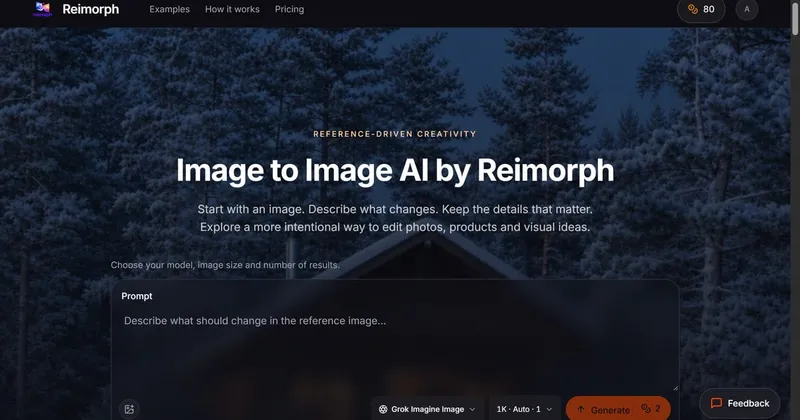
Image to Image AI is Reimorph's browser-based editor that regenerates a photo you already have from a single written instruction, keeping the details your prompt names.
What is Image to Image AI?
Image to Image AI by Reimorph is a web tool that takes one uploaded reference photo plus a text prompt and returns a rebuilt image applying that change — summer to winter, a plain perfume bottle onto a marble pedestal, a beige blouse swapped for a green blazer. It accepts JPG, PNG or WebP files up to 10 MB per reference, offers eight editing models you choose per generation, and shows the exact credit cost on the Generate button before you commit. Uploads require a signed-in account, though one unregistered 1K Grok preview is available.
What makes Image to Image AI stand out?
- Eight editing models in one workspace — GPT Image at 24 credits, Grok Imagine Image at 2, Nano Banana Pro at 8, Nano Banana 2 at 5, FLUX Kontext Pro at 3, FLUX Kontext Max at 5, FLUX.2 Edit at 3 and Qwen Image Edit 2511 at 3, switchable per edit with no separate subscriptions.
- Cost displayed before generating — the Generate button shows the credit price for the chosen model, resolution and options.
- Side-by-side model comparison — send the same reference to different models and compare detail preservation and credit cost.
- Failed generations refunded — credits return to the balance automatically if a job fails or times out.
- Private workspace — references and results sit behind per-account ownership checks, and Reimorph states it does not train on user images.
- Prompt and output screening — every prompt is checked before generation and every output before delivery; flagged content is blocked and credits refunded.
- Worked example prompts — the page publishes copyable prompts for product staging, interior redesign, season and lighting changes, sketch-to-render concepts and portrait outfit swaps, each with a reference and a recorded Nano Banana Pro output at 1K.
- Linked Image to Anime tool — a separate page with 16 visual presets for turning portraits, family photos or pets into anime art, with a drag slider comparing original and result.
Who should use Image to Image AI?
- E-commerce and product photographers: place an existing bottle or object photo into a staged still-life setting while preserving the item's shape, glass color and cap.
- Fashion and portrait retouchers: change one garment — for example swapping a linen blouse for an emerald blazer — while explicitly protecting face, hair, pose, framing and lighting.
- Interior designers and visualizers: add or swap furniture in a photographed room while holding windows, walls, camera angle and natural light constant.
- Concept and industrial designers: turn a lamp sketch into a photorealistic render in a named material and finish while keeping the silhouette and proportions.
What can you do with Image to Image AI?
- Season and atmosphere changes: convert a lakeside cabin from late summer to a snowy winter evening with a partly frozen lake and warm interior glow, keeping trees, shoreline and camera angle intact.
- Product staging: move a plain product shot onto a marble pedestal with directional warm light and a silk backdrop, with no added text or logos.
- Room mockups: test a coffee-table addition or a new material palette in a real room photo before treating it as a design decision.
- Sketch-to-render concepts: explore a matte cobalt-blue anodized aluminum finish on a desk lamp sketch for visual presentations rather than manufacturing drawings.
How does Image to Image AI work?
Sign in, then select a JPEG, PNG or WebP reference up to 10 MB and inspect the preview. Write one named transformation plus a list of details that must stay recognizable, choose an editing model, check the displayed credit cost and generate. Compare identity, geometry, text and lighting against the reference, keep the result or revise the prompt for another version.
Pricing
Freemium. Eligible visitors get one free 1K Grok preview without registering, subject to verification, network limits and daily capacity; that preview is shared across the site and can be downloaded before signup. Registration grants welcome credits, after which you buy credit packs or a subscription and pay the displayed per-model cost.
FAQ
Is Image to Image AI free?
A one-time 1K Grok preview is available without an account, subject to human verification, network limits and daily capacity, and it is shared across the whole site. Continued use requires registration with welcome credits, then credit packs or a subscription at each model's displayed cost.
Which image formats and size limits are supported?
Uploads accept JPG, PNG and WebP files up to 10 MB per reference. Reference count limits depend on the selected model, and Reimorph advises uploading only material you have permission to edit.
Will the result keep the person or product unchanged?
Close results come from one focused change plus an explicit list of protected details. Reimorph states plainly that generative editing does not guarantee an unchanged likeness, and that exact retouching may need a conventional editor.
Are generated images watermarked?
No. Reimorph states there are no watermarks on results and no credit card is needed to try. Failed or timed-out jobs return their credits automatically, and blocked content is refunded.


