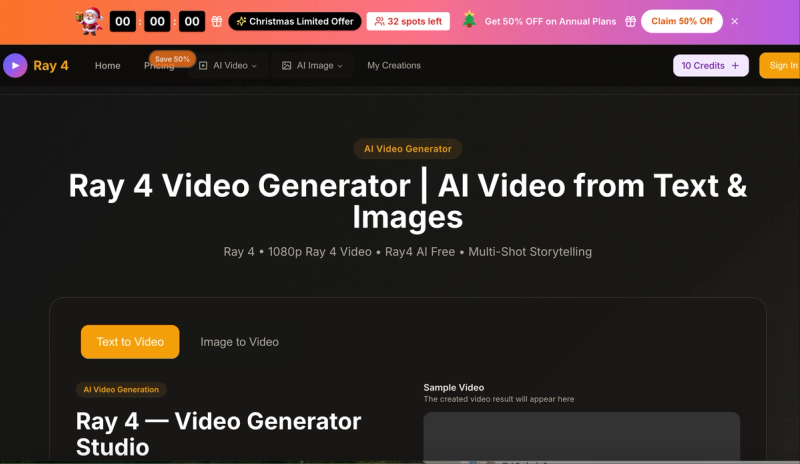
Ray 4 is an AI video generator that transforms text or images into 1080p professional videos using the Ray 4 AI Model and Luma AI Ray 4 (Ray 4.0).
What is Ray 4?
Ray 4 is a web-based AI video generator that creates 1080p Full HD videos from text prompts (up to 800 characters) or uploaded images. It outputs MP4 files with support for multiple aspect ratios (16:9, 9:16, 4:3, 3:4, 21:9, 1:1) and durations (5 or 10 seconds). The platform offers both free starter credits and paid plans with monthly credit renewals. It is developed and maintained by the team at ray4ai.com.
Key Features
- Cinematic HDR Quality — Generates native high dynamic range video in 10-bit, 12-bit, and 16-bit depth, supporting ACES-compatible professional workflows.
- Reasoning Intelligence — The Ray 4 AI Model analyzes prompts deeply to maintain logical motion consistency, multi-character understanding, and physically accurate behavior.
- Rapid Draft Mode — Preview video drafts at 5x speed, then upgrade to full 1080p HDR quality without altering the original concept.
- Multi‑Shot Storytelling — Build videos from text, images, or video clips; add, edit, or remove scenes flexibly throughout the timeline.
- Native Text Rendering — Crisp, high-resolution on-screen text for ads, subtitles, overlays, and e‑commerce without any quality loss.
- Flexible Aspect Ratios — Choose from 16:9, 9:16, 4:3, 3:4, 21:9, and 1:1.
- Quality Options — Select 720p HD or 1080p Full HD output.
Who is it for?
- Content creators and marketers — Generate professional video ads, social media clips, and promotional material without a production team.
- Small business owners — Produce high‑quality product demos or explainer videos in minutes using text or product images.
- Indie filmmakers and storytellers — Create storyboards or test shots with multi‑scene control and professional HDR output.
What can you do with Ray 4?
- Marketers: Create 1080p video ads with accurate text rendering for social media campaigns using text-to-video mode.
- Photographers: Convert still images into motion clips with consistent lighting and motion logic via image-to-video mode.
- Educators: Generate short explainer videos with clear overlays and animated diagrams for online courses.
How does Ray 4 work?
Using the Ray 4 Video Generator is straightforward: 1) Choose text-to-video or image-to-video mode. 2) Enter a text prompt (up to 800 characters) or upload an image. 3) Select the desired aspect ratio, video quality (720p or 1080p), and duration (5 or 10 seconds). 4) Click generate and download your MP4 video. Free credits are provided upon sign‑in.
Pricing
Ray 4 operates on a freemium model with free starter credits. Paid annual plans are available: Basic ($9.9/month billed yearly, 800 credits/month, up to 80 videos/month), Professional ($19.9/month billed yearly, 2000 credits/month, up to 200 videos/month), and Enterprise ($49.9/month billed yearly, 6000 credits/month, up to 600 videos/month). A Christmas promotion offers 50% off annual plans. All paid plans include unlimited downloads, permanent video history, and commercial use license. Select annual plans also include no watermark, priority generation queue, and priority customer support.
FAQ
What formats can I download from Ray 4?
Videos are downloadable in MP4 format, suitable for marketing, social media, and professional use.
Is there a limit to how many videos I can generate?
Yes, each video generation consumes credits. Free users receive starter credits; paid plans replenish credits monthly.
How long does it take to generate a video?
Generation typically completes within minutes, with a claimed 99.5% success rate.
Can I use Ray 4 on mobile?
Ray 4 works in any mobile browser — no app required. The interface is fully responsive.
Does the free tier have a watermark?
Watermark removal is included in select annual plans (Professional and Enterprise yearly). Free and monthly plans may include a watermark.