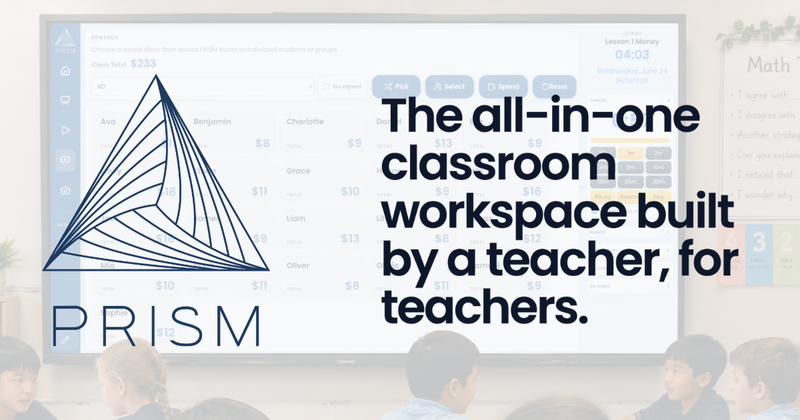
PRISM is an all-in-one classroom workspace built by a primary teacher for teachers, featuring whiteboard-style lesson pages, PDF annotation, embedded media, timers, rewards, seating plans, and class list management in a single web app.
What is PRISM?
PRISM is a web-based classroom workspace developed by primary teacher Nigel Lane. It combines lesson creation, whiteboard teaching, PDF annotation, media embedding, timers, class rewards, seating plans, and classroom utilities into one integrated tool, reducing the need to switch between multiple apps during lessons.
Key Features
- One Home Hub: central launch point for lessons, class lists, and tools.
- Lesson Canvas: create pages with ink, text, shapes, images, icons, equations, PDFs, and media.
- PDF Annotation: open and annotate PDFs, then export as PDF or PNG.
- Embedded Media: embed YouTube, Google Slides, and Canva without leaving the workspace.
- Timers & Utilities: preset timers, clock, voice level display, QR code generator, and visualizer (document camera support).
- Class Rewards: award PRISM bucks to individuals or groups, manage a class store, and track spending.
- Seating Plans: drag-and-drop student cards on a classroom layout, export to PDF/PNG.
- Names & Rewards Integration: pick random students, award bucks, and link to class lists.
- Export: export lesson pages and seating plans as PDF or PNG.
Who is it for?
PRISM is designed for classroom teachers, particularly primary/elementary educators, who want a single workspace for lesson presentation, class management, and student rewards without juggling separate tools.
What can you do with PRISM?
- Create and present interactive lessons: Build whiteboard-style pages with writing, shapes, images, and embedded media, then teach directly from the canvas.
- Manage student rewards and behaviour: Use the integrated PRISM bucks system to award points, run a class store, and track spending by student.
- Organise seating and class lists: Drag students into a visual seating chart, save layouts, and export them for subs or records.
Pros and cons
Pros
- Built by a teacher based on real classroom needs.
- All common teaching tools in one place, reducing tab switching.
- Free to use during development (no pricing info for future Pro tier yet).
Cons
- Public sign-up is not open; only temporary testing accounts available.
- Still in active development; some features (e.g., board view, account deletion) are marked as coming soon.
Pricing
PRISM is currently on a Free Plan with core tools. An optional PRISM Pro tier is planned for the future, but no pricing has been announced.
FAQ
Is PRISM free?
Yes, PRISM is currently free to use. The website lists a "Free Plan" and mentions an upcoming "PRISM Pro" tier with optional features, but no costs have been announced.
Who is PRISM for?
PRISM is built for classroom teachers, especially primary/elementary educators. It was created by Nigel Lane, a primary teacher, to address the need for an integrated lesson workspace.
What does PRISM do?
PRISM provides a single web workspace for creating and presenting lessons (whiteboard, PDFs, media), managing class lists, running a rewards system, setting timers, and organising seating plans.