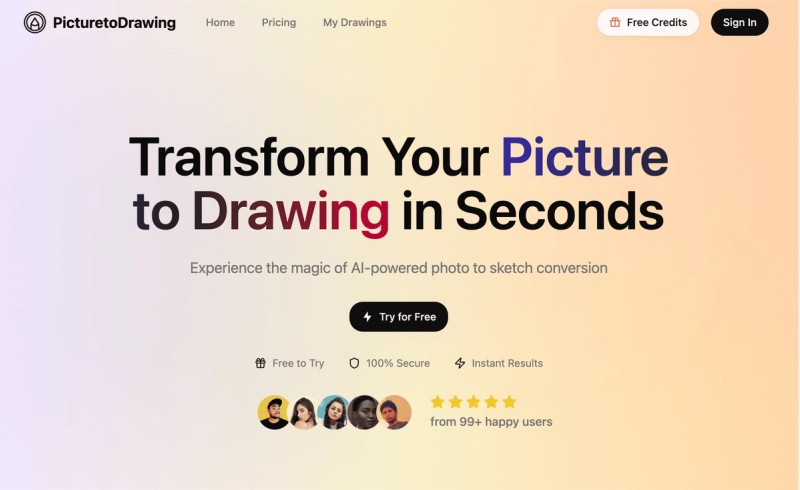
Picture to Drawing is an AI-powered web platform that converts ordinary photographs into a wide range of artistic styles, including pencil sketches, charcoal drawings, watercolor paintings, line art, cartoons, and anime, with fast processing and privacy protection.
What is Picture to Drawing?
Picture to Drawing is an advanced AI-driven service that transforms uploaded photos into professional-quality artwork in seconds. It accepts images in JPG, PNG, WEBP, or HEIC formats and outputs high-resolution drawings in over 40 styles. The platform runs entirely in the browser on desktop and mobile devices, and is developed by the team at Picture to Drawing.
Key Features
- Multiple Art Styles — Access over 40 distinct styles including Pencil Sketch, Charcoal Drawing, Watercolor, Line Drawing, Line Art, Pop Art, Oil Painting, Pixel Art, Cartoon styles (Simpsons, South Park, Snoopy), Anime styles (JoJo's Bizarre Adventure, 90s Retro Anime, Shounen Anime), Stylized Clay, Low Poly, Caricature, Kawaii Pastel Doodle, and Simple Drawing. Each uses unique algorithms to mimic traditional artistic techniques.
- Fast AI Processing — Free users receive results in 50–60 seconds; premium subscribers get priority processing in 20–30 seconds. The AI analyzes composition, lighting, and textures to produce authentic hand-drawn looks.
- High-Resolution Output — Download converted images at the full original resolution, suitable for printing, framing, or professional use. Premium users can access even higher resolutions for large-format prints.
- Privacy Protected — Uploaded photos are processed on secure servers and automatically deleted after conversion. No images are stored, shared, or used for any other purpose, with encrypted connections throughout.
- Flexible Aspect Ratios — Choose from auto (original proportions), 1:1, 3:4, 4:3, 9:16, or 16:9 to fit social media posts, print layouts, or other use cases.
- Mobile-Friendly — Works seamlessly on smartphones and tablets via a responsive design; users can upload directly from camera or gallery.
Who is it for?
- Individuals creating personalized gifts — Transform cherished family photos into artistic drawings for anniversaries, birthdays, and special occasions.
- Social media content creators — Generate eye-catching picture-to-drawing content for Instagram, Facebook, and other platforms to boost engagement.
- Marketers and small businesses — Enhance brochures, websites, and advertisements with distinctive artistic visuals that differentiate from competitors.
- Artists and designers — Build creative portfolios by exploring diverse photo-to-sketch styles across different mediums.
What can you do with Picture to Drawing?
- Convert photos to pencil sketches — Achieve realistic shading and fine details for portraits, architectural drawings, and detailed illustrations.
- Create line drawings — Clean, minimalist contours ideal for logos, technical illustrations, and modern graphic design.
- Produce watercolor paintings — Soft, dreamy effects perfect for landscapes, floral arrangements, and artistic projects.
- Generate cartoon versions — Transform images into Simpsons, South Park, Anime (JoJo's, 90s Retro, Shounen), or other cartoon styles for fun social media content.
How does it work?
- Upload your photo (JPG, PNG, WEBP, HEIC) or select one of the sample images.
- Choose an artistic style from the dropdown menu (over 40 options).
- Select the desired aspect ratio (auto, 1:1, 3:4, 4:3, 9:16, or 16:9).
- Click “Start for Free” (requires sign-in for credits) and wait 20–60 seconds for processing.
- Download the high-resolution result.
Pricing
The service operates on a freemium model. Free users receive one daily conversion with processing in 50–60 seconds. Premium subscribers (credit-based) enjoy priority processing in 20–30 seconds and access to higher resolution outputs. Specific credit costs and subscription tiers are not disclosed on the site.
FAQ
Is Picture to Drawing free to use?
Yes, there is a free daily trial that allows one conversion per day. Processing time is 50–60 seconds. For unlimited conversions and faster processing (20–30 seconds), you can purchase credits or subscribe.
What image formats are supported?
The tool accepts JPG, PNG, WEBP, and HEIC files. You can upload via drag-and-drop or click to browse.
Are my photos private and secure?
Absolutely. Your photos are processed on secure servers and automatically deleted after conversion. They are never stored, shared, or used for any other purpose. All connections are encrypted.
How long does the conversion take?
Free users receive results within 50–60 seconds. Premium subscribers get priority processing in just 20–30 seconds. Image size and complexity may slightly affect processing time.
What art styles are available?
Over 40 styles including Pencil Sketch, Charcoal Drawing, Watercolor, Line Drawing, Line Art, Pop Art, Oil Painting, Pixel Art, Cartoon styles (Simpsons, South Park, Snoopy), Anime styles (JoJo's Bizarre Adventure, 90s Retro Anime, Shounen Anime), Stylized Clay, Low Poly, Caricature, Kawaii Pastel Doodle, and Simple Drawing.