
LogoTurbo0

seedream 4

Free AI image editor. Transform photos with text prompts in 30 seconds.

Introduction

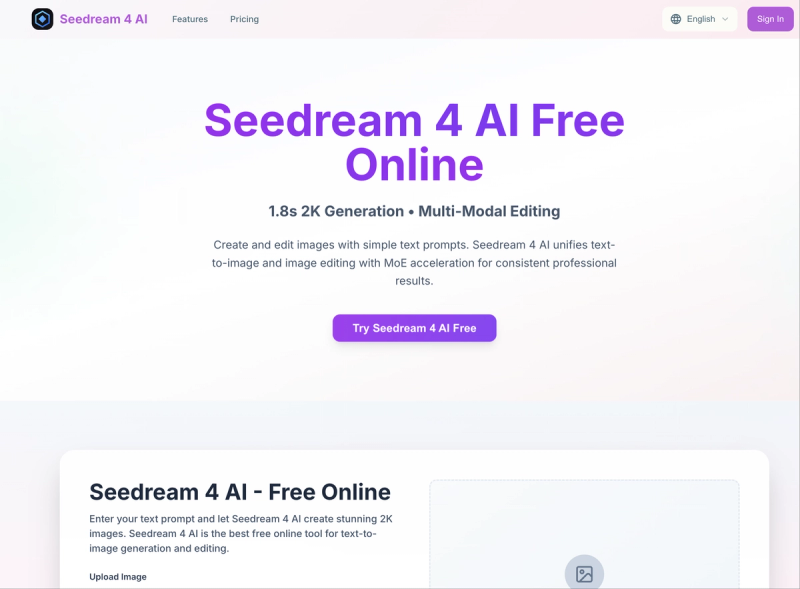
Seedream 4 AI is a free online AI image editor that generates and edits 2K images from text prompts using mixture-of-experts (MoE) acceleration. It produces high-resolution 2K outputs in about 1.8 seconds and supports both text-to-image generation and multi-modal image editing.

What is Seedream 4 AI?

Seedream 4 AI is a web-based AI image generator and editor developed by Seedream. It takes user-provided text prompts or uploaded images (JPG, PNG, WEBP; max 5 MB) and produces 2K-resolution images. The platform runs entirely in the browser with no signup required for basic use, and offers a freemium model with credits for advanced features.

Key Features
  • Text-to-Image Generation — Create images from descriptive prompts with support for aspect ratios 9:16, 16:9, 1:1, 3:4, and 4:3.
  • Image Editing via Text — Upload an image and describe edits (e.g., "make it Pixar", "change background to neon city") for context-aware transformations.
  • Lightning-Fast Generation — Complete image generation or editing in approximately 1.8 seconds using MoE acceleration.
  • Diverse Artistic Styles — Choose from 8 built-in styles: Photorealistic, Digital Art, Oil Painting, Anime, Fantasy Art, Cyberpunk, Watercolor, and Abstract Art.
  • Private Generation — Generated images are private and only visible to the user.
  • Commercial Use License — Paid plans include a commercial use license for generated images.
Who is it for?
  • Digital artists — Quickly iterate on concepts or apply style transfers without manual work.
  • Content creators — Generate social media visuals and edited product images from text prompts.
  • Non-designers — Edit photos using natural language instead of complex software.
What can you do with Seedream 4 AI?
  • Create images from scratch — Type a prompt like "a photorealistic sunset over a mountain lake" to get a 2K image in seconds.
  • Edit existing photos — Upload a portrait and say "add a tattoo" or "make it oil painting" for instant transformations.
  • Local precision editing — Select a region of an image and describe the change (e.g., "change the flower color to red") for targeted edits.
How does Seedream 4 AI work?
  1. Upload an image (or skip for text-to-image).
  2. Type a description of the desired image or edit in the prompt field.
  3. Click "Generate with Seedream 4 AI" and receive the result in about 2 seconds.
Pricing

Seedream 4 AI offers a free tier with limited credits, plus three paid annual plans (50% off flash sale): Basic ($4.9/month, 600 credits/year), Pro ($9.9/month, 2,400 credits/year), and Enterprise ($19.9/month, 7,200 credits/year). All plans include unlimited image downloads and permanent image history.

FAQ
Is Seedream 4 AI free?

Yes, there is a free tier that provides a limited number of credits for text-to-image generation and editing. No credit card required.

What image formats are supported for upload?

You can upload images in JPG, PNG, or WEBP format, up to 5 MB in size.

Can I use the generated images commercially?

Yes, all paid plans include a commercial use license. The free tier may have restrictions.

How long does it take to generate an image?

Most generations complete in under 2 seconds, though complex edits may take slightly longer.
Categories

Information

Performance Insights

Traffic, search & AI signals for www.seedream4ai.org.

Monthly visits
153
Domain Rating
28
Global rank
--
AI traffic share
0.0%

Monthly traffic trend

Domain Rating trend

Third-party traffic estimate · Updated Aug 9, 2026

Launch on turbo0

Submit your own product to reach creators and founders looking for the next tool to try.

Submit your product

Newsletter

Join the Community

Subscribe to our newsletter for the latest news and updates







