PhotoAgent is a browser-based conversational AI photo generator and editor: describe a photo in plain language or upload a PNG/JPEG, then request one change at a time and keep refining the same image inside a single chat thread.
What is PhotoAgent?
PhotoAgent is a web app that combines text-to-image generation with conversational photo editing. You type a description such as "Create a studio product photo of a glass perfume bottle on a marble table," or upload your own PNG or JPEG, and the agent returns an image plus a running conversation you can keep editing. Every generated or edited image consumes credits from a plan, and the amount depends on the operation and the configured image quality. It is built and hosted at aiphotoagent.net and requires an account (free starter credits are given on sign-up) to use the workspace.
What makes PhotoAgent stand out?
- Conversational editing, not re-prompting — ask for a focused change like "Make the background darker" or "Change the jacket to black" and the agent applies it to the image currently in the conversation instead of requiring a rewritten prompt.
- Reference uploads for edits — attach an existing PNG or JPEG through the workspace and describe the change you want, using it as the starting point for edits rather than generating from scratch.
- Subject and product preservation — request that the same person be kept while lighting, clothing, or background change, or that a product's shape, materials, and label be retained in a new scene.
- Background removal and replacement — swap a distracting background for a clean studio backdrop or a new environment, then continue editing shadows so the lighting matches the scene.
- Version history in the thread — earlier results stay visible, so you can select a previous image and branch in a different creative direction without losing the original.
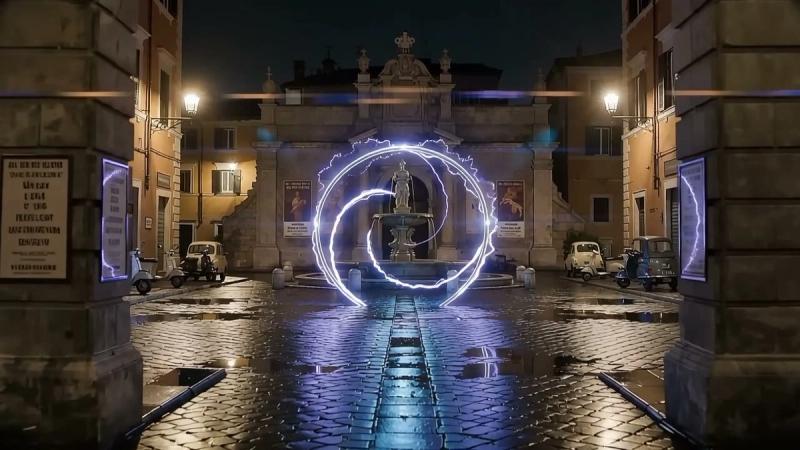
- Idea starters — preset example cards cover cinematic portraits, studio product photos, night photography, sunlit interiors, and fashion portraits, each with a sample prompt you can adapt.
- Mixed use cases in one workspace — portrait retouching, product photography, background replacement, landscape/interior scenes, and social imagery all run through the same chat interface.
- Credit-based metering — each generated or edited image costs credits; the current workspace produces one image at a time rather than a batch of four in a single request.
Who should use PhotoAgent?
- Ecommerce sellers — upload a product reference and generate studio or lifestyle shots while keeping the item's shape, materials, and label intact.
- Professionals and job seekers — edit a profile photo with softer light, a simple background, or a different outfit while preserving the same face.
- Social media and campaign creators — build post visuals and adjust framing and colors iteratively rather than regenerating from a fresh prompt each time.
- Fashion and interior creators — test wardrobe, composition, and location ideas, or describe a room, view, or time of day to produce a photographic scene.
What can you do with PhotoAgent?
- Product photography: upload a product image, describe the surface, camera angle, and light, and get a marble-tabletop studio shot or lifestyle scene that keeps the label — reviewing proportions before publishing.
- Portrait retouching: start from your own portrait and ask for warmer light, a black jacket, or a gray studio backdrop, checking the result for likeness and natural skin detail.
- Background replacement: move a subject into a new environment, adjust shadows to fit, and note that fine edges and transparent PNG output are not guaranteed in the current workflow.
- Scene generation: create landscapes, night streets, or sunlit interiors from a written description when no source photo exists.
How does PhotoAgent work?
- Describe an idea for a new photo, or sign in and upload a PNG or JPEG to edit.
- The agent generates one image from your instructions; you review the subject and details.
- Ask for a focused change, select an earlier result to branch, or download the image you want — repeating the loop as needed.
Pricing
PhotoAgent is free to try: new accounts receive starter credits that can be used without a paid plan. Paid credit plans are billed one-time or by subscription (monthly, or annual with 20% off), and credits are consumed per generated or edited image. Three subscription tiers are listed: Starter (800 credits/month), Pro (2000 credits/month), and Ultra (6000 credits/month); annual billing is advertised at $7.99, $15.99, and $31.99 per month respectively, versus $9.99, $19.99, and $39.99 monthly. All tiers include auto-renewal, fast queue, customized requirements, and support tiers that step up from standard to priority to dedicated.
FAQ
Does PhotoAgent have a free trial?
Yes. New accounts receive starter credits and no paid plan is needed to spend them. Every generated or edited image draws down credits, with the exact amount depending on the operation and configured image quality.
Can I edit my own photos instead of generating new ones?
Yes. Sign in and attach a PNG or JPEG in the workspace, then describe changes to lighting, clothing, composition, or background in everyday language. The conversation keeps the current image in context so follow-up requests build on the last result.
Can PhotoAgent remove or replace backgrounds?
You can ask it to remove a distracting background or replace it with a studio backdrop or new setting, then adjust shadows. Fine edges should be checked after editing, and transparent PNG output is not guaranteed in the current workflow.
Do I need to write long, complex prompts?
No special syntax is required. A clear first sentence describing subject, setting, and light is enough, followed by short follow-ups such as "Now add warm lighting" or "Change the jacket to black."
Can it produce multiple image variations at once?
You can ask for another version and keep iterating one image at a time, and each generation uses credits. The current workspace does not create a batch of four images in a single request.