
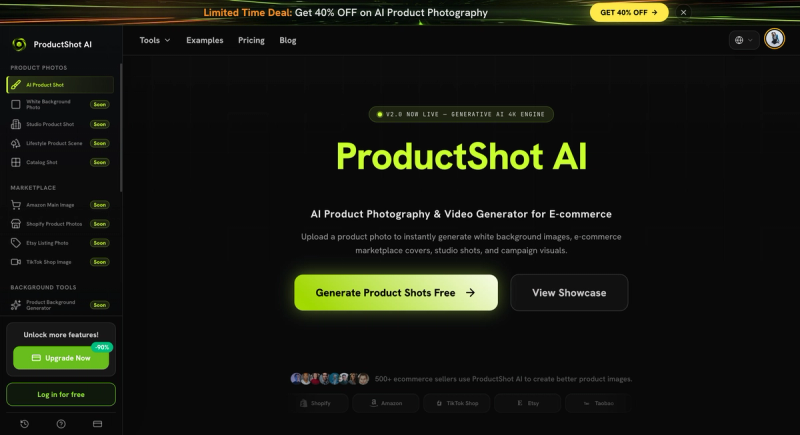
ProductShot AI is an AI product photography generator that turns a single uploaded product photo into marketplace-ready listing images, white-background shots, studio scenes, lifestyle visuals, and campaign creative — all while preserving the product's shape, color, packaging, and labels through a feature called Product Lock. It runs entirely in the browser and is built for ecommerce sellers, marketers, and small teams who need fast, consistent product images without a physical studio.
What is ProductShot AI?
ProductShot AI is a cloud-based AI workspace for ecommerce product photography. You upload one clear product image — ideally one that shows the item's shape, label, and packaging — and it generates multiple output styles including white-background photos, studio-style shots, marketplace listing images, lifestyle scenes, and ad creative. The platform uses Product Lock to keep key product details consistent across different scenes, and it provides reference image controls to guide composition and lighting. ProductShot AI is developed by the ProductShot team (no parent company name is given on the page).
Key Features
- Product Lock — Preserves the product's shape, color, materials, packaging, logo placement, and label details while backgrounds and scenes change, ensuring the generated images still look like the same item.
- Multiple output styles — Generate white-background photos, studio photos, marketplace listing images, lifestyle scenes, and ad creative from a single upload.
- Background removal and replacement — Remove distracting backgrounds and replace them with clean white, studio, or lifestyle settings.
- Reference image guidance — Add optional reference images to guide props, surfaces, lighting, and brand mood while maintaining product accuracy.
- Platform presets — Choose presets for Shopify, Amazon, Etsy, TikTok Shop, and other marketplaces to match their image requirements.
- Image history and reuse — Save generated images to a history library for later comparison, download, sharing, or reuse in future campaigns.
- Photo enhancer — Improve lighting, crop, and polish for sharper product images.







