
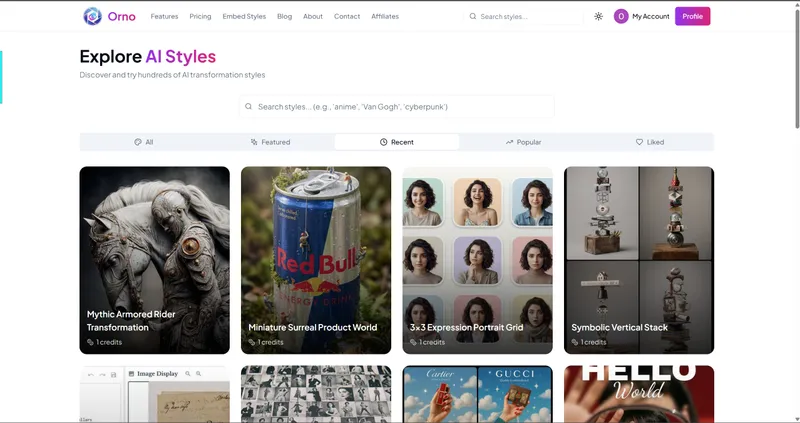
Orno is a web-based AI image editor that transforms uploaded photos using over 500 pre-made prompts — no prompt writing required.
What is Orno?
Orno is a web-based AI image editor that transforms your uploaded photos into stylized images using over 500 curated prompts. It runs entirely in the browser, requires no downloads or installs, and is powered by Nano Banana 2. You upload a photo, pick a visual style, and receive a high-resolution result in seconds.
Key Features
- 500+ curated prompts — Hand-picked styles covering portraits, products, scenes, illustrations, and more. No prompt engineering needed.
- Zero prompt writing — Browse and click; the AI handles transformation automatically.
- Fast generation — Results delivered in under 10 seconds on average.
- High resolution output — Downloads at full quality suitable for print, social media, or client delivery.
- Privacy-first — Uploaded photos are never used to train AI models; they remain yours.
- Works anywhere — Accessible from any browser on any device, no installation required.
- 7 AI models — Multiple underlying models power different style categories.
Who is it for?
- Content creators — Generate unique visual assets for social media, thumbnails, and blog headers without learning complex tools.
- E‑commerce sellers — Create professional product shots, clean backgrounds, and labeled meal images for listings.
- Designers and marketers — Quickly prototype mood boards, caricatures, or vintage effects for campaigns.
- Hobbyists and beginners — Experiment with AI image transformation without any technical knowledge.
What can you do with Orno?
- Transform portraits — Turn a selfie into an anime character, a graphite sketch, or a cinematic oil painting.
- Edit product photos — Generate clean studio-style product shots with white backgrounds or label meals with calorie estimates.
- Create visual content — Produce doodle-style explainer series, fashion mood board collages, city map posters, or coloring pages from photos.
- Restore and enhance — Apply vintage photo restoration, clean scene fixes, or street caricature effects.
How does Orno work?
- Browse the prompt library and select a style that matches your desired outcome.
- Upload your photo (any image: portrait, product shot, landscape).
- Download the transformed result in seconds — no editing or further tweaks required.
Pricing
Orno operates on a freemium model. Sign up receives 5 free credits with no credit card required. One‑time credit packs start at $4.99 for 50 credits. Monthly subscriptions include Starter ($4.99/mo, 200 credits), Pro ($8.99/mo, 500 credits), and Creator ($19.99/mo, unlimited). Credits never expire on pay‑as‑you‑go packs.
FAQ
Is Orno free to start?
Yes. New users receive 5 free credits on signup with no subscription or credit card required.
What kind of images can I upload?
You can upload any standard image — portraits, product photos, landscapes, etc. There is no stated limit on file size, but the service is designed for typical photo uploads.
Do you train AI on my photos?
No. Orno states that your photos are never used to train AI models. What you upload stays yours.
Can I cancel my subscription anytime?
Yes. All monthly subscriptions are cancelable at any time. Credits refresh each billing cycle.
What resolution do I get?
Downloads are provided at high resolution, suitable for print and social media. Watermarks are removed on paid plans.


