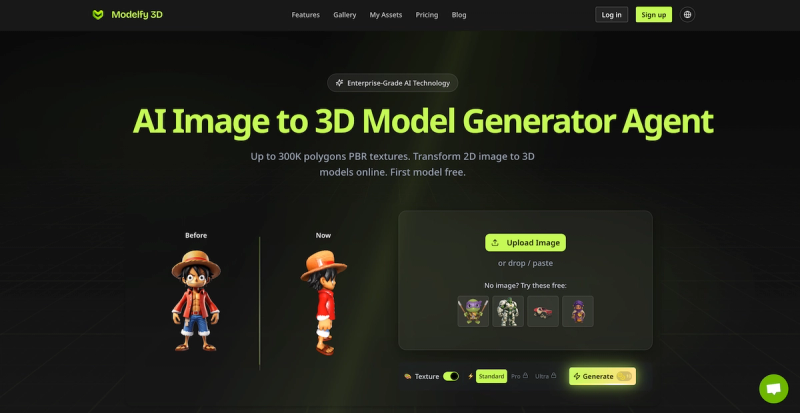
Modelfy 3D is an AI-powered image-to-3D model generator that converts any 2D image or text prompt into a fully textured, high-polygon 3D model in seconds, with up to 300K polygons and PBR textures.
What is Modelfy 3D?
Modelfy 3D is a web-based AI tool that transforms images (JPG, PNG, WEBP) or text descriptions into 3D models. It supports up to 300,000 polygons, offers four quality tiers (Fast, Standard, Pro, Ultra), and exports models in GLB, OBJ, and STL formats with optional PBR textures. The platform is developed by Modelfy, a company founded by computer vision researchers and 3D engineers.
What makes Modelfy 3D stand out?
- Ultra-High Polygon Count — Models up to 300K polygons with four quality levels: Fast (15K), Standard (30K), Pro (60K), and Ultra (300K).
- Proprietary AI Architecture — Self-developed neural networks with octree resolution control (196–512) and adaptive inference steps (20–50) for accurate reconstruction.
- Multi-Format Export — Download models as GLB (web/games), OBJ (3D software), or STL (3D printing), plus texture maps and preview images.
- Enterprise-Grade Infrastructure — Built on Cloudflare CDN with 99.9% uptime, real-time status monitoring, and automatic error recovery.
- Professional Asset Management — Organize models with filtering, tagging, favorites, archiving, and custom titles/descriptions.
- PBR Texture Generation — Toggle texture generation on/off, with support for 4K PBR textures on Pro and Max plans.
Who should use Modelfy 3D?
- Game Developers — Quickly prototype assets or generate hero models with clean topology for Unity, Unreal Engine, or web games.
- 3D Printing Enthusiasts — Convert product photos or concept images into STL files ready for printing, with up to 300K polygons.

- E-commerce Managers — Create interactive 3D product views from 2D catalog images, boosting engagement without 3D modeling skills.
- VR/AR Developers — Generate optimized models (60K polygon Pro tier) that run smoothly in VR environments.
What can you do with Modelfy 3D?
- Convert single images to 3D — Upload one photo and receive a fully textured 3D model in minutes, perfect for prototyping.
- Generate 3D from text prompts — Describe an object and let AI create a 3D model from scratch (Text to 3D mode).
- Batch process multiple images — Use the Multiple Images mode (Pro/Max plans) to generate variations or complete scenes.
- Export for any workflow — Choose GLB for web, OBJ for Blender/Maya, or STL for 3D printing, with automatic texture maps.
How does Modelfy 3D work?
The process has three steps:
- Intelligent Image Processing — Upload an image (JPG, PNG, WEBP); the system auto-applies background padding, size optimization, and format conversion.
- Proprietary AI 3D Reconstruction — The AI analyzes depth cues, perspective, and surface details, selecting optimal octree resolution (196–512) and inference steps (20–50) for the chosen quality tier.
- Multi-Format Asset Delivery — Receive a download package containing the 3D model (GLB, OBJ, STL), texture maps, and preview images, with real-time status tracking.
Pros and cons
Pros:
- Fast conversion (2–3 minutes per model, per site claims)
- High polygon counts up to 300K with clean topology
- Four quality tiers to balance speed and detail
- Supports PBR textures and multiple export formats
- Enterprise features like asset management and high uptime
Cons:
- Free plan limited to Standard quality, no PBR textures, and 7-day storage
- No offline desktop app (web-only)
- Max polygon count (300K) is only on Ultra tier, which uses more credits
- Limited free credits (10 per month) may not suffice for heavy use
Pricing
Modelfy uses a freemium model with three tiers:
- Free — $0/month, 10 credits monthly, Standard quality only, 2 downloads/day, assets under CC BY 4.0 license, 7-day storage.
- Pro — $9.9/month (billed annually), 1,000 credits monthly, up to Ultra quality, PBR textures up to 4K, unlimited downloads, 180-day storage.
- Max — $19.9/month (billed annually), 4,000 credits monthly, permanent storage, priority support, all premium features.
FAQ
Input: JPG, PNG, WEBP. Output: GLB, OBJ, STL, plus texture maps and preview images.
Can I use Modelfy 3D for commercial projects?
Yes — models created with Pro or Max plans are private and customer-owned. Free plan assets use CC BY 4.0 license, which allows commercial use with attribution.
How long does a conversion take?
Typical conversion takes 2–3 minutes per model, depending on quality tier and server load.
What polygon counts are available?
Four tiers: Fast (15K polygons), Standard (30K), Pro (60K), Ultra (300K). Pro and Max plans also support up to 500K polygons.
Is there a free trial?
Yes — the Free plan includes 10 monthly credits and a 5-credit welcome gift for new users.