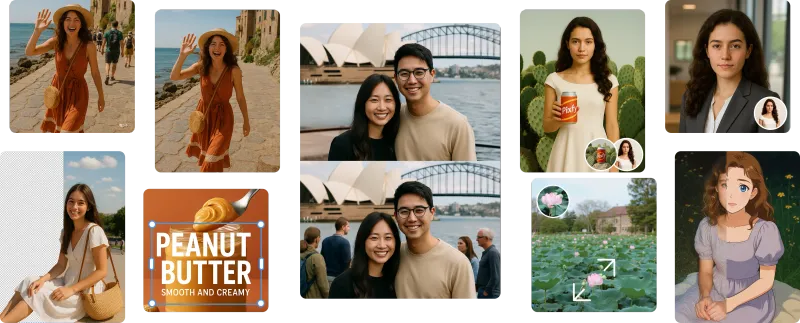
OmniPix is a free AI image and video generator that lets you create anything using 13 models in one credit-based studio, without setup or API keys.
What is OmniPix?
OmniPix is an all-in-one creative studio where you can generate images and short videos from text prompts or reference images. It takes a text description (and optionally an image) and outputs AI-generated visuals in seconds. The platform runs entirely in the browser, with no software to install.
Key Features
- 13 AI models — Includes Nano Banana, FLUX Schnell, FLUX Dev, Seedream 4.0, FLUX Pro 1.1, FLUX Pro Ultra, Ideogram V3, Recraft V3, Qwen Image, Imagen 4, Veo 3, Kling 2.1, and Seedance 1 Pro, each with different strengths and credit costs.
- 8 artistic styles — Apply Anime, Realistic, Ghibli, Cyberpunk, Oil Painting, 3D, Sci-Fi, or Watercolor with a single click, letting the platform choose the right model.
- Four creation modes — Text to Image, Image to Image, Text to Video, and Image to Video (coming soon), all on the same canvas.
- 30 free credits per month — Enough to explore; paid plans start when you need more, with a full commercial license included.
- No setup or API keys — Just describe your idea and generate; the platform handles routing and GPU allocation.
- Multilingual support — Prompt in English, Chinese, Japanese, Spanish, and more.
- Fast generation — Most images return in under 10 seconds.
Who is it for?
OmniPix is designed for content creators who need quick, high-quality visuals, marketers producing social media assets, designers exploring concept art, and anyone who wants to experiment with AI-generated images and videos without technical overhead.
What can you do with OmniPix?
- Generate photorealistic images — Use FLUX Pro Ultra or Imagen 4 for product shots, scenes, or portraits with up to 4K resolution.
- Create cinematic video clips — Turn a text prompt into a short video with Veo 3 (including audio) or Kling 2.1, ideal for social media intros or storyboards.
- Remix existing images — Upload a photo and change its style or composition using Image to Image mode with models like Nano Banana or Seedream 4.0.
- Design with in-image text — Use Ideogram V3 or Recraft V3 for logos, posters, and graphics that require legible text.
How does it work?
- Describe your idea — Type a prompt or drop a reference image, then choose a model and style.
- Generate in seconds — The platform routes your request to the optimal model and streams the result back.
- Refine and export — Adjust aspect ratio, batch size, or prompt, then download in full resolution; you can also generate video from the same prompt.
Pricing
OmniPix operates on a freemium model. You get 30 free credits every month to start. When you need more, paid plans offer additional credits and a full commercial license with no watermark.
FAQ
Is OmniPix free?
Yes, OmniPix offers a free plan with 30 credits per month. No credit card is required to start.
What models are included?
The platform includes 13 models: Nano Banana, FLUX Schnell, FLUX Dev, Seedream 4.0, FLUX Pro 1.1, FLUX Pro Ultra, Ideogram V3, Recraft V3, Qwen Image, Imagen 4, Veo 3, Kling 2.1, and Seedance 1 Pro. Each costs different credits and excels in different tasks.
Can I use the images commercially?
Yes, if you are on a paid plan. The free plan also grants ownership, but check the terms for commercial use limits. Paid plans include a full commercial license.