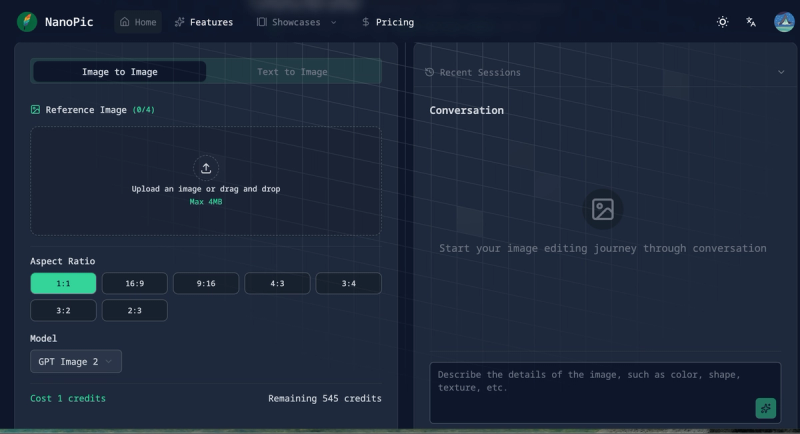
NanoPic is a browser-based image-to-image and text-to-image AI photo editor that turns a reference photo plus a plain-language prompt into a regenerated 2K/4K image, using models including Nano Banana Pro and GPT-Image-2.
What is NanoPic?
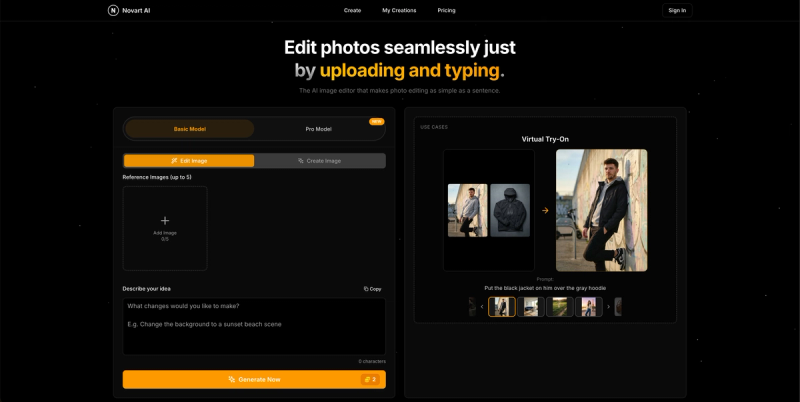
NanoPic is a web app at nanopic.net that edits photos by description instead of layers or sliders: you upload up to four reference images, type what you want changed into a chat box capped at 2,000 characters, and the service returns a new image. It runs entirely in the browser and offers two modes, Image to Image and Text to Image, with output resolutions up to 2K and 4K. The site advertises turning photos into action figures, colorizing old photos, changing hairstyles and restyling anime as typical tasks.
What makes NanoPic stand out?
- Conversational editing — every generation is a chat turn, and past work is kept in Recent Sessions so you can keep refining the same image instead of restarting.
- Multiple image models — the pricing page lists Nano Banana, Nano Banana Pro, Seedream and Flux Kontext Max; the interface shows a model selector defaulting to GPT Image 2, and the feature grid also credits Gemini.
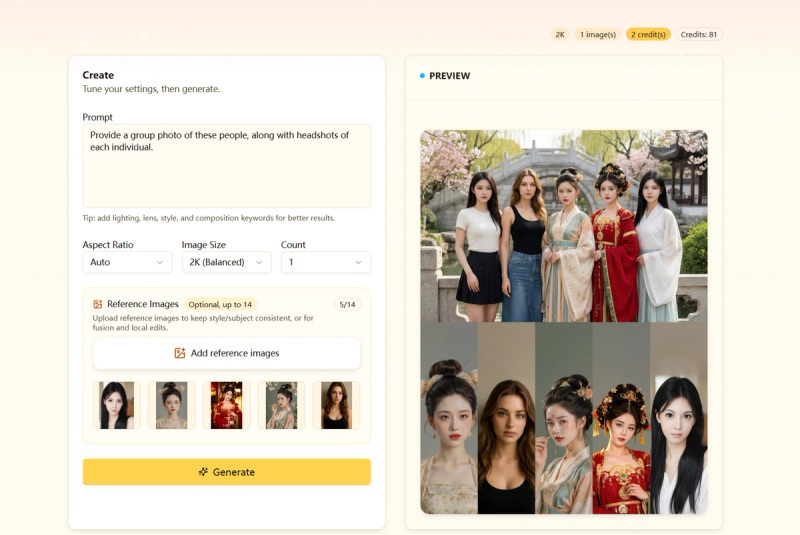
- Multi-reference input — you can attach up to four reference images (counter reads 0/4) and reference them inside the prompt, which enables outfit swaps, palette transfer and multi-character composition.
- 2K/4K output — high-resolution generation is supported and advertised as part of the standard workflow.
- Aspect ratio presets — seven options: 1:1, 16:9, 9:16, 4:3, 3:4, 3:2 and 2:3.
- Credit metering — each generation costs 1 credit, with the remaining balance displayed beside the model selector.
- Prompt gallery — more than twenty before/after showcases, each with the exact prompt used and an "Edit with AI" link that loads that prompt directly into the editor.
- Text-to-image mode — the same interface generates images from scratch for hardware exploded views, infographics, character design sheets and print illustrations.
Who should use NanoPic?
- Photographers and photo retouchers: restore and colorize old photos, enhance flat images by raising contrast, color and lighting, or restage portraits in a different era without touching the subject's face.
- Designers and marketers: generate product and campaign mockups, sticker-style art and OOTD outfit variations, then iterate in chat until the composition matches a brief.
- E-commerce sellers: convert plain product shots into styled scenes; one testimonial claims conversion rates rose 23% after switching to NanoPic-edited images.
- Indie game developers and content creators: produce character design sheets with three-view drawings, expression sheets and pose sheets, or batch out thumbnails and social posts.
What can you do with NanoPic?
- Anime and cosplay fans: upload an illustration and ask for a photo of a real person cosplaying it, with the background set at Comiket.
- Fashion and lifestyle creators: restyle a portrait into a fashionable OOTD outfit while keeping the original pose and facial features intact.
- Illustrators: color line art using a second image as the color palette source, or convert a character into a white-outline sticker with a short phrase.
- Students and researchers: have the model read a math problem in an image and write the answer in the corresponding position, a reasoning task the showcase gallery demonstrates.
How does NanoPic work?
Sign up to receive 10 free credits valid for 30 days, then describe the edit you want in a chat box. Upload a reference image (or paste an image or URL), choose one of the seven aspect ratios and a model, and generate for 1 credit; when no reference is attached the tool asks you to upload one before proceeding.
Pricing
NanoPic is freemium: new accounts get 10 free credits for 30 days, after which plans are billed monthly or annually. Starter is $99.9 per year with 960 images, Nano Banana and Seedream models, fast generation and email support. Standard is $199.9 per year with 2,400 images, all models including Nano Banana Pro and Flux Kontext Max, faster generation, advanced editing features and priority email support. Premium is $399.9 per year with 6,000 images, fastest generation, priority technical support, API access and a commercial license. Images are valid for 365 days.
FAQ
Is NanoPic free to try?
Yes. New users receive 10 free credits that stay valid for 30 days, with no payment required to start. Each image generation consumes 1 credit, so the trial covers ten edits before you need a paid plan.
Can I use the edited images commercially?
The visible page text does not state a general commercial-use policy, but a commercial license is listed only as a Premium plan feature. Creators who need commercial rights should treat the $399.9-per-year Premium tier as the plan that grants them.
Which AI models does NanoPic use?
The editor exposes a model selector that defaults to GPT Image 2, and the marketing copy names Nano Banana Pro and GPT-Image-2 for 2K/4K output. The pricing page additionally lists Nano Banana, Nano Banana Pro, Seedream and Flux Kontext Max, with Gemini credited in the feature grid.
How long does a generation take?
The site describes processing as taking seconds and suited to professional workflows. One content-creator testimonial on the page cites 5 to 15 seconds for a finished, professional-quality result, though actual time depends on the model and output resolution selected.
How many reference images can I upload at once?
Up to four. The upload area shows a 0/4 counter, and prompts in the showcase gallery reference multiple inputs at once, for example coloring Figure 1 with the palette from Figure 2.