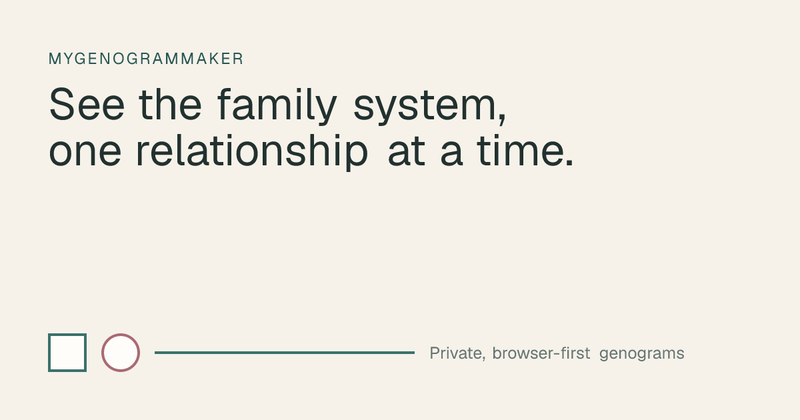
MyGenogramMaker is a free, browser-based genogram maker that creates editable multi-generation family maps with medical and relationship context, without requiring an account.
What is MyGenogramMaker?
MyGenogramMaker is an online genogram application that runs entirely in the browser. You input people, generations, medical details, and relationship lines through its editor and get a structured diagram that can include twins, adoption, household boundaries, and linked notes. The tool offers ready-to-edit templates such as three-generation and blended-family examples, and it saves your draft locally in the browser by default unless you choose optional cloud saving.
Key Features
- No account required — The editor opens directly on the site; sign-in is optional and only needed for cloud saving.
- Browser-first canvas — Works entirely in your browser on the web; there is no native app mentioned.
- Real templates — Start from a blank canvas or adopt a starter family, three-generation, blended family, or medical history example with fictional sample data.
- Complete genogram notation — Supports squares/circles for gender, crosses for deceased, double outlines for focal person, and relationship lines for connected, uncertain, strong bond, and conflict.
- Local-by-default saving — Names, relationships, medical notes, and canvas JSON stay local unless you opt into cloud saving; no AI processing is performed.
- Privacy boundary and analytics consent — Optional analytics load only after consent, and Microsoft Clarity is limited to public pages.
- PNG export — Free users get a watermark; a watermark-free PNG export costs $4.99.
- Editable examples — Each example opens as a separate browser project with its own link, letting you replace sample names and details with your own.
Who is it for?
- Social workers — Prepare a visual genogram to structure a conversation, supervision session, or case reflection.
- Therapy students — Practice family-systems notation on an easily revised map without purchasing a dedicated tool.
- Health educators — Organize family context such as medical markers before explaining patterns or next questions.
- Families — Collaboratively build a first draft of family history while keeping sensitive details out of another service.
Use cases
- Blended family mapping: Start from the "Blended family after divorce" example and revise it to show divorce, remarriage, biological children, and step-children.
- Medical family history: Use the medical history template and add medical markers and notes to review patterns for education or personal awareness.
- Cultural and household context: Record cultural heritage and draw a household boundary around members who share a home, then add a linked note for specifics.
- Therapeutic reflection: Create a small genogram to explore relationship bonds and conflicts, using the legend to define the line conventions.
How does it work?
The page presents a three-step rhythm. First, place people as squares or circles and arrange generations top to bottom. Then connect them with lines to show partnership, parent–child ties, distance, or a difficult bond. Finally, add only context that helps the question at hand while respecting your professional privacy practice.
Pricing
MyGenogramMaker is freemium. The full working canvas is free, including templates, editing, and local saving. A single watermark-free PNG export costs $4.99, while free exports include a watermark. Cloud saving is optional and not required for purchase.
FAQ
Do I need to create an account?
No. The free genogram editor opens directly in your browser. Sign-in is optional and needed only if you choose cloud saving.
Where is my genogram saved?
By default, your draft is saved locally in the browser. If you sign in and choose Save to cloud, the project JSON is stored with your account in Cloudflare D1.
Does MyGenogramMaker claim HIPAA compliance?
No. The tool does not make a HIPAA compliance claim. The privacy page advises treating every genogram as sensitive information and following your organization’s privacy policy.
What is the cost for a clean export?
A single watermark-free PNG export costs $4.99. Free exports include a watermark on the image.
Can I start from an existing family structure?
Yes. The site offers editable examples such as a three-generation genogram, a blended family after divorce, and a medical history template. Each opens as a separate browser project that you can modify.