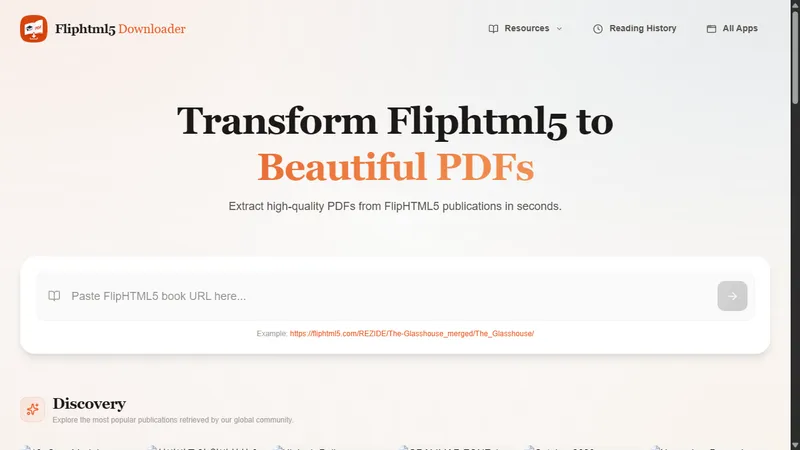
FlipHTML5 Downloader is a free, open-source web tool that turns any FlipHTML5 publication into a high-quality PDF in seconds. FlipHTML5 itself only lets you read books online, with no way to save them for offline use. This tool fills that gap.
How it works
Paste a FlipHTML5 URL into the input box on the homepage and hit download. The tool parses the link automatically, uses the official FlipHTML5 decryption scripts to unlock the encrypted page data, extracts the page images, and compiles them into a clean, standard PDF with no watermarks. Everything happens in your browser, so nothing is uploaded to a server.
There is a faster route as well: edit the address bar directly. Replace fliphtml5.com with fliphtml5.aivaded.com and press Enter. The same publication opens on this domain, ready to convert.
Batch downloads and progress tracking
Several URLs can be submitted at once. Each download runs independently with its own progress bar, so a long book never blocks the others, and page resources packed as ZIP archives are handled too.
Online reader and Discovery
If you would rather not download, the Discovery section on the homepage lists popular publications retrieved by the community. Click any book and read it in the built-in flipbook reader, which keeps track of your progress and reading history.
Supported links
All standard FlipHTML5 publication URLs in the format https://online.fliphtml5.com/[id1]/[id2]/ are supported.
A note on protected content
A small number of publications use heavily protected or unusually compressed resources. In those cases a few pages may not be extracted; most books convert without any trouble.
Built with Next.js, Tailwind CSS and jsPDF, the tool runs on desktop and mobile, needs no registration, and is free and open source. Only basic metadata such as title, page count and thumbnail from successfully downloaded books is stored, purely to power the Discovery feed. No personal information is collected.