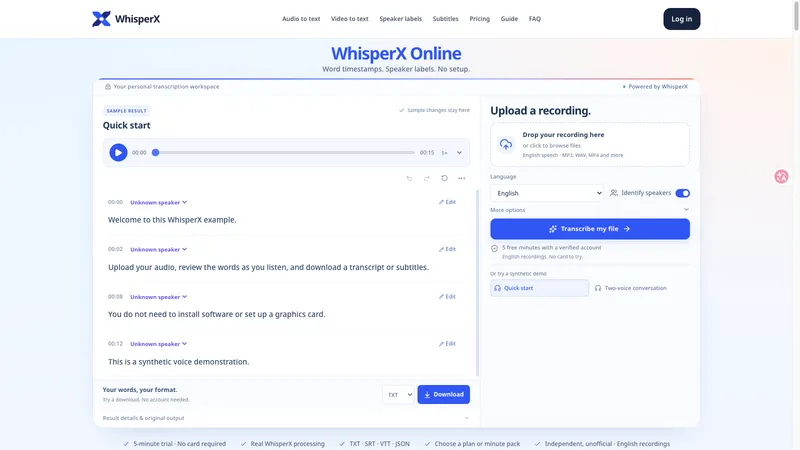
mp3totext.net is a browser-based AI converter that transcribes MP3, WAV, and M4A audio files into plain text (TXT) or subtitle files (SRT) without requiring an account for recordings under 5 minutes.
What is mp3totext.net?
mp3totext.net is an online AI-powered speech-to-text tool that converts audio files—MP3, WAV, M4A, and AAC—into editable text transcripts or SRT subtitles. The entire process runs in the user's browser, requiring no software installation. The service is developed and maintained by the mp3totext.net team.
What makes mp3totext.net stand out?
- Browser-based operation — No software installation needed; the entire transcription process happens online in any modern desktop or mobile browser.
- Multi-format support — Accepts MP3, WAV, M4A, and AAC files directly, converting them to text through the same pipeline.
- Free tier for short files — Guests can transcribe up to 5 minutes of audio for free; logging in extends the limit to 30 minutes, with no credit card required.
- AI-powered punctuation and paragraphing — The engine automatically inserts punctuation and breaks speech into readable paragraphs, reducing manual cleanup.
- Export options — Transcriptions can be copied, downloaded as TXT, or exported as SRT subtitles for use in videos and podcasts.
- Privacy-focused — Uploaded audio is not stored on servers after processing; the entire conversion runs in the browser for supported files.
- No account needed for short files — Users can upload and transcribe without signing up, as long as the audio is under 5 minutes.
Who is it for?
- Journalists and media students — Record interviews on a phone, upload the audio, and get a searchable transcript for quoting and fact-checking.
- Podcasters and creators — Convert episode audio into show notes, blog posts, or captions for social media, then export as TXT or SRT.
- Students and educators — Transcribe lectures and study group recordings to focus on key points instead of frantic note-taking.
- Researchers and analysts — Upload long interviews or focus group recordings, obtain a transcript, and use search to find patterns and quotes.
What can you do with mp3totext.net?
- Transcribe interviews — Upload a recorded interview, get a text transcript, and edit any errors before exporting as TXT.
- Create show notes — Podcasters can transcribe episodes and repurpose the text for SEO-rich show notes or newsletters.
- Generate subtitles — Export transcripts as SRT files to add captions to videos for accessibility or reach.
- Analyze focus groups — Researchers can upload multiple recordings, generate transcripts, and highlight key themes.
How does it work?
- Upload your file — Drag and drop an MP3, WAV, or M4A file onto the upload area, or click to select one.
- AI transcribes the audio — The speech recognition engine processes the file, with short clips ready in seconds and longer recordings taking more time.
- Edit and export — Review the transcript, make corrections in the built-in editor, then copy the text, download a TXT file, or export as SRT subtitles.
Pricing
mp3totext.net operates on a freemium model. Guests can transcribe up to 5 minutes per file for free. Logging in increases the limit to 30 minutes per file without requiring a credit card. For longer files, users must upgrade to a paid plan.
FAQ
How do I convert MP3 to TXT?
Upload your MP3 file via the drag-and-drop box or click to select. The AI transcribes it automatically. Once complete, you can copy the text or download it as a TXT file.
Is mp3 to text really free?
Yes, for audio files under 5 minutes when used as a guest. Logging in gives you 30 free minutes per file. No credit card is needed to start.
What formats does it support?
The tool supports MP3, WAV, M4A, and AAC files. Even if your recording isn't an MP3, you can still use the converter.
How accurate is the transcription?
Accuracy is high for clear audio with minimal background noise, especially in English and other major languages. The AI also adds punctuation and paragraph breaks automatically.
Is my audio safe?
Uploaded audio is processed in your browser and is not stored on mp3totext.net's servers. Your files remain private.