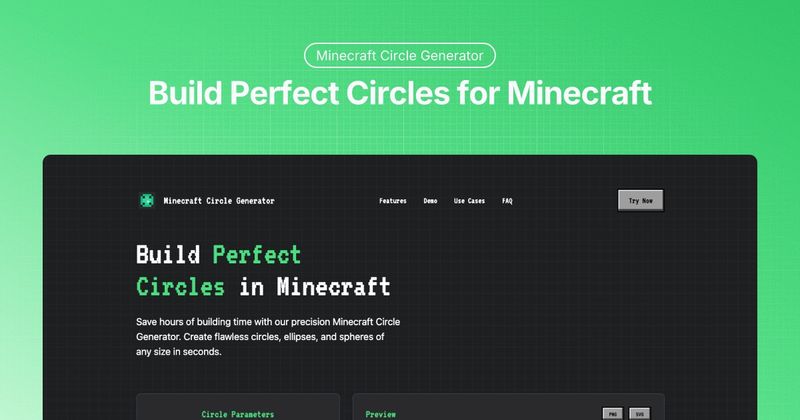
The Minecraft Circle Generator is a free online tool that creates mathematically precise block-by-block blueprints for circles, ellipses, and spheres used in Minecraft building.
What is Minecraft Circle Generator?
Minecraft Circle Generator is a web-based tool that produces pixel-perfect blueprints for circular, elliptical, and spherical structures in Minecraft. Input desired dimensions (radius or width/height) and style, and it outputs a 2D grid preview with coordinates, along with downloadable PNG or SVG files. It works in any modern browser with no account or registration required, and is developed and maintained by an unaffiliated third party (no specific company is named on the page).
Key Features
- Precise Parameters — Set exact width, height, and radius values; choose between thin lines, thick lines, or filled circles. The algorithm ensures perfect block placement for any size up to 1000 blocks in diameter.
- Real-time Preview — Instantly see your shape on a 2D grid with displayed coordinates, enabling visual verification before building.
- Builder Mode — Step-by-step building instructions with grid highlighting that guides block placement, making complex shapes accessible to beginners and professionals.
- Multiple Export Options — Download designs as PNG or SVG files for offline reference during in-game building.
- Material Counter — Automatically calculates total block count and displays stack quantities to help prepare materials in advance.
- Block Customization — Select different block types and colors to visualize the final build before placing any blocks.
Who is it for?
- Survival players — Build circular structures like fountains, towers, and islands without wasting resources on trial-and-error.
- Creative mode builders — Create elaborate arenas, giant spheres, and decorative patterns with exact symmetry.
- Server administrators — Design consistent, large-scale circular arenas and public spaces, sharing PNG/SVG exports with building teams.
- Educators — Teach geometry concepts using interactive Minecraft builds, making math and architectural principles engaging.
What can you do with Minecraft Circle Generator?
- Circular structures — Build fountains, towers, arenas, and islands with perfect symmetry as centerpieces or defensive structures.
- Giant spheres and planets — Stack different-sized circles vertically using the layered preview to construct planets, moons, or solar system models.
- Redstone devices — Create perfect circular clocks, ring-based signal transmission systems, or circular piston doors with reliable layouts.
- Decorative patterns — Design mosaics and mandala patterns for floors, walls, and ceilings by combining blocks of different colors and textures.
- Circular farms — Optimize farmland layout around a central water source, ensuring every plot is irrigated.
How does Minecraft Circle Generator work?
- Set Parameters — Enter your desired dimensions (radius or width/height) and select style (thin line, thick line, or filled). 2. Preview Design — Check the real-time 2D grid preview with coordinates to verify the layout. 3. Export & Build — Download the design as PNG or SVG, then follow the blueprint block-by-block in-game, using Builder Mode for complex shapes.
FAQ
How do I use the Minecraft Circle Generator?
Enter your desired radius or width/height, select a style (thin line, thick line, or filled), and click generate. You'll see an instant preview that you can download as PNG or SVG. For complex shapes, enable Builder Mode for step-by-step instructions with grid highlighting.
It supports PNG and SVG downloads for offline reference. These can be used as building guides in-game or shared with a building team.
How large of a circle can I create?
The tool supports circles up to 1000 blocks in diameter, suitable for small decorations to massive megabuilds.
Do I need to create an account?
No. The Minecraft Circle Generator is completely free and requires no registration or login.
Can the Minecraft Circle Generator create ellipses and spheres?
Yes. Select the ellipse option and set width and height parameters. For spheres, the tool provides layered guides to build 3D structures layer by layer.