
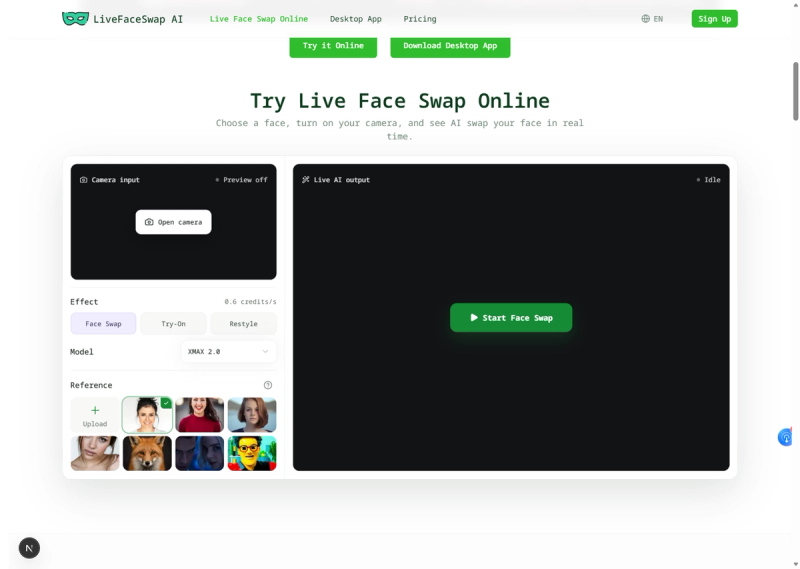
LiveFaceSwap AI delivers real‑time‑powered AI face transformation for live‑camera workflows. Perform face swap, virtual try‑on and visual restyle directly in your browser — no local app installation or dedicated GPU required. Simply upload authorized portrait, outfit or style reference images, and preview live‑updated effects as you move. For streaming, meetings and video‑calling software that require a virtual camera feed, use the LiveFaceSwap AI Windows 11 desktop app. It outputs processed video via the LiveFaceSwap virtual camera for seamless integration with all compatible applications.
Whether you are creating livestream characters, testing outfit concepts, exploring new visual styles or enhancing video calls, LiveFaceSwap AI keeps the workflow simple and responsive. Switch between effects and reference images without rebuilding your setup, compare the original camera view with the transformed output, and choose between browser-based previews and desktop virtual-camera integration according to your needs. Always use images with permission and clearly disclose AI-generated or altered content when sharing it with others.
Because processing runs in the cloud, LiveFaceSwap AI makes advanced real-time visual effects accessible on everyday computers without complicated model downloads or local configuration. Users can move naturally in front of the camera while seeing continuously updated transformations, making it practical for creative experiments, character performance, virtual fashion previews, online collaboration and live content production.







