What is LiveDocument?
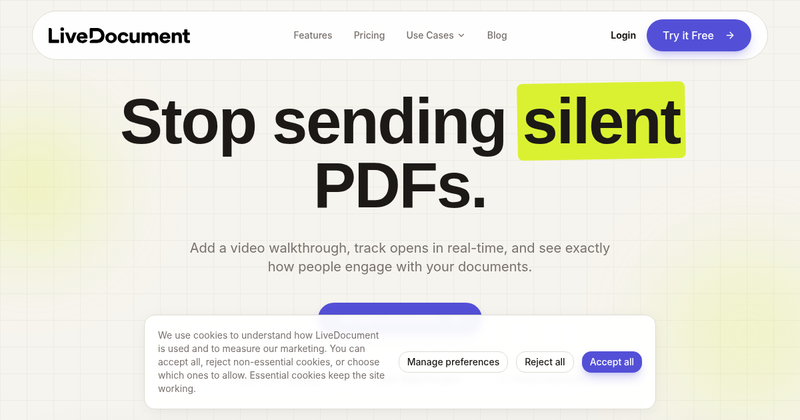
LiveDocument is a SaaS tool that takes static documents—like PDFs, slide decks, proposals, and web-based files—and adds a video narration layer alongside them. You upload a file, optionally record or attach a video walkthrough, and share a link. Recipients can watch your explanation while flipping through pages, and you get real-time alerts, email collection, and page-level engagement analytics. The maker is LiveDocument, and the product runs entirely in the browser.
Key Features
- Video Walkthroughs — Record a short video to explain a proposal, walk through key points, or replace a follow-up call. The video sits alongside the PDF so recipients get context in your own voice.
- Real-Time Alerts — Get notified the moment someone opens your document, re-opens it, or spends time on a specific page. Notifications arrive via email or in-app alerts.
- Email Collection — Require viewers to enter an email address before they can access the document, turning anonymous visitors into known leads.
- Engagement Analytics — See page-level view times, a clear activity feed, and enough insight to know what people focused on or skipped. This helps guide timely follow-ups.
- Document Tracking — A lightweight tracking pixel and JavaScript snippet are embedded in shared documents, letting you see exactly who viewed, when, and for how long—all in real time.
- Enterprise-Grade Security — Every document is encrypted in transit and at rest, with compliance certifications for HIPAA, GDPR, ISO 27001, and SOC 2.
Who is it for?
- Sales teams — Send proposals that actually get read, walk prospects through pricing, and get alerts when they linger on numbers.
- Consultants — Deliver reports without scheduling a follow-up call; clients can revisit insights by clicking highlights and hearing your recorded explanation.
- Legal professionals — Explain complex contracts by highlighting critical clauses and narrating what they mean, reducing misunderstandings and speeding up sign-off.
- Financial founders — Make investor decks watchable by narrating projections and traction, and see which investors spent time on what before any call.
What can you do with LiveDocument?
- Sales proposals: Walk prospects through pricing and objections in your voice, and know exactly when they re-read key sections.
- Consulting reports: Record findings once, and let clients click any highlight to hear your explanation again—no extra calls.
- Legal explanations: Highlight and narrate clauses in contracts so clients understand jargon, leading to fewer misunderstandings.
- Investor decks: Narrate your projections and traction slides, then see which investors engage deeply before the next meeting.
FAQ
How does LiveDocument track who views my documents?
LiveDocument embeds a lightweight tracking pixel and JavaScript snippet into your shared documents. When a recipient opens the link, you see exactly who viewed it, when, and how long they spent on each section—all in real time.
Can I add video walkthroughs to any document type?
Yes. LiveDocument supports PDFs, slide decks, proposals, and web-based documents. Simply upload your file, record or attach a video walkthrough, and share the link. Recipients can watch your narration alongside the document.
What notifications will I receive when someone opens a document?
You'll receive instant notifications via email or in-app alerts the moment someone opens your document. You can also see which pages they viewed, how long they spent, and whether they re-visited specific sections.
How do I get started with LiveDocument?
Sign up, upload your first document, and optionally record a video walkthrough. You'll get a shareable link instantly, and you can start tracking views immediately.