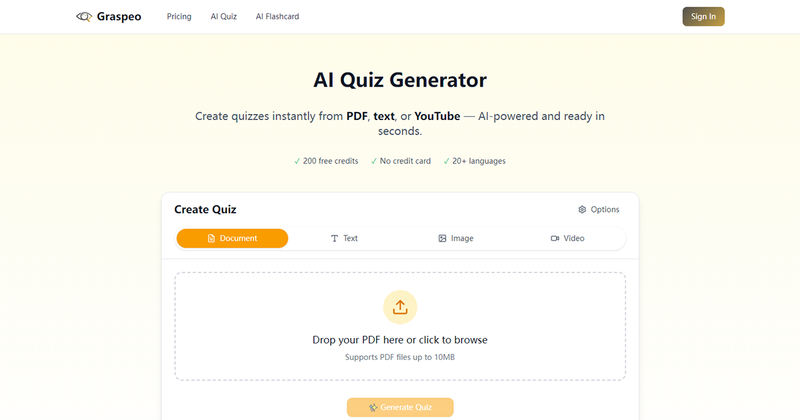
Graspeo is an AI-powered quiz generator that transforms study materials into interactive quizzes in under 10 seconds, supporting text, PDF, images, and YouTube videos.
What is Graspeo?
Graspeo is a web-based AI quiz generator designed for educators, students, and corporate trainers. It takes input from text pasted directly, PDF uploads (up to 10 MB), images, and YouTube videos (on paid plans) and outputs quizzes with question types including single choice, multiple choice, true/false, fill-in-blank, and short answer. The platform is built by Graspeo and runs entirely in the browser.
Key Features
- Multi-input support — Generate quizzes from PDFs, text, images, and YouTube videos (paid plan only).
- Diverse question types — Create single choice, multiple choice, true/false, fill-in-blank, and short answer questions.
- Bloom’s Taxonomy alignment — Questions are designed for three difficulty levels: Easy (remember/understand), Medium (apply/analyze), Hard (evaluate/create).
- Speed — Generates 20+ questions in under 10 seconds.
- Editable output — All generated questions, options, and answers can be modified after generation.
- Multi-language — Supports 20+ languages including English, Spanish, Chinese, French, German, Japanese, and more.
- Export options — Free accounts save results for 30 days; paid plans unlock export to PDF, Word, CSV, and JSON formats.
- Free tier — Guest users get 1 generation per day; signed-in free accounts get 2 generations per day.
Who is it for?
- Teachers and educators — Create classroom assessments from lesson PDFs and textbooks instantly.
- Students — Generate practice questions from notes, textbooks, or video lectures for exam prep.
- Corporate trainers — Build compliance and onboarding quizzes from training manuals and SOPs.
- Course creators — Add interactive quizzes to online courses to boost engagement and retention.
Use Cases
- Classroom quiz creation — A teacher uploads a textbook chapter and receives a 20-question multiple-choice quiz aligned to Bloom’s taxonomy in seconds.
- Self-study practice — A student pastes lecture notes and generates fill-in-blank and short answer questions to test recall.
- Training assessment — An HR manager uploads a compliance PDF and creates a true/false quiz for employee training.
- Language learning — An ESL teacher uses the multi-language feature to generate vocabulary quizzes in Spanish or French.
How does Graspeo work?
- Input content by pasting text, uploading a PDF or image, or providing a YouTube URL (paid).
- Configure quiz parameters: select question types, difficulty level, and number of questions (3–20 or auto).
- AI generates the quiz in 3–8 seconds.
- Preview, edit, then save or export the quiz. Free accounts save for 30 days; paid plans keep saved content while subscribed and allow export.
Pros and Cons
Pros:
- Extremely fast generation (under 10 seconds for 20+ questions).
- Supports multiple input formats and languages.
- Free tier available without credit card.
- Fully editable quizzes.
Cons:
- Free tier is limited to 1–2 generations per day.
- YouTube quiz generation requires a paid plan.
- PDF upload size limit of 10 MB.
Pricing
Graspeo operates on a freemium model. Guest users get 1 free generation per day. Creating a free account increases the daily limit to 2 generations. Paid plans (not specified on page) unlock YouTube-based generation, higher usage limits, and export workflows for saved content.
FAQ
Is Graspeo free?
Yes, Graspeo offers a free tier. Guest users can generate 1 quiz per day without signing up. Creating a free account provides 2 generations per day and saves results for 30 days.
What file types does Graspeo support?
Graspeo supports PDF uploads (up to 10 MB), pasted text, and images (screenshots, slides). Paid plans also support YouTube video quiz generation.
Can I edit the quiz after generation?
Yes, all generated questions, answer options, and correct answers are fully editable. You can also reorder or delete questions.
How long does it take to generate a quiz?
Graspeo generates a quiz in 3–8 seconds. For 20+ questions, it typically completes in under 10 seconds.
Can I export my quiz?
Free accounts can save results to the account for 30 days but cannot export. Paid plans unlock export workflows, allowing download of quizzes as PDF, Word, CSV, or JSON files.