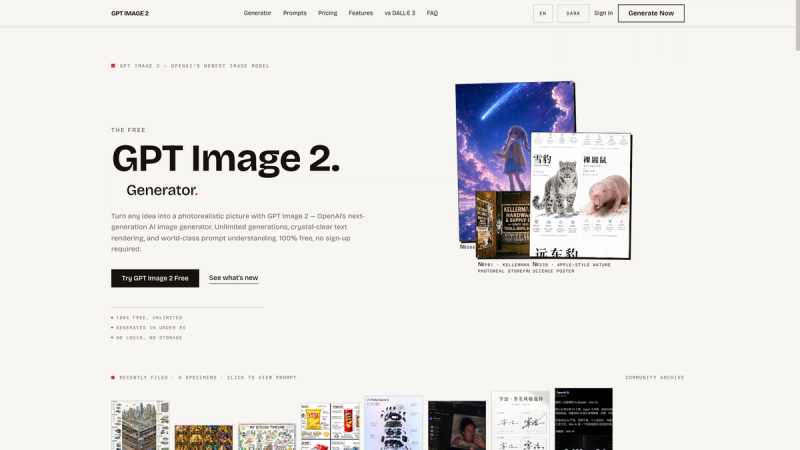
GPT Image 2 is an independent, browser-based generator for OpenAI's natively multimodal GPT Image 2 model, converting text prompts into photorealistic images, illustrated posters, UI mockups, and more with accurate text rendering.
What is GPT Image 2?
GPT Image 2 (at gpt-img2.com) is a free-to-start web tool that runs OpenAI's GPT Image 2 model directly in your browser. You type a plain-English prompt (up to 1,000 characters), optionally upload up to four reference images, and the service returns a generated picture. It does not require an OpenAI account or API key — only a free sign-in to claim your starting credits.
Key Features
- Free tier — Sign in to receive 20 free credits (enough for two HD images); no credit card required.
- Accurate text rendering — Generates legible text inside images for posters, logos, and UI mockups, overcoming a common weakness of diffusion models.
- World-class prompt following — Uses GPT-level reasoning to understand long, detailed prompts with multiple objects and lighting directions.
- Style variety — Includes 10+ style presets: Photorealistic, Cinematic, Anime, 3D Render, Oil Painting, Watercolor, Pixel Art, Line Art, Neon, and Studio Ghibli.
- Flexible aspect ratios — Choose from 13 ratios, from 1:1 to 21:9, including vertical 9:16 for social stories and wide 21:9 for banners.
- Reference images — Upload up to 4 images (each under 8 MB) to edit, inpaint, or maintain consistent characters across generations.
- Privacy first — Zero-retention policy: prompts and outputs are never stored or used for training; images you create are yours for commercial use.
Who is it for?
- Social media marketers who need scroll-stopping posters and ad creatives with clear headlines, without waiting on a designer.
- E-commerce sellers who want product shots, lifestyle scenes, or hero images for listings and ads, generated from a text description.
- Illustrators and concept artists exploring anime, Studio Ghibli, or oil-painting aesthetics for visual development and storyboards.
- Small business owners who need commercial-use images for websites and promotions but lack design software expertise.
What can you do with it?
- Marketing campaigns: Generate posters and banners with readable headlines and CTAs, as shown in the site's ad-campaign examples.
- Product photography: Create premium food or product shots for online stores, controlling background and lighting via prompt.
- Character consistency: Upload a reference image and keep the same character across multiple frames for comics or brand assets.
- Photo restoration: Recreate or repair vintage photos by describing the desired restoration, as in the "Restored Vintage Mother and Child Portrait" example.
How does it work?
- Type a description (up to 1,000 characters) or select a starter prompt.
- Choose a style chip and an aspect ratio (e.g., 1:1, 16:9, 9:16) and quality (Standard, HD, or Ultra on paid plans).
- Optionally upload up to 4 reference images (each under 8 MB) for guided edits or consistency.
- Click "Generate with GPT Image 2" — a free generation costs 10 credits; your 20 free credits cover two HD images. Download the result or refine the prompt.
Pros and cons
Pros:
- Free to start with 20 credits, no credit card required.
- Accurate text rendering sets it apart from older models like Midjourney v7.
- Browser-based, works on desktop and mobile, no installation.
Cons:
- HD, Ultra quality, and multi-image batches require a paid plan.
- A free sign-in is needed to claim the starting credits.
Pricing
Freemium. Free accounts receive 20 credits on sign-in. Paid plans start from $9.90 per month and unlock HD, Ultra, and multi-image batch generation.
Alternatives
- Nano Banana 2 (Google) — accepts up to 14 reference images and is faster, but its text rendering is only "Good" versus GPT Image 2's strong accuracy.
- Midjourney v7 — offers a broad aesthetic range, but struggles with accurate in-image text, making it less reliable for posters and UI mockups.
FAQ
Is GPT Image 2 free?
Yes, it's free to start — you get 20 credits after signing in, which cover two HD images, and no credit card is needed. Additional generations require either waiting for more credits or upgrading to a paid plan.
Do I need an OpenAI account?
No. You can use the GPT Image 2 generator directly at gpt-img2.com without an OpenAI account or API key. The service is independent and only requires a free sign-in on the site itself.
Can I use the images commercially?
Yes. You own the rights to the images you create, and they can be used for personal or commercial projects, including marketing, product mockups, book covers, and more.
How many reference images can I upload?
Up to 4 reference images per generation, with each file limited to under 8 MB. You can use them for inpainting, outpainting, or maintaining character consistency.
What does the paid plan unlock?
The paid plan (starting at $9.90 per month) unlocks HD and Ultra quality settings, multi-image batches (up to 4 images in one generation), and higher-resolution downloads beyond the free Standard quality.