
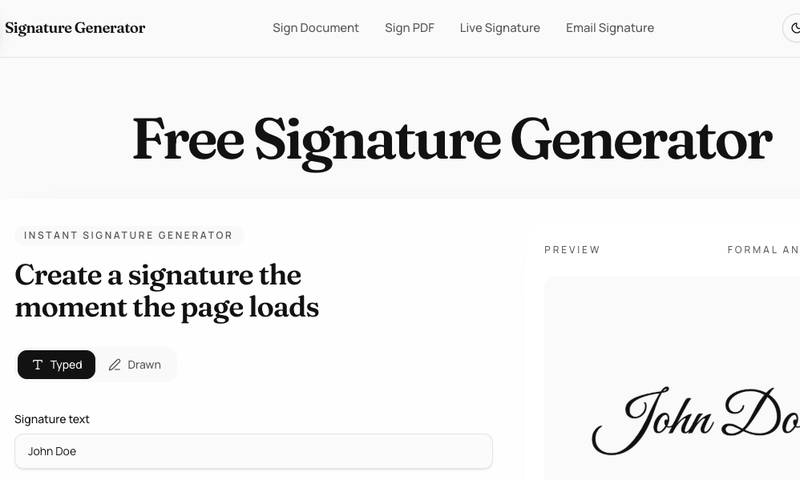
FreeSignatureCreator.com is a browser-based signature generator that lets you type or draw a signature, refine its style, and download a transparent asset after a quick sign-up.
What is Free Signature Creator?
FreeSignatureCreator.com is a free online tool for creating digital signatures without installing software. You can type your name to generate a styled signature from a curated set of fonts, or draw your actual signature using a mouse, stylus, or touchscreen. The tool outputs transparent PNG and SVG files that can be placed on forms, profiles, and documents. The site also includes related utilities for signing PDFs, creating email signatures, and generating live handwritten signatures.
Key Features
- Typed and drawn signatures — switch between font-based signatures (12 fonts including Allura, Parisienne, Great Vibes, Sacramento, Alex Brush, Italianno, Marck Script, Dancing Script, Satisfy, Yellowtail, Caveat, Cedarville, and La Belle Aurore) and hand-drawn input on a responsive canvas.
- Live Signature Generator — a focused drawing experience that captures the nuance of handwriting for a more authentic result.
- Sign Document & Sign PDF — upload PDFs and documents directly to the platform, place your signature exactly where needed, and export the signed file instantly.
- Email Signature Generator — build professional email footers combining your contact info with your digital signature, formatted for Gmail, Outlook, and Apple Mail.
- Refine before downloading — adjust style, size (default 112px), ink color, and stroke settings in the browser before committing to a download.
- Transparent asset export — download signatures as transparent PNG; SVG available when the source supports it. Requires free sign-up or log-in.

- Preview without authentication — create and refine a signature without an account; only need to sign up when ready to download.
Who is it for?
- Individuals needing a personal signature — create a reusable signature for online forms, profiles, and everyday digital workflows.
- Freelancers and creators — prepare a polished signature asset for portfolios, email footers, personal websites, or lightweight brand usage.
- Professionals handling documents — sign PDFs and documents directly in the browser, streamlining quick internal handoffs with teammates or clients.
What can you do with Free Signature Creator?
- Create a typed signature from your name — type your full name and select one of 12 script fonts to generate an instant signature preview. Adjust size and color until it matches your desired look.
- Draw your real signature — use a mouse, stylus, or touchscreen to draw your actual signature on the canvas. The live signature tool focuses on capturing natural handwriting nuance.
- Sign PDFs and documents — after creating a signature, upload a PDF or document file and place your signature on it directly in the browser. Export the signed file without needing separate software.
- Build an email signature — combine your digital signature with contact details (phone, email, social links) and generate HTML code compatible with Gmail, Outlook, and Apple Mail.
How does Free Signature Creator work?
- Create your signature — type your name to generate a font-based signature or draw it by hand on the canvas.
- Refine the look — adjust the font, size, ink color, and stroke settings until the signature matches your preference.
- Download the asset — sign up or log in (free) to download the signature as a transparent PNG or SVG. Alternatively, use the signature directly within the site's sign-document or email signature tools.
FAQ
Is Free Signature Creator free to use?
Yes. You can create and refine signatures for free in the browser. A free account is required only when you are ready to download the final asset.
You can export signatures as transparent PNG files. SVG is also available when the generated source supports it. Both formats are suitable for placing on forms, profiles, and digital documents.
Do I need an account to create a signature?
No. You can use the generator to type, draw, and adjust a signature without an account. An account is only needed when you want to download the signature or use it in the sign-document tool.
Yes. The tool offers a drawn input mode that works with mouse, stylus, or touchscreen. The Live Signature Generator provides a dedicated canvas for capturing the nuance of your handwriting.
What fonts are available for typed signatures?
The generator includes 12 signature fonts: Allura, Parisienne, Great Vibes, Sacramento, Alex Brush, Italianno, Marck Script, Dancing Script, Satisfy, Yellowtail, Caveat, Cedarville, and La Belle Aurore.






