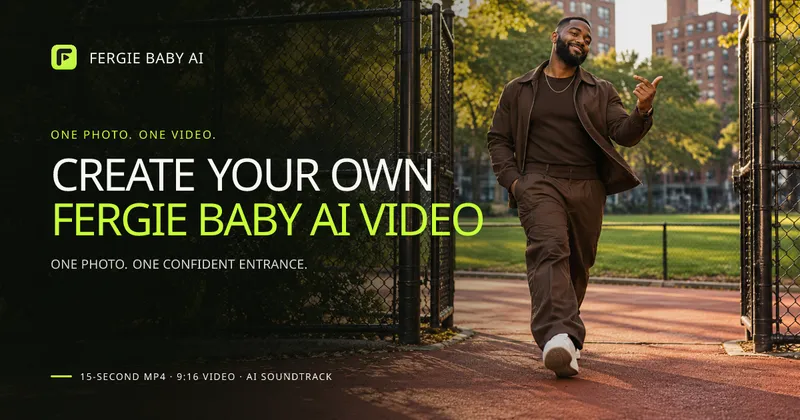
Fergie Baby AI Video Generator is a web app that animates a single uploaded photo into a 15-second, 720p vertical MP4 using a fixed park-entrance motion reference and AI-generated music.
What is Fergie Baby AI?
Fergie Baby AI is a browser-based person-swap video tool. You upload one photo of an adult (JPG, PNG, or WebP, up to 10 MB), and the service animates that person through a preset motion reference — a chain-link park gate, a red path, a relaxed shoulder bounce, and a camera-facing point — then adds an AI-generated soundtrack. The output is a 15-second MP4 at 720p in a 9:16 vertical aspect ratio. Generation requires signing in and spending credits; finished clips appear in a private My Videos area.
What makes Fergie Baby AI stand out?
- No prompt writing — the scene, walk, gestures, and camera move come from a fixed motion reference; you only choose a photo.
- Explicit output specs — every render is 15 seconds, 720p, 9:16 vertical MP4, sized for short-form feeds.
- Photo guidance built into the uploader — solo, front-facing, well-lit, full-body images are recommended; group shots, sunglasses, and anything covering the face weaken likeness.
- Any setting works as input — the preset supplies the park background, so bedroom, street, or plain indoor photos are accepted.
- Credits never expire — purchased credit packs are one-time purchases with no subscription, and unused credits stay on the account.
- Reserved credits on failure — credits are returned after a confirmed technical failure, subject to reconciliation rather than an automatic cash refund.
- Private by default — uploaded photos and finished videos are stored in the account and are not posted publicly or shown to other users.
- Limited download window — completed videos remain available for 7 days, so the MP4 must be saved during that period or the finished task deleted earlier.
Who should use Fergie Baby AI?
- TikTok and Reels creators who want the Fergie Baby walk trend without filming a park scene, using an existing portrait as the source.
- People with a good full-body photo who want a main-character entrance clip and already have clear, front-facing images in their camera roll.
- Social media managers producing short vertical assets for an account, at one video per 50 credits.
- Users who prefer presets over prompting — anyone who would rather select a photo than write motion or style instructions.
What can you do with Fergie Baby AI?
- Trend participation: upload a single portrait and get a 9:16 MP4 of that person walking through a park gate toward the camera, ready to upload to TikTok with any AI disclosure the platform requires.
- Outfit showcase: use a full-body photo so the generated walk keeps the visible clothing, stance, and proportions as identity and styling cues.
- Multi-clip batches: the Creator pack (100 credits) and Studio pack (150 credits) cover two and three complete videos respectively from one purchase.
How does Fergie Baby AI work?
- Upload a clear photo, choose it from your device, and confirm you own it or have permission to use it.
- Sign in and start generation; the service animates the subject with the preset motion reference and creates the soundtrack.
- Preview the result, download the MP4, and share it — the clip stays available for 7 days.
Pricing
One-time credit packs, no subscription, at 50 credits per video. Starter costs $9.90 for 50 credits (1 video), Creator costs $17.90 for 100 credits (2 videos), and Studio costs $24.90 for 150 credits (3 videos). Purchased credits never expire, and results vary in likeness, clothing, and movement.
FAQ
How much does one Fergie Baby AI video cost?
One video uses 50 credits. Packs are one-time payments: $9.90 for 50 credits, $17.90 for 100 credits, or $24.90 for 150 credits. There is no subscription, purchased credits do not expire, and you need at least 50 credits and a signed-in account to start a render.
What photo works best?
Use one sharp, well-lit photo of an adult with the face and outfit clearly visible, ideally solo and front-facing. Full-body shots preserve proportions and the complete outfit; knees-up shots work if the face is clear. Avoid group shots, sunglasses, masks, or hair covering the face.
What happens if generation fails?
Reserved credits are returned after a confirmed technical failure. Unknown submissions are reconciled before another generation or credit return, and this is not an automatic cash refund. A completed video is not refunded just because its appearance differs from your photo.
How long do I have to download my video?
Completed videos are available for 7 days after generation. Download the MP4 within that window, or delete the finished task sooner from My Videos. The file is a 720p, 9:16 vertical MP4 that is 15 seconds long.
Is my photo private?
Yes. Uploaded photos and finished videos are stored privately in your account and are not posted publicly or shown to other users. Results appear only in My Videos, where you can delete eligible tasks.