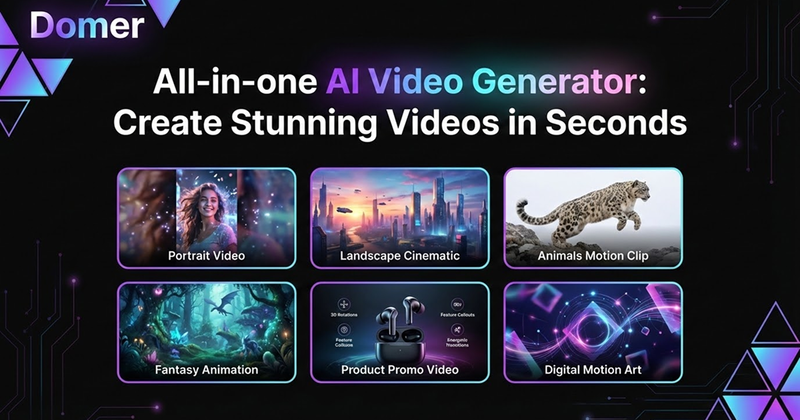
Domer is an AI video and image generator that creates HD videos from text prompts or uploaded photos, with exports in under 2 minutes using models like Veo, Kling, and Wan. It is available as a web app at domer.io.
What is Domer?
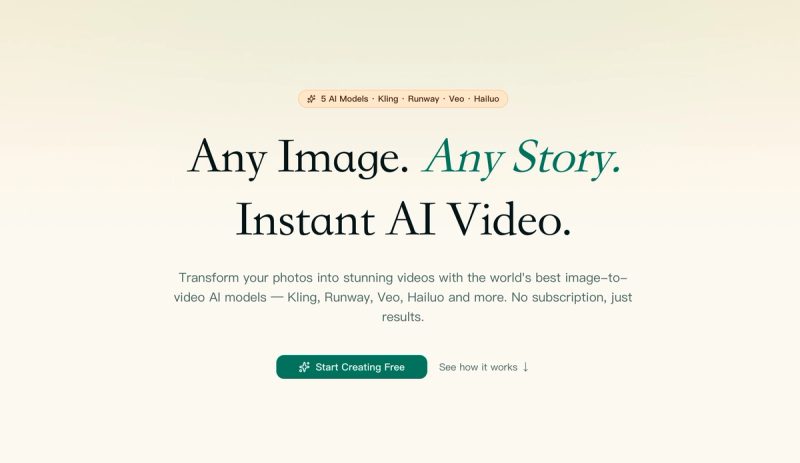
Domer is an AI-powered creative studio that takes text descriptions or uploaded images as input and produces HD video clips (MP4) and images (PNG/JPG) as output. It runs entirely in the browser and offers multiple AI models—Google Veo 3.1 for quality, Kling 2.6 for speed, and Wan 2.6 for longer clips up to 15 seconds. The platform is developed by the Domer team (no parent company stated on the site) and is targeted at content creators, marketers, and small businesses.
Key Features
- Text-to-Video & Image-to-Video — Generate videos from scratch by describing a scene, or animate an existing photo with motion instructions. Supports aspect ratios 16:9 (YouTube) and 9:16 (TikTok/Reels).
- Multiple AI Models — Choose between Veo 3.1 (highest quality, ~90 seconds), Kling 2.6 (fast, ~60 seconds), and Wan 2.6 (up to 15-second clips). Each model costs different amounts of credits.
- No Watermarks — Every exported video and image is clean, with full commercial rights. No attribution required.
- Fast Generation — Most videos render in 60–90 seconds, with a maximum of about 2 minutes.
- Free to Start — New users receive 10 free credits to test the platform. Credits never expire.
- Image Generation Tools — In addition to video, Domer offers text-to-image and image-to-image generation at lower credit costs (2–4 credits instead of 25–300 for video).
Who is it for?
- Social media creators — Produce TikToks, Instagram Reels, and YouTube Shorts without filming. The platform supports the exact aspect ratios needed for each platform.
- Marketers — Turn product photos into animated demos or ad concepts using image-to-video, reducing production costs.
- Freelancers and videographers — Deliver fast turnarounds for clients by generating B-roll, intro clips, or proof-of-concept videos without a full production team.
What can you do with Domer?
- Generate social media content — Type a description like "a cat walking on a beach at sunset" and get a 5–8 second HD video ready for TikTok or Reels.
- Animate product photos — Upload a product image and describe camera pans or rotations to create engaging e-commerce demos.
- Create concept art and thumbnails — Use the text-to-image tool to generate stills for thumbnails or mood boards at low credit cost.
- Restyle images — Upload a photo and use image-to-image to change its style, swap backgrounds, or turn sketches into renders.
How does Domer work?
The workflow is three steps: 1) Write a text prompt (or upload a photo for image-to-video) and describe the desired motion. 2) Select a model (Veo, Kling, or Wan) based on your priority for quality, speed, or clip length. 3) Wait 60–90 seconds for generation, then download the MP4 file with no watermark. No login required to start, but credits are needed for each generation.
Pricing
Domer operates on a freemium model. New users get 10 free credits to test the service. Paid plans are credit-based; prices are not listed on the site beyond a "Limited Time Sale: Get 40% OFF" banner. Credits never expire regardless of plan.
FAQ
What can I make with Domer?
You can create short videos (5–15 seconds depending on model), animated GIF-like clips from photos, and still images. Output is suitable for social media, product demos, and ad concepts.
Do the videos have watermarks?
No. All exported videos are watermark-free and come with full commercial usage rights.
Can I use Domer for free?
Yes. Signing up gives you 10 free credits. Each video generation costs between 25 and 300 credits, depending on the model and output length, while images cost 2–4 credits.
How long does video generation take?
Most videos generate in 60–90 seconds. Veo takes about 90 seconds, Kling around 60 seconds, and Wan may take a bit longer for 15-second clips.
What formats can I upload for image-to-video?
You can upload PNG or JPG images. The platform supports one or two images depending on the selected model.