DeskRest is a macOS break reminder app that uses context-aware detection to prevent eye strain and poor posture while respecting your workflow.
What is DeskRest?
DeskRest is a smart break reminder for macOS (14.2+) that helps reduce eye strain, correct posture, and promote work-life balance through non-intrusive notifications. It runs in the background, monitoring your activity to trigger timely short breaks (default 20 seconds) and long breaks (default 3 minutes) that you can customize. Developed by an independent team, DeskRest integrates deeply with macOS, offering cursor-following countdowns, system notifications, and automation via Apple Shortcuts.
Key Features
- Context-Aware Break Detection — Automatically pauses reminders during video calls, meetings, and focus mode, resuming when you’re available.
- Customizable Break Durations — Adjust short and long break lengths independently, and assign different exercises to each type.
- Posture Flash Reminders — Gentle screen flashes that subtly remind you to check your sitting position without disrupting workflow.
- Clock Out Feature — Set your ideal rest hours; DeskRest enforces them with personalized messages to help you step away from your desk.
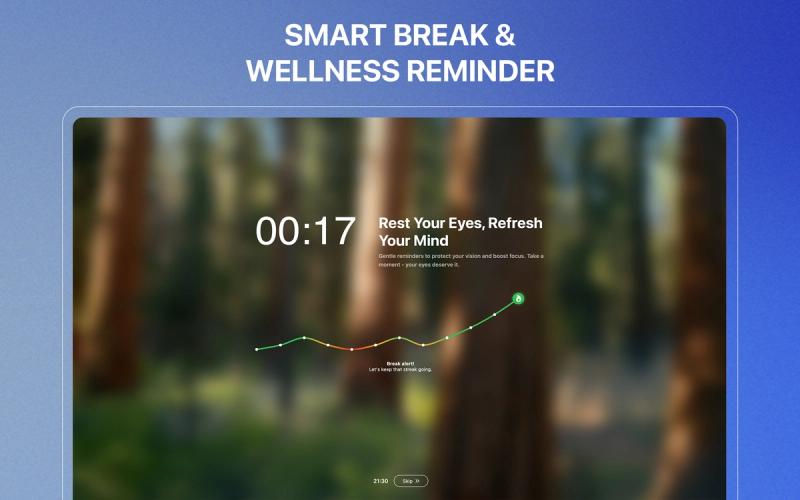
- Streak Visualizations — Track your break-taking habits with engaging streak metrics that make wellness rewarding.
- Unlimited Custom Exercises — Create your own break routines targeting eye strain, shoulder tension, standing transitions, and more.
- Cursor-Following Countdown — A subtle timer that appears exactly where your attention is focused, keeping you aware without interrupting flow.
- Working Hours Intelligence — Define your work schedule (weekdays, weekends, custom) so reminders activate only during productive hours.
- Idle Time Detection — Smart pause and reset when you step away, preventing unnecessary alerts after natural breaks.
- Automatic Startup & Menu Bar — Seamless macOS integration with menu bar controls and auto-launch.
Who is it for?
- Coders and software engineers who get lost in long sessions — use DeskRest to enforce micro-breaks that prevent eye strain and maintain focus.
- Designers and creatives — rely on posture flash reminders and custom exercises to reduce neck and shoulder tension during extended desk work.
- Remote workers — leverage Clock Out and working hours intelligence to separate work time from personal time, avoiding burnout.
- Students and researchers — use focus session mode for deep work periods that automatically transition to breaks.
What can you do with DeskRest?
- Prevent digital eye strain — follow the 20-20-20 rule (every 20 minutes, look at something 20 feet away for 20 seconds) with automated short breaks.
- Improve posture — enable posture flash reminders that nudge you to sit upright, reducing neck and back pain.
- End the workday on time — set Clock Out to send a personalized message when it’s time to step away from your desk.
- Build a break habit — use streak visualizations to track consistency and motivate daily wellness.
How does DeskRest work?
After downloading and launching, DeskRest runs in the menu bar. You set your preferred break durations, working hours, and break types. The app monitors your computer activity — keyboard, mouse, camera, screen sharing — to intelligently pause reminders when you’re busy. When it’s time for a break, you receive a cursor-following countdown or system notification. You can start, postpone (+1 or +5 minutes), or skip breaks. Over time, the app builds a habit streak based on how consistently you take breaks.
FAQ
Is DeskRest free?
DeskRest follows a freemium model. The core break reminder features are available for free, with premium upgrades for advanced customization like unlimited exercises and themes.
What platforms does DeskRest support?
Currently, DeskRest is available only for macOS 14.2 and later.
Can I customize break durations?
Yes. You can set short breaks (default 20 seconds) and long breaks (default 3 minutes) to any length, and assign different exercises or actions to each type.
Does DeskRest work during video calls?
Yes. DeskRest automatically detects video calls (via camera/mic usage) and pauses break reminders until the call ends, so you’re never interrupted.