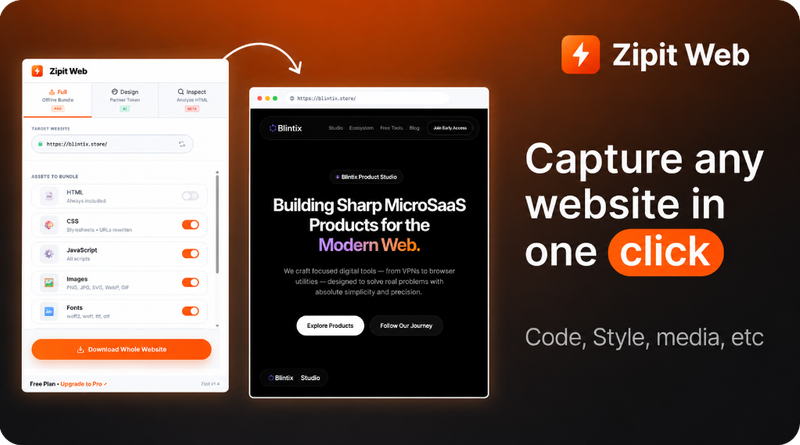
Zipit Web is a browser-based tool that extracts code, design tokens, fonts, colors, media, and UI components from any public website into production-ready files — no installation required.
What is Zipit Web?
Zipit Web is a web-based asset extraction tool developed by Blintix that turns any public website URL into production-ready code, design tokens, and media assets. It runs entirely in the browser with no setup or installs — just paste a URL, choose an extraction mode, and download the output as ZIP, JSON, CSS, or Figma-ready layers.
Key Features
- Full Website Download — Download the entire website structure and all assets as a ZIP file, including HTML, CSS, JavaScript, images, fonts, and media, in one click.
- Design Token Extraction — Extract colors, fonts, spacing values, and media assets; export as JSON, CSS variables, or Figma-ready tokens. The tool can identify up to 13 colors, 6 fonts, and 12 media assets from a single page.
- DOM Inspector — Click any element on the live page to inspect its styles, dimensions, and structure; export as Figma layers or component code.
- Accessibility Audit — Run a full WCAG audit that provides a score (e.g., 65/100) and lists critical and moderate issues with actionable fixes.
- SEO Analysis — Parse meta tags, Open Graph data, heading structure, robots rules, and sitemap, all scored in one view.
- AI-Ready Export — Clean text and structured data ready for AI models; regenerate any component with an AI prompt.
- Cloud Save — Save extracted assets to a cloud dashboard accessible from any device (Pro plan includes 5 cloud projects).
- Zero Setup — No extensions, no CLI, no configuration; paste a URL and start extracting instantly.
Who is it for?
- Web designers — Extract entire design systems and tokens from competitor sites to analyze color palettes, typography, and layout patterns.
- Frontend developers — Download full website code for learning, reference, or reusing components in new projects.
- Founders and product managers — Quickly capture and share website assets for competitor research or inspiration.
What can you do with Zipit Web?
- Competitor analysis — Extract the full design system of a competing product to study its color palette, typography, and layout patterns, then export as Figma tokens or CSS variables.
- Asset migration — Download all media and fonts from an old website to repurpose for a redesign, saving hours of manual work.
- Learning web development — Inspect and export the HTML, CSS, and JavaScript of well-designed sites to understand modern practices and component structures.
How does Zipit Web work?
- Paste a public website URL into the tool.
- Choose an extraction mode: Full Bundle, Design Tokens, DOM Inspector, Accessibility Audit, or SEO Analysis — or run all modes together.
- Click extract; processing takes seconds (e.g., 84% progress shown with zipping files).
- Download as ZIP, JSON, CSS, or copy Figma layers. Optionally save results to a cloud dashboard.
Pricing
Zipit Web offers a free Starter tier with 10 high-speed exports and basic download mode (HTML & CSS). The Pro plan at $12/month unlocks unlimited local exports, 5 cloud projects, design mode, inspect mode, and SEO audit. The Desktop app at $69 one-time provides offline processing and batch extraction. The Ultimate Bundle at $149 one-time includes desktop lifetime, Chrome extension lifetime, and 1 year Pro subscription.
Alternatives
- CSS Scan — Focused on extracting CSS styles from hovered elements on a page.
- WhatFont — Specializes in font identification only, without full asset extraction.
- Browser DevTools — Built-in tools for inspecting elements, but lack one-click export of design tokens and bundled assets.
FAQ
Is Zipit Web free?
Yes, there is a free Starter plan that includes 10 high-speed exports, single-page capture, and basic download mode (HTML & CSS). Limited asset extraction and standard compression apply.
Do I need to install anything?
No. Zipit Web works entirely in the browser without any installations, extensions, or CLI tools. For advanced features, a Chrome extension and desktop app are available.
What file formats can I export?
You can export full websites as ZIP, design tokens as JSON or CSS variables, and Figma-ready layers. AI-ready text output is also available.
Can I extract assets from any website?
Zipit Web works with public websites. It may not function on sites requiring authentication or with heavy JavaScript rendering; static or server-rendered pages yield the best results.