CompressImage.site is a free, browser-based image compression tool that reduces file sizes while preserving quality, supporting JPG, PNG, WebP, GIF, and AVIF formats.
What is CompressImage.site?
CompressImage.site is a web-based tool that compresses images to reduce file size while maintaining acceptable quality. Users upload or drag-and-drop image files in common formats (JPG, PNG, WebP, GIF, AVIF) and download the compressed versions. All processing happens within the user's browser, ensuring complete privacy. No login or account is required.
Key Features
- Image Compression with Adjustable Levels – Choose Low, Medium, or High compression to balance file size and quality. Medium offers balanced reduction with very good quality; High provides maximum size reduction suitable for thumbnails.
- Multiple Format Support – Accepts JPG, PNG, WebP, GIF, and AVIF input and preserves the original format on output.
- Batch Processing – Upload up to 100 images at once for simultaneous compression.
- Privacy-First Processing – Images are processed entirely in the browser; they never leave your computer, ensuring no data transmission.
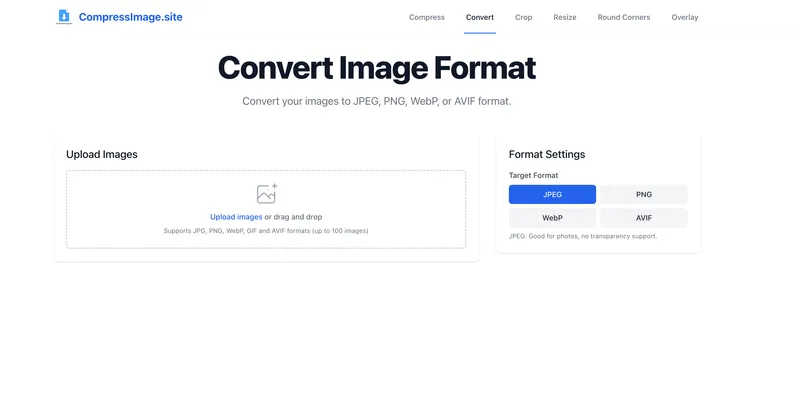
- Additional Editing Tools – Beyond compression, the tool offers conversion, cropping, resizing, rounding corners, and overlay features.
- Simple Drag-and-Drop Interface – Upload images by dragging them onto the designated area or clicking to select files.
- Immediate Downloads – Compressed images are available for download as soon as processing completes.
Who Is It For?
- Web developers – Optimize images to improve page load speed and SEO without sacrificing visual quality.
- Content creators – Batch compress large sets of images for blog posts, portfolios, or social media while controlling quality.
- Social media managers – Quickly reduce image file sizes for faster uploads and better mobile experiences.
- E-commerce sellers – Compress product images to speed up storefront loading and reduce bandwidth costs.
What Can You Do With CompressImage.site?
- Web performance optimization – Reduce image file sizes to meet page speed benchmarks like Google's Core Web Vitals.
- Batch compression for publishing – Compress hundreds of images in minutes for a website redesign or content migration.
- Image editing without software – Use the included cropping, resizing, and format conversion tools alongside compression, all in the browser.
- Privacy-sensitive projects – Compress confidential images locally without uploading to any server.
How Does CompressImage.site Work?
The compression process runs entirely in the user's browser using advanced algorithms. Users drag and drop images onto the upload area or click to select files. After choosing a compression level (Low, Medium, High), the tool automatically processes each image. Compressed files can be downloaded individually or as a batch. No data is sent to external servers, ensuring privacy.
Pros and Cons
Pros:
- Free to use with no account required.
- Privacy-focused: client-side processing.
- Supports up to 100 images per batch.
- Adjustable compression levels for different quality needs.
- Includes additional editing tools (crop, resize, convert, etc.).
Cons:
- Only available as a web app; no offline desktop client.
- Batch limit of 100 images may be restrictive for very large projects.
FAQ
Is CompressImage.site free?
Yes, CompressImage.site is completely free to use. No account registration or payment is required.
What image formats are supported?
The tool supports JPG, PNG, WebP, GIF, and AVIF formats for input and output.
How many images can I compress at once?
You can upload and compress up to 100 images in a single batch.
Does CompressImage.site store my images on a server?
No. All image processing happens locally within your browser. Your images never leave your computer, ensuring complete privacy.
Do I need to create an account?
No account is needed. You can start compressing images immediately without signing up.