
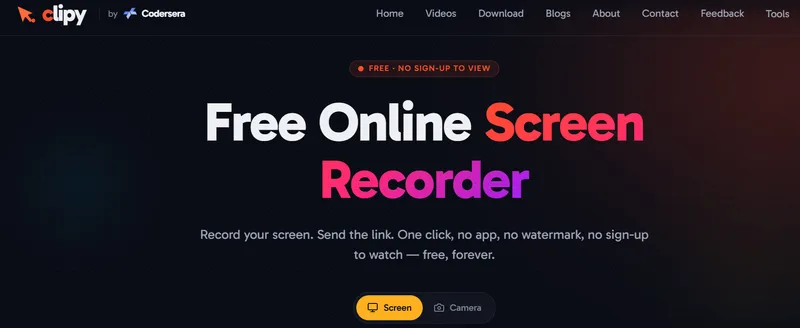
Clipy is a free, no-watermark, AI agent-native screen recorder for Mac, Chrome, and the web: hit record, stop, and get an instant share link that humans watch as a video and AI agents read as a markdown document.
What is Clipy?
Clipy is a screen recorder that runs in the browser (with a native Mac app) and captures your screen, webcam, and mic. You can record without an account; signing in with Google once lets you save and share the link. It positions itself as a fast Loom alternative for async communication: the shareable link opens in any browser with no sign-up, and that same link doubles as a structured .md file containing the recording's AI summary, transcript, key moments with frames, click targets, cursor paths, and click coordinates. Clipy is built by Shubham Agrawal and backed by Codersera. The service is free: no watermark, no time limits, no paid tier.
What makes Clipy stand out?
- Agent-readable share links — Every clipy.online/video URL is also a fetchable markdown document that Claude Code, Cursor, and Codex can read: summary, timestamped key moments with extracted frames, click coordinates, cursor paths, and full transcript.
- Works in the browser, no app install — Record a tab, window, or whole screen directly from the web; a native Mac app captures beyond the browser tab, including system audio.
- Instant shareable link — The link is ready the moment you stop recording; upload finishes in the background while you keep working.
- Unlimited length, HD to 4K — No 5-minute cap, no watermark, no viewer sign-up.
- System + mic audio — Capture what's playing on your machine plus your voice, with noise suppression on by default.
- Unlisted by default — Only people with the link can view; delete any recording anytime.
- One-command agent setup — Paste a setup prompt into Claude Code, Codex, or Cursor to install the @clipy/cli, the Clipy skill, and the MCP server so agents can record and read their own work.
- Free video tools — Includes a Loom video downloader, MP4 to GIF converter, video compressor, reverse video, and more, no signup required.
Who should use Clipy?
- Developers — Record a bug once, paste the link into Claude Code or Cursor, and the agent reads the summary, click target, and console error to open a PR.
- QA engineers — Run a manual test once; the agent writes a Playwright suite from your recorded clicks.
- Product managers — Talk through a feature while pointing at the screen; the agent files tickets with frames attached.
- Support teams — Do the fix on screen once; the agent publishes a step-by-step guide.
What can you do with Clipy?
- Bug reports: Record the exact reproduction steps, with the cursor on the broken state; the agent gets the spoken explanation without replaying the whole clip.
- Async standups: Send a short clip instead of attending a meeting; teammates watch in seconds, no account needed.
- Onboarding and teaching: Record a walkthrough once; new hires or students rewatch anytime.
- Marketing demos: One demo recording becomes a changelog, help doc, or launch thread.
How does Clipy work?
- Click record and pick a tab, window, or your whole screen; webcam and mic are optional.
- Stop when done — the clip uploads while you keep working.
- Send the link — anyone opens it in a browser without signing up; agents fetch the .md version.
Pricing
Clipy is free: unlimited recordings, no time limits, no watermark, and no credit card. There is no paid tier advertised anywhere on the site.
Alternatives
Competitors include Loom (its free plan caps videos at 5 minutes), Jam (browser bug reports that need MCP setup for agent-readable links), Screen Studio (a paid desktop tool), Cap, and Tella.
FAQ
Is Clipy really free?
Yes. Unlimited recordings, no time limits, no watermark, and no credit card. The site states that storage and bandwidth costs are covered by the service. Only the person recording needs an account; viewers do not.
Do viewers need to sign up?
No. A share link opens in any browser with no account, app, or extension. Only the person recording needs an account so their recordings appear in their library.
Can Claude Code or Cursor read a Clipy link?
Yes. Install the Clipy skill once (or connect the @clipy/mcp MCP server) and any clipy.online/video link you paste into Claude Code, Cursor, or Codex resolves to its agent-readable markdown document automatically. No per-recording setup is needed.
How long can a recording be?
As long as you need; there is no hard cap. Practical limits come from your browser's memory, not from Clipy's service.
What does an AI agent see in a Clipy recording?
An agent gets a markdown document with an AI summary, timestamped key moments with extracted frames, click coordinates, cursor paths, and the full timestamped transcript. The frames arrive as real images, so the agent can literally look at the button you pointed at.


