
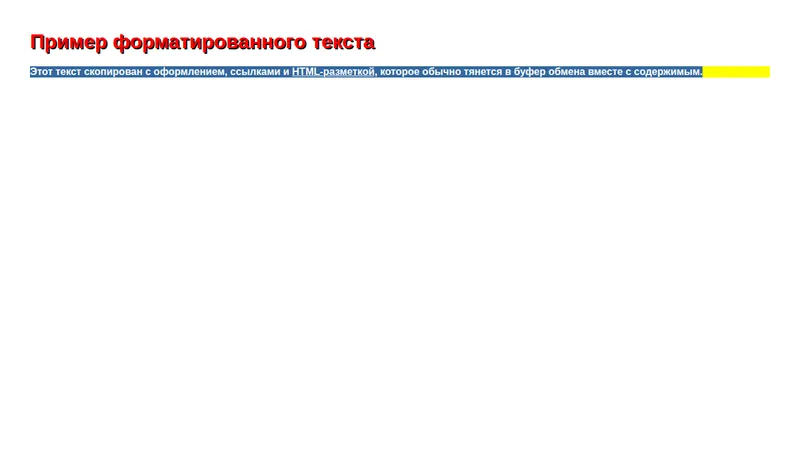
Clear Text is a lightweight Chrome extension that strips formatting, styles, and hidden HTML markup from copied text.
Select any text on a webpage, use the right-click context menu entry, and paste back plain, ready-to-use text into a document, email, spreadsheet, or any other app — no more fighting fonts, colors, inline styles, or stray links that usually tag along when copying from a browser.
- Removes HTML, CSS, links, and inline styles
- All processing happens locally in the browser — no data leaves the device or gets sent to a server
- Fallback copy mechanism for browsers with restricted Clipboard API access, so the feature keeps working reliably
- Available in 52 languages
- Free, with a paid auto-clean mode in development for users who want every copy operation cleaned automatically instead of using the context menu each time
Who it's for: anyone who regularly moves text between rich web pages and plain-text destinations — writers and editors pasting research into drafts, students copying material into notes, developers pasting into code editors, terminals, or issue trackers where stray formatting breaks things, and office workers moving content into email or docs without dragging along someone else's font choices.
How it works: the extension adds a "Copy Clear Text" entry to the right-click context menu. Select any text on a page, right-click, and the extension reads the selection, strips out HTML tags, inline CSS, and embedded links, and writes the resulting plain text to the clipboard using the standard Clipboard API — with a fallback path for browsers or contexts where that API is restricted. Nothing is uploaded or logged; the whole operation happens inside the page's own execution context.
The current release is free and actively maintained on the Chrome Web Store, with a paid "Auto Clean" mode in development for people who want every copy — not just right-click copies — cleaned automatically.


