
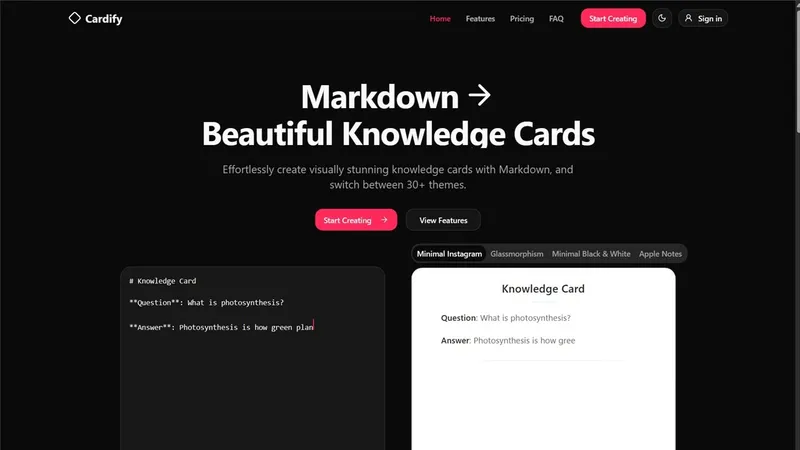
What Cardify does
Cardify is an online editor that turns Markdown into finished knowledge cards. You write on the left, the card redraws on the right as you type, and what you export is exactly what you saw. Flashcards, study notes and shareable info cards all come out of the same flow — no design skills needed.
Writing and previewing
Alongside standard Markdown, the editor takes image search and upload, more than 2000 emoji, content highlighting and full keyboard shortcuts. Existing notes are not a problem either: upload a Markdown file or paste content from any source, and Cardify formats it into a card for you. Basic Markdown helps but is not required — templates and the visual editor carry beginners, and the quick guide teaches the rest in minutes.
Designing the card
Over 30 themes are rendered side by side so you can compare them before choosing, instead of guessing from names. Card size is yours to set, fonts can come from the built-in list or from a file you upload, and color schemes and layout settings stay editable throughout.
Getting it out
Cards export as PNG, SVG or PDF, and batch export pushes several high-resolution cards at once. From there you can download the image, post it straight to social media, or generate a unique share link.
Where it runs and what it costs
The whole editor is responsive, so phones and tablets get the same create-and-export flow as a desktop. Creating and previewing is free; export sits behind the paid plans, which start with a 7-day trial card and run as a monthly subscription you can cancel anytime. The professional plan adds commercial usage rights, removes Cardify branding and opens extra export options for business presentations and educational content.


