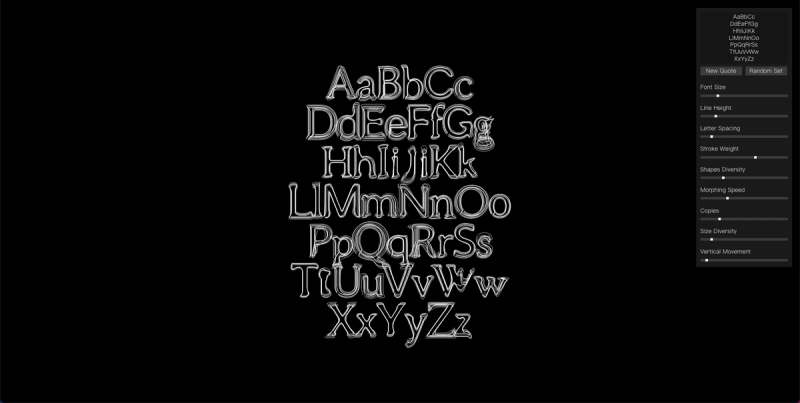
The Kinetic Type Interpolation Tool is a free web-based application for creating dynamic typography animations by interpolating between custom start and end states.
What is the Kinetic Type Interpolation Tool?
The Kinetic Type Interpolation Tool is an online tool that generates animated typography by interpolating between two user-defined states (start and end). It takes text input and allows adjustment of parameters such as font size, line height, letter spacing, stroke weight, shapes diversity, morphing speed, copies, size diversity, and vertical movement. The output is a kinetic typography animation that can be rendered and exported in various frame formats, including VideoFrame. The platform runs entirely in a web browser, requires no installation, and is free to use.
Key Features
- Morphing Speed slider — Control the speed of interpolation between the start and end states with a fine-grained slider.
- Font Size, Line Height, Letter Spacing — Adjust these typographic properties for both the start and end states independently.
- Stroke Weight — Set the thickness of the font outline for a stylized appearance.
- Shapes Diversity — Vary the shape or form of the typography elements during animation.
- Copies & Size Diversity — Create multiple copies of the animated text with variation in size to generate complex compositions.
- Vertical Movement — Control the vertical displacement of the text over the animation timeline.
- Render & VideoFrame — Render the final animation as a video frame sequence for export and integration into other projects.
- Random Set — Instantly generate random parameter combinations for inspiration.
- New Quote — Input custom text for the kinetic animation.
- Pause/Fullscreen/Stick — Controls for preview and interface management.