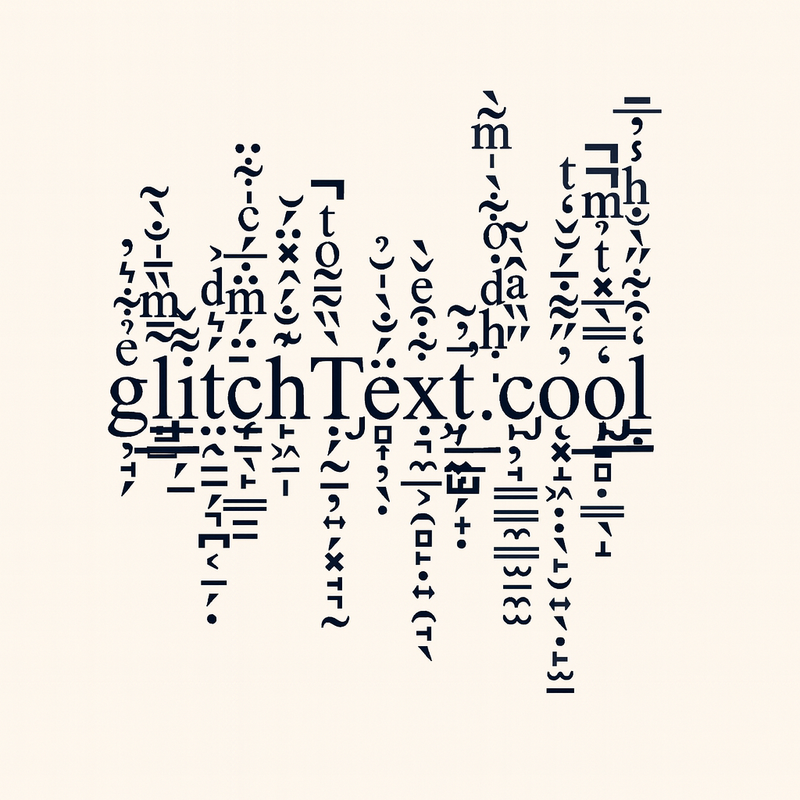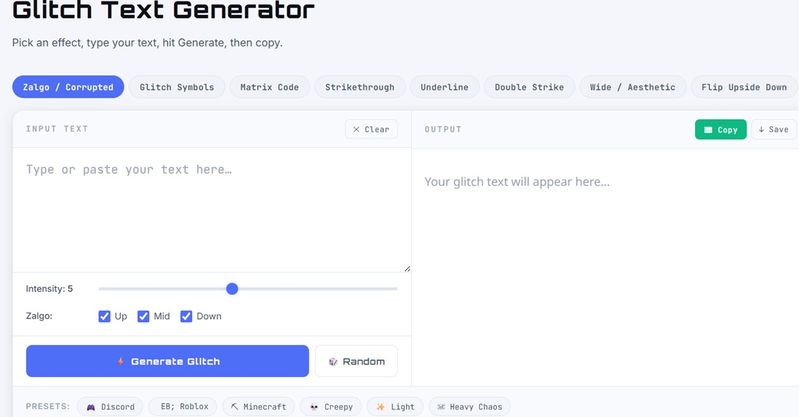
The Glitch Text Generator is a free online tool that converts plain text into distorted, Zalgo, and stylized Unicode glitch effects for use on Discord, Roblox, Minecraft, and social media platforms.
What is the Glitch Text Generator?
The Glitch Text Generator is a web-based tool that takes any user-inputted text and transforms it into visually corrupted or stylized Unicode output. It offers eight distinct effects—Zalgo (combining diacritical marks), Glitch Symbols, Matrix Code, Strikethrough, Underline, Double Strike, Wide/Aesthetic, and Flip Upside Down—each adjustable via an intensity slider (1–10). The tool runs entirely in the browser with no downloads, is mobile-responsive, and is provided free by the site Scoopfeedz.
Key Features
- 8 Unique Effects — Including Zalgo, Glitch Symbols, Matrix Code, Strikethrough, Underline, Double Strike, Wide/Aesthetic, and Flip Upside Down, each generating distinct Unicode-based glitch styles.
- Copy & Paste Ready — All output is standard Unicode that works across Discord, Twitter, Instagram, Reddit, Facebook, and most gaming platforms without any additional software.
- Game-Optimized Presets — One-click presets for Discord, Roblox (light Zalgo and wide text), Minecraft (Unicode-compatible), plus mood-based presets (Creepy, Light, Heavy Chaos).
- Intensity Control — A slider (1–10) adjusts the density of combining marks or glitch modifications, from subtle distortion to maximum chaos.
- Mobile Friendly — Fully responsive design allows generating and copying glitch text on any device.
- 100% Free — No sign-up, subscription, or watermark; unlimited generations forever.
Who is it for?
- Gamers — Craft unique usernames for Discord servers, Roblox profiles, and Minecraft signs that stand out with a corrupted digital aesthetic.
- Social Media Users — Design eye-catching bios, captions, and posts for Instagram, Twitter, Facebook, and TikTok that break the norm.
- Creative Enthusiasts — Add glitch text to memes, digital art, thumbnails, or design overlays for a cyberpunk or vaporwave vibe.
What can you do with the Glitch Text Generator?
- Discord Server Customization — Generate glitchy server names, channel names, and nicknames that render perfectly using Unicode support.
- Roblox Display Names — Create unique Roblox usernames with wide/aesthetic text or light Zalgo using the Roblox preset for maximum compatibility.
- Minecraft Sign Text — Produce corrupted-looking text for Minecraft signs and book-and-quill content (Java Edition also supports §k for in-game scrambling).
- Social Media Bios — Distort your Instagram or Twitter bio with Zalgo or double-strike text for a memorable, edgy appearance.
How does the Glitch Text Generator work?
- Type your text — Enter any word or phrase into the input box.
- Pick an effect — Choose from the eight effects (e.g., Zalgo, Glitch Symbols, Wide).
- Adjust intensity — Use the slider from 1 (subtle) to 10 (chaos) to control distortion level.
- Copy & use — Click the copy button and paste the glitch text anywhere Unicode is supported.
FAQ
What is a glitch text generator?
A glitch text generator converts normal text into corrupted or stylized Unicode using combining diacritical marks and special symbols, creating the appearance of a digital glitch without altering the underlying text.
Is the Glitch Text Generator free?
Yes, it is completely free with no sign-up, no subscription, and no usage limits.
Can I use glitch text on Discord?
Absolutely. All effects—Zalgo, Wide, Double-Strike, Strikethrough—work flawlessly in Discord usernames, server names, channel names, and messages.
Does glitch text work in Roblox?
Partially. Wide/aesthetic text and light Zalgo (intensity 1–2) are supported. Use the Roblox preset for best-compatible results.
Why does my glitch text look different on different platforms?
Platforms render Unicode characters differently depending on their fonts and operating systems. The text content is always the same, but visual appearance may vary.