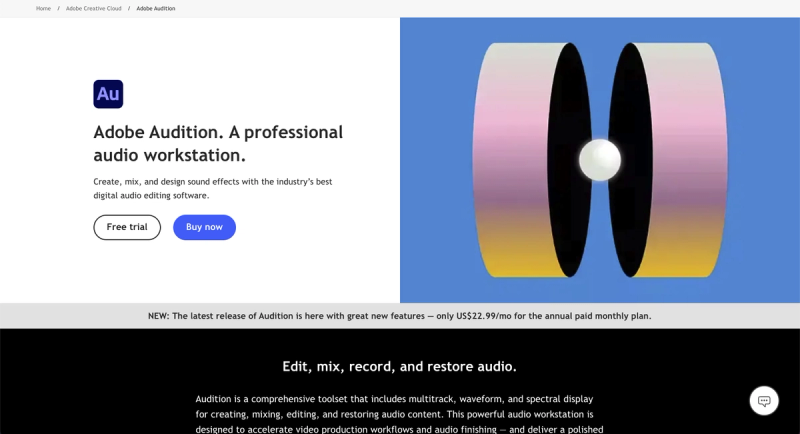
Adobe Audition is a professional audio workstation for creating, mixing, and designing sound effects with digital audio editing software.
What is Adobe Audition?
Adobe Audition is a comprehensive digital audio editing software developed by Adobe Inc. that takes multitrack, waveform, and spectral display input to output high-quality audio mixes, podcasts, and sound effects. It runs on Windows and macOS and is designed to accelerate video production workflows and deliver polished mixes with pristine sound. Take a two-minute tour to see it in action.
Key Features
- Multitrack, waveform, and spectral display — Enables precise audio editing with three complementary views for comprehensive control over audio content.
- Seamless integration with Adobe Premiere Pro — Allows efficient video production workflows by sharing assets via dynamic link, enabling audio editing without leaving Premiere.
- Essential Sound panel — Delivers professional-quality audio with intuitive controls for clarity, balance, and effects, as demonstrated in this tutorial.
- Podcast creation tools — Record, mix, and export audio content for podcasts with step-by-step tutorials; get started podcasting.
- Remix feature — Automatically rearranges any song to fit any duration without manual editing; learn how.
- Audio repair and restoration — Uses spectral frequency display, Diagnostics panel, and effects to fix noise and imperfections; watch restoration techniques.
- Motion Graphics templates — Access from After Effects and Adobe Stock directly within Audition for enhanced audio-visual projects.
- Creative Cloud community — Connect with other artists on Behance and find professional opportunities.
Who should use Adobe Audition?
- Video editors — Use Audition alongside Adobe Premiere Pro for seamless audio post-production and sound design, integrating with hundreds of Adobe video and audio partners.
- Podcasters — Record, mix, and publish professional podcasts with built-in tools and guided tutorials.
- Sound designers — Create and manipulate sound effects with spectral editing and restoration features.
- Music editors — Edit and remix songs to fit video durations using the Remix feature.
Use cases
- Produce podcasts: Record multiple tracks, apply effects, and export in various formats for distribution using the podcast creation workflow.
- Restore old recordings: Remove background noise, clicks, and hiss using spectral frequency display and automated diagnostics.
- Edit music for video: Use Remix to automatically adjust song duration to match video length, then mix with dialogue and effects.
- Design sound effects: Apply multitrack editing and spectral tools to create custom sound effects for film, games, or other media.
Pricing
Adobe Audition is available as part of Creative Cloud. The standalone plan costs US$22.99/mo (annual, billed monthly). Creative Cloud Pro includes Audition plus 20+ apps for US$69.99/mo (or US$34.99/mo for first 3 months for new subscribers). Students and teachers pay US$19.99/mo. Business licenses are US$99.99/mo per license. Free trial and buy now options are available.
FAQ
Is Adobe Audition free?
No, Adobe Audition is a paid subscription product. A free trial is available.
How much does Adobe Audition cost?
The standalone plan is US$22.99/mo (annual, billed monthly). Discounts are available for Creative Cloud Pro, students, and businesses.
Does Adobe Audition work with Premiere Pro?
Yes, it integrates seamlessly via dynamic link, allowing audio editing without leaving Premiere Pro.
Can I edit audio in Audition?
Yes, Audition provides multitrack, waveform, and spectral display for precise audio editing.
What platforms does Audition support?
Adobe Audition runs on Windows and macOS.