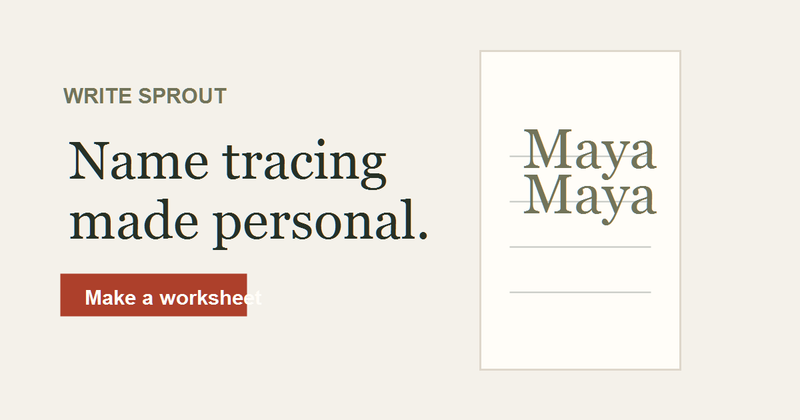
WriteSprout is a browser-based worksheet generator that turns a typed name or short piece of text into a printable handwriting practice page, with Print, Handwritten Print, and Cursive letter styles and Dotted, Outline, or Light tracing guides.
What is WriteSprout?
WriteSprout is a web tool for making printable handwriting and name tracing worksheets. You type a first name, nickname, or other short text, choose a writing style (Print, Handwritten Print, or Cursive), a tracing style (Dotted, Outline, or Light), practice rows, paper size (US Letter or A4), and page orientation, then preview the worksheet, print it directly, or download a print-ready PDF. It runs entirely in the browser, requires no account, and the page states that worksheet names are not saved or sent to analytics.
What makes WriteSprout stand out?
- Three writing styles — Print, Handwritten Print, and Cursive letterforms let the same name be practiced in block letters or connected script.
- Three tracing styles — Dotted, Outline, or Light letters change how much visual guidance each tracing row gives the learner.
- Model → Trace → Write progression — a single page can combine a clear model row, tracing rows, and a blank line for independent writing.
- Trace Only mode — removes the independent writing line so a page stays focused on guided tracing.
- Paper and layout control — US Letter or A4 paper in Portrait or Landscape orientation, with Auto Fit available for longer names.
- Dedicated generators — separate tools for name tracing worksheets, cursive handwriting worksheets, and cursive alphabet practice from A to Z.
- No account, no stored names — worksheets are generated in the browser and the typed name is not retained or sent to analytics.
How does WriteSprout work?
The page describes a three-step flow. 1) Type a name — a first name, nickname, or another short piece of text the learner is ready to practice. 2) Choose the practice style — writing style, tracing style, practice rows, paper size, and orientation. 3) Print or download — preview the finished worksheet, print it, or save a print-ready PDF for later.
Who should use WriteSprout?
- Parents of early writers: produce a personalized name tracing sheet for a child learning to write their own first name.
- Preschool and early elementary teachers: print US Letter or A4 worksheets, in portrait or landscape, for a whole class using the same tracing or group letters.
- Homeschool families: move a learner from tracing to independent writing by switching the same worksheet from Model → Trace → Write to Trace Only.
- Tutors and teaching assistants: revisit a saved worksheet setup and adjust rows and tracing guidance as the learner becomes more comfortable with the name.
What can you do with WriteSprout?
- Name practice for a new writer: type a short name, pick Print or Handwritten Print, set Dotted tracing rows, and print a sheet the child can trace and then write independently.
- Cursive instruction: open the cursive worksheet generator for connected writing practice, or the cursive alphabet worksheets to work through letters A to Z.
- Longer names and phrases: use Auto Fit with landscape A4 or US Letter so a longer name or short text fits the practice rows without manual resizing.
- Screen-free follow-up: download the PDF once and print copies later instead of regenerating the worksheet each session.
Pricing
WriteSprout is offered free: the page promotes a free name tracing worksheet and states that no account is required to create, print, or download a PDF. No paid tiers or subscription options are described on the page.
FAQ
Do I need an account to make a worksheet?
No. WriteSprout's generators run in the browser and require no account. You can type a name, adjust the writing style, tracing style, practice rows, paper size, and orientation, then preview, print, or download a PDF without signing up.
Are the names I type stored?
The page states that worksheet names are not saved or sent to analytics. The name is used only to render the worksheet in your browser session, and nothing about the learner is kept on the site.
What paper sizes and orientations are supported?
Worksheets can be set to US Letter or A4 paper in either Portrait or Landscape orientation. Auto Fit is available for longer names, which fits the text to the practice rows instead of requiring a shorter name.
Can I make cursive worksheets?
Yes. Alongside name tracing in Print and Handwritten Print, WriteSprout offers a cursive handwriting worksheet generator for connected writing and cursive alphabet practice sheets covering A to Z.
What tracing styles are available?
Tracing rows can use Dotted, Outline, or Light letters, which vary how much visual guidance appears. You can pair them with a Model → Trace → Write progression or keep the page in Trace Only mode.