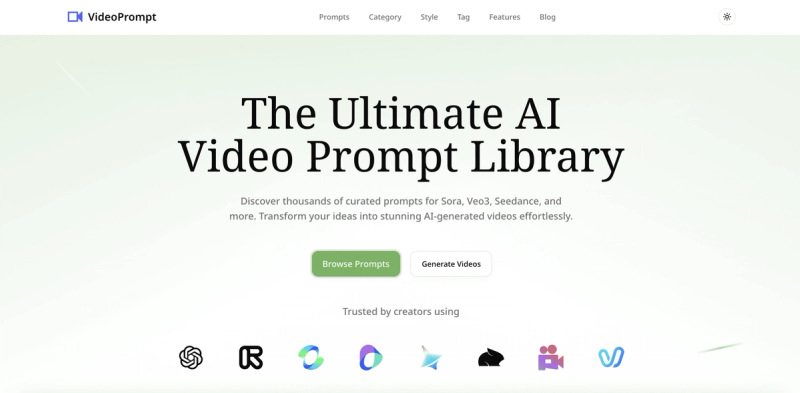
VideoPrompt is a curated prompt library for AI video generation platforms like Sora, Veo3, and Runway, offering over 500 optimized prompts across 50+ categories.
What is VideoPrompt?
VideoPrompt is a web-based platform that provides a library of over 500 hand-curated prompts for AI video generation models. Users can browse prompts by model (Sora, Veo3, Seedance, Runway, Kling, and others) or by category, or use the AI prompt generator to create custom prompts. The platform also offers a video-to-prompt feature that reverse-engineers prompts from existing videos, enabling users to replicate styles. It is designed to simplify the prompt creation process for creators using major AI video tools.
Key Features
- Curated Prompt Library — Over 500 prompts across 50+ categories including cinematic, nature, fantasy, urban, and portraits, with filters for 10+ supported models.
- Multi-Model Support — Prompts are optimized for Sora, Sora2, Veo3, Seedance, Runway, Kling, Pika, Pixverse, and Vidu, with model-specific prompts (e.g., 74 for Sora, 29 for Sora2).
- AI Prompt Generator — An intelligent tool that helps craft detailed, effective prompts by combining user input with model-specific best practices.
- Video to Prompt — Upload any video and the AI analyzes it to generate similar prompts, enabling reverse engineering of successful styles.
- Advanced Organization — Browse prompts by model, category, style, and tags for quick navigation and project management.
- One-Stop Video Solution — Complete workflow from prompt creation to final video output, though actual video generation happens in external tools; the platform provides links to supported models.
Who is it for?
- Content creators looking to quickly generate high-quality video prompts without spending hours writing them, especially those active on platforms like YouTube, TikTok, or Instagram.
- Marketers needing to produce promotional videos for social media or ads using cutting-edge AI models like Sora or Veo3.
- Filmmakers and storyboard artists exploring AI-generated video concepts for pre-visualization and rapid iteration.
- AI enthusiasts and hobbyists experimenting with different video generation models and styles to understand prompt engineering.
What can you do with VideoPrompt?
- Generate prompts for specific AI models — Select a model like Sora2 or Veo3 and get prompts tailored to that platform's strengths, then copy and paste them into the tool.
- Reverse engineer successful videos — Upload a video you like and let the platform generate a similar prompt to recreate the style or composition.
- Organize your prompt workflow — Use categories and tags to manage prompts for different projects, saving time on repetitive searches.
- Stay updated with new prompts — Subscribe to the newsletter for weekly additions and model-specific updates.
FAQ
Which AI video models are supported?
VideoPrompt supports over 10 models including Sora, Sora2, Veo3, Seedance, Runway, Kling, Pika, Pixverse, and Vidu. Each model has a dedicated prompt collection with model-specific optimizations.
How do I use the prompts with AI video tools?
Simply copy the prompt text from VideoPrompt and paste it into your AI video tool of choice (e.g., Sora, Veo3, Runway). The prompts are formatted to work directly without modification.
How often do you add new prompts?
New prompts are added weekly, with priority given to emerging models and trending categories. The platform currently offers 500+ prompts and counting.
Does VideoPrompt generate videos directly?
No, VideoPrompt is a prompt library and generator. It provides the text prompts needed for AI video models; actual video generation occurs in the respective external tools. The platform integrates with these tools via direct links and optimized prompts.