
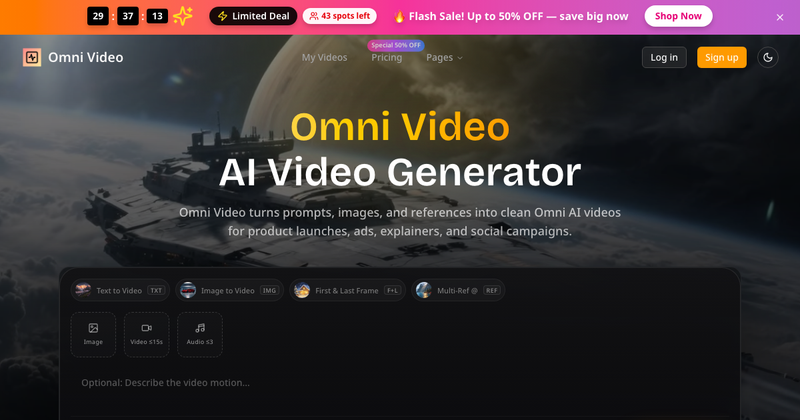
Omni Video is an AI video generator that converts text prompts, images, and reference visuals into short-form videos for product launches, ads, explainers, and social campaigns. The platform reports over 10,000 creators have joined and maintains a 4.9/5.0 user rating.
What is Omni Video?
Omni Video is a web-based AI video generation platform that takes input in the form of text prompts, static images, or reference images (including first and last frame control and multi-reference prompting) and produces video clips up to 1080p HD resolution. It is developed by an independent team and is accessible via browser at omnivideo.video. The platform is designed for rapid iteration and commercial use.
Key Features
- Text to Video: Generate video directly from descriptive text prompts, enabling quick concept visualization without any source footage.
- Image to Video: Animate static product images or existing visuals into motion clips, preserving brand style and composition.
- First & Last Frame Control: Define the start and end frames to guide video transitions, giving precise narrative control.
- Multi-Reference Prompting: Combine multiple reference images to influence style, lighting, and composition in a single generation.
- Batch Generation: Available on Pro and Ultra plans, allows simultaneous generation of multiple video variants to accelerate testing.
- Commercial Use License: All paid plans include a commercial use license, allowing generated videos to be used in ads, social media, and product launches.
- API Access: Pro and Ultra plans provide API integration for embedding video generation into external workflows and platforms.
- No Watermark: Paid plans remove the Omni Video watermark, making outputs ready for professional publishing.
Who is it for?
- E-commerce sellers: Animate product stills into promotional videos for social media and product pages without reshoots.

- Social media creators and influencers: Generate short-form video hooks and concepts for reels, shorts, and stories at scale.
- Indie makers and startups: Produce launch videos, demo loops, and announcement clips quickly without a dedicated motion designer.
What can you do with Omni Video?
- Create product launch videos: Convert text briefs or product images into 15-second promotional clips for landing pages and ads.
- Test multiple ad creative variants: Use batch generation to produce different hooks and pacing for A/B testing in paid social campaigns.
- Build landing page motion: Generate background loops or explainer snippets that can be embedded directly into a website.
- Iterate on storyboards: Quickly turn reference images and written concepts into rough motion drafts for client or team review.
How does Omni Video work?
- Describe: Write a clear text prompt or upload an image/reference in the web interface.
- Generate: The AI produces a video preview; you can adjust parameters like duration, aspect ratio, and motion style.
- Download: Once satisfied, download the final video for use in campaigns, social posts, or further editing.
Pricing
Omni Video operates on a freemium model with a free tier offering limited credits. Paid annual plans include:
- Basic: $9.80/month (billed annually at $117.60), 9,600 credits/year, includes commercial use, priority queue, no watermark, and 1080p HD.
- Pro: $19.95/month (billed annually at $239.40), 57,600 credits/year, adds batch generation, API access, and free video upscaler.
- Ultra: $99.95/month (billed annually at $1,199.40), 360,000 credits/year, includes everything plus dedicated support and custom enterprise service.
FAQ
What is Omni Video?
Omni Video is an AI video generator that turns text prompts, images, and reference visuals into short video clips. It is designed for creators, marketers, and product teams who need to produce polished motion content quickly without traditional video editing.
Does Omni Video support image to video?
Yes. You can upload a static image and the AI will animate it into a video clip, preserving the original composition and style. This is useful for making product stills or concept art into moving content.
Can I use Omni Video videos commercially?
Yes, all paid plans include a commercial use license, allowing you to use the generated videos in advertising, social media, and product launches. The free tier has limited commercial usage.
How fast is Omni Video?
Generation speed varies by plan and complexity. Basic plans receive priority queue access, while Pro and Ultra plans get faster processing. The platform is designed for rapid iterations, typically producing a first draft within seconds to minutes.
What output resolution does Omni Video support?
Paid plans support up to 1080p HD resolution. The free tier may have lower resolution or watermarked output.






